Participant
May 12, 2022
Answered

Shots overexposed by exporting

  • May 12, 2022
  • 4 replies
  • 22859 views

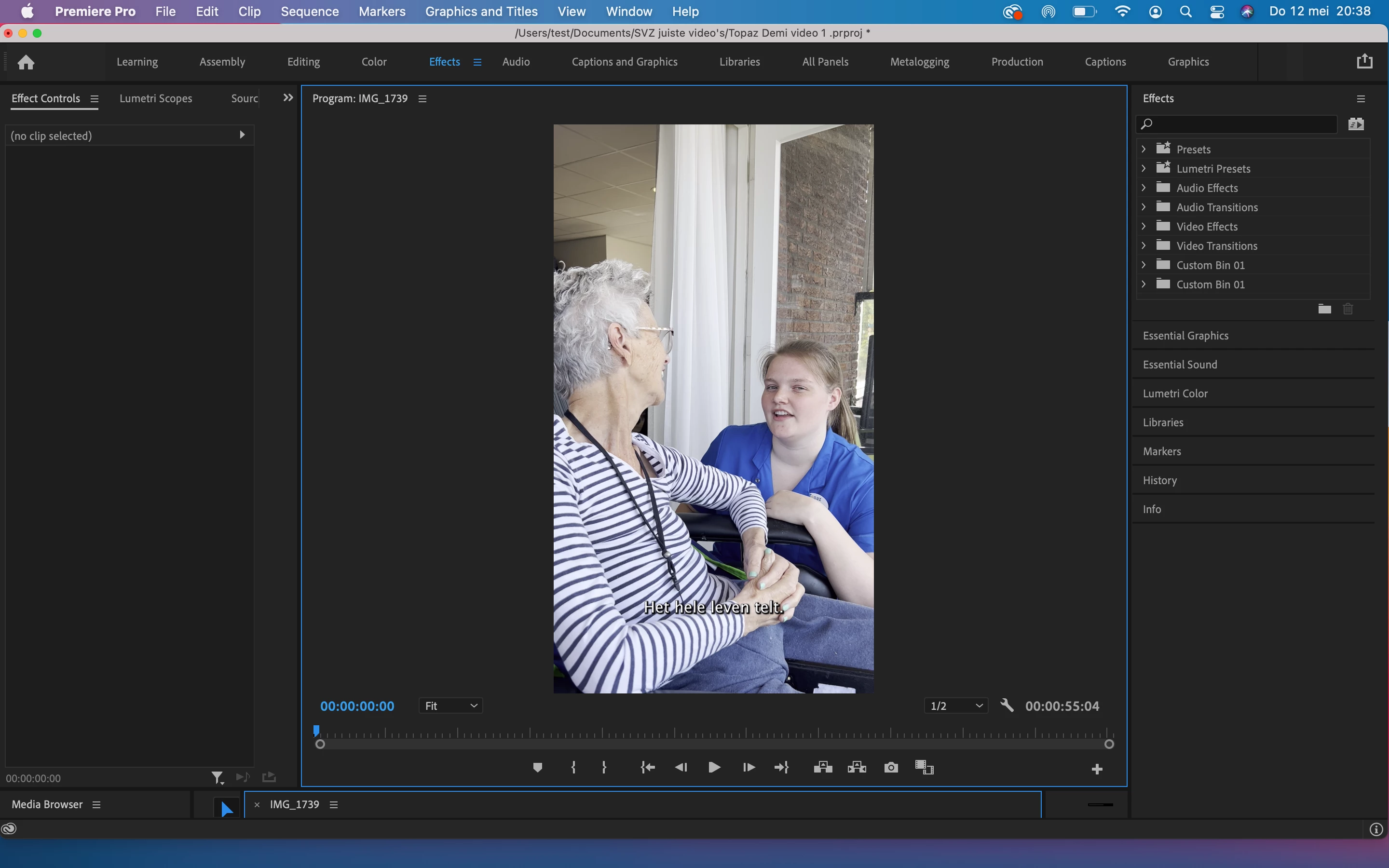
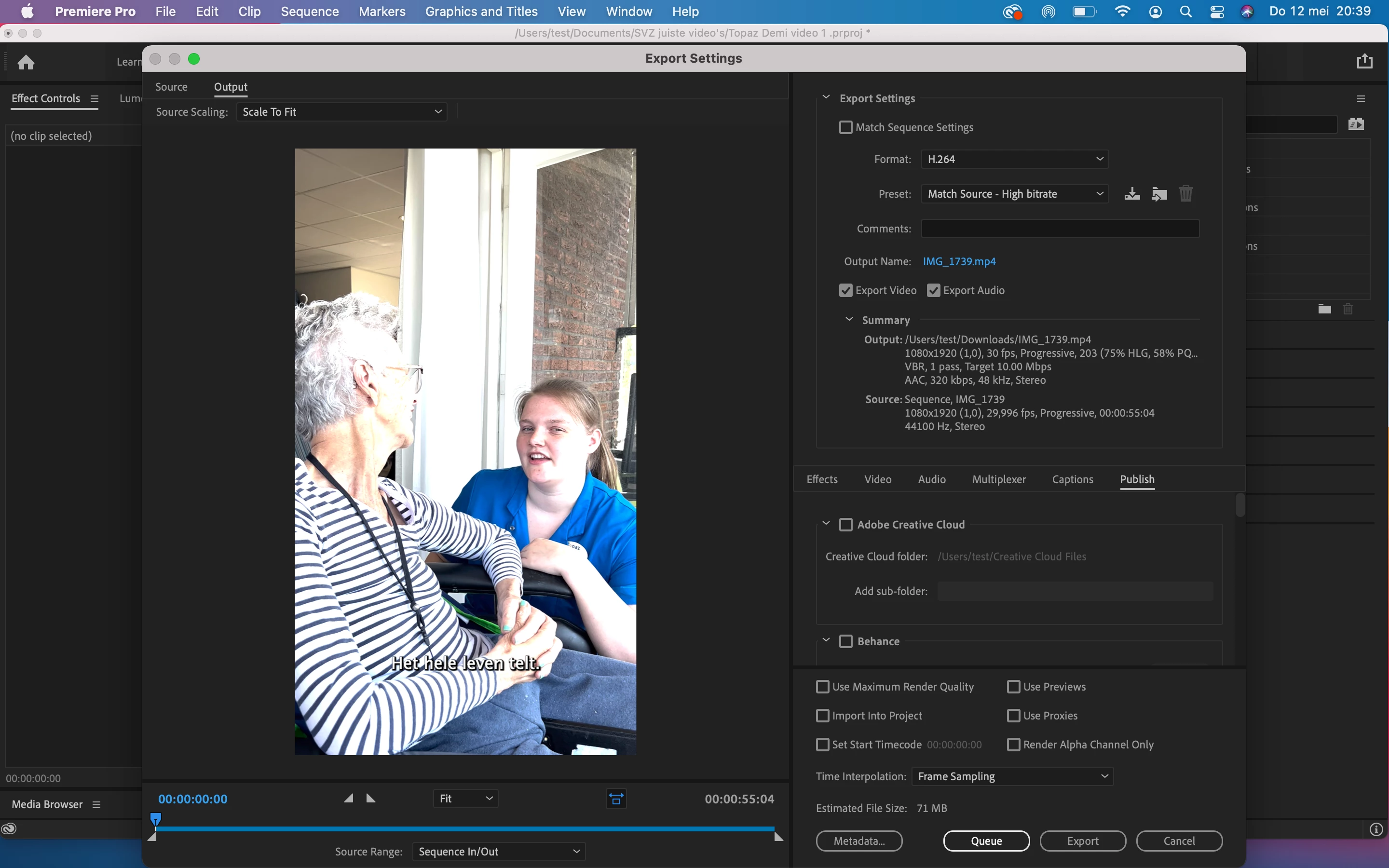
when i try to export my video the images are suddenly overexposed. In the editing part the images are good. Anyone an idea how to solve this? See pictures

4 replies

alexandern20013185
Participant
March 20, 2023

I had this same exact issue. You need to go to sequence settings and make sure "working color space" is set to rec 709. You may have to re-do your color grading after setting it as the pictures are now overexposed on the timeline. But this way the picture won't overexpose after export. 

Participant
April 5, 2023

Thanks brother it works 

Ann Bens
Community Expert
Ann BensCommunity ExpertCorrect answer
Community Expert
May 12, 2022
R Neil Haugen
Legend
May 12, 2022

Short story:


The phone is set to shooting HLG, an HDR form. Even bringing the highs down with Lumetri controls on an SDR/Rec.709 timeline so they look fine will get ignored on export.


So ... go to the project panel. Select one or more clips. Right-click/Modify/Interpret Footage.


Go to the bottom, to the new color management controls. Set the Override option to Rec.709.


And maybe ... set your phone to shoot SDR/Rec.709 files to avoid the hassle.


Neil

Everyone's mileage always varies ...
Participant
June 13, 2022

Hi Neil, 

Thanks for the reply. I've tried everything you said, but there still is no difference..  Do you have some other tips? Thank you in advance!  

R Neil Haugen
Legend
October 9, 2022

Neil,


This issue has been asked hundreds of times, and we still do not feel adequately helped with this issue. I am in the midst of the same frustration. I have a video that looks great in the preview, but it is unusable once exported. 


We must admit it is preposterous to ask iPhone users to change their camera settings!!!! 


This is where I am at. I import the footage. It looks great! I made my edits, and for this purpose, I do zero color correction because it was shot in ideal settings. Next, while exporting I try various adjustments you mentioned and nothing is adequate.


I even tried changing the color space to rec. 2100 HLG  for export, but this makes QuickTime unusable. 


The preview is a perfect render of the media anyways!!! do you realize how nonsensical this problem is??? 


I am sorry for my obvious frustration, but I have changed the color interpretation settings too, but the footage that looked GREAT on the first import now looks bad, and I would need to recolor everything every time. 


Please help.


You are choosing to use HLG footage. You can set that in the iPhone, as many others have. You don't have to.


But if you choose to stay with HLG, and want to use it on a Rec.709 sequence, you must also then select the clips (and do it in batches, of course!) and do proper color management so Premiere knows you want that transformed to use on a Rec.709 sequence.


Select one or more clips in the bin, right-click/Modify/Interpret Footage, set the Override to Rec.709. Takes a few seconds for the whole batch of clips.


Now use those on a Rec.709 timeline, use a Rec.709 export preset, it all simply works.


But now that Premiere is no longer built as a simple Rec.709 system, users MUST do their own color management.


Neil

Everyone's mileage always varies ...