
Participating Frequently
February 24, 2021
Question

Single Line Sound in Merged Sources Sequence

  • February 24, 2021
  • 5 replies
  • 1564 views

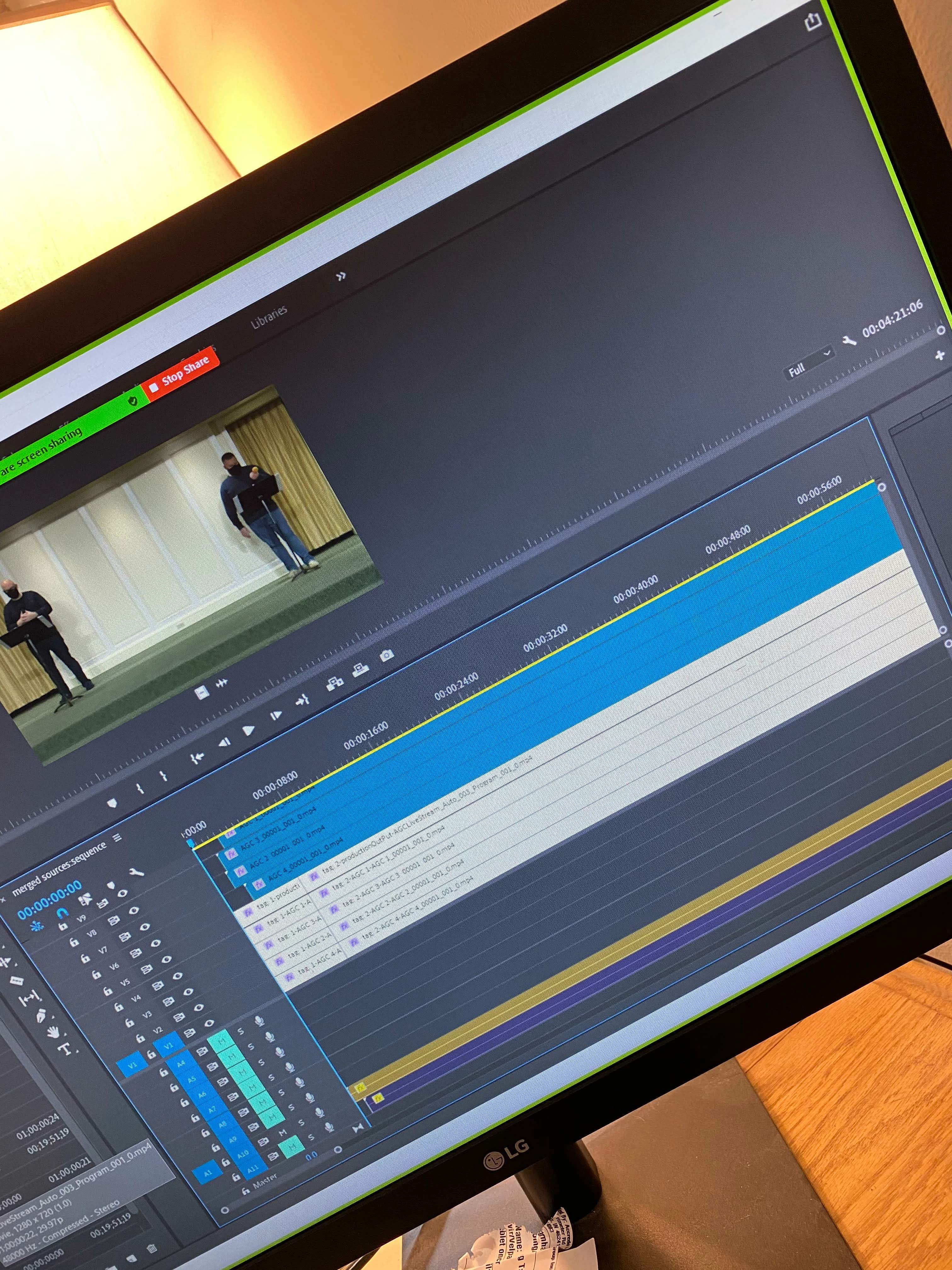
I am fairly new to this.  I do editing for a Church where we record with a Sling Studio and import a project.  We have a single Source Line in on A10 that is automatically there.  Each of the Brown in my production is a specific point in time that is already laid out.  What I can't figure out is how to get Adobe to Pull the sound from line A10.  That sounnd can't simply be moved because of the way this is recorded.  Any help would be appreciated in how I can get the sound to pull from A10.  I Export the videos each time and they don't have any sound.  
 

This topic has been closed for replies.

5 replies

R Neil Haugen
Legend
February 25, 2021

At this point, I'm asking @Jarle Leirpoll or @TrentHappel if they could pop in. Busy people, but they'd either know or know who would solve this.


Neil

Everyone's mileage always varies ...
agcmccAuthor
Participating Frequently
March 1, 2021

Hi Neil,

Following up for progress of your response from February 25:

"At this point, I'm asking @Jarle Leirpoll or @TrentHappel if they could pop in. Busy people, but they'd either know or know who would solve this.

Neil"

Look forward to learning of progress.

Legend
March 26, 2021

Hi agcmcc,

I'm having a hard time understanding what you're trying to do, and where it fails. Those angled photos don't tell us much about your settings.


Can you please make a screen recording where you show us the steps?


Please include the sequence settings of your edit sequence too.


R Neil Haugen
Legend
February 24, 2021

Is the audio "linked" to the video clips on the sequence?


Neil

Everyone's mileage always varies ...
agcmccAuthor
Participating Frequently
February 24, 2021

Yes it is Linked to all 4 clips

R Neil Haugen
Legend
February 24, 2021

So you can hear audio during playback? I'm still not sure where the audio is or isn't missing.


Neil

Everyone's mileage always varies ...
agcmccAuthor
Participating Frequently
February 24, 2021

That is correct.  During playback of the whole 1 hour 19 minutes I can hear the audio just fine.  When I try to make a Subsequence from the main show for a small clip I can't seem to get the audio to follow that small clip.  I get the videos just fine.  When I make the smaller clip I would like the matching audio.  The brown areas Automatically connect to select areas where we have marked an in and out during the long recording.  We continuously record and then are able to mark an in an out.  When we import this with the sling studio extension those marks show up with the automatic tags.  It is a Muti-Camera setup.  All 4 cameras record simultaneously.  With one Line in Audio Channel from a mixing board.  

R Neil Haugen
Legend
February 24, 2021

Do you have "show audio waveform" in the sequence wrench-icon menu turned on? I don't see any waveform there, and so can't tell if there's actually audio on that track from looking.


Neil

Everyone's mileage always varies ...
agcmccAuthor
Participating Frequently
February 24, 2021

There is actually audio.  That was the very begining where it is very quiet.  When I preview the whole show there is definitely audio.  During my 1 hour training on this I believe he said I needed to change something in the productionOuPut for the multi-cam but for the life of me I have tried every type of combinations and then I when I make Subsequence I still can't get the audio pulled in.  

agcmccAuthor
Participating Frequently
February 24, 2021

Just to clarify I create a Subsequence so that each of the camera views are then a separate shorter video from the long recording.  We want the small clips of each of the 4 cameras with the Single adio to match.