Participant
December 15, 2016
Answered

Smudge/haze on camera lens! How to fix it?

  • December 15, 2016
  • 2 replies
  • 8090 views

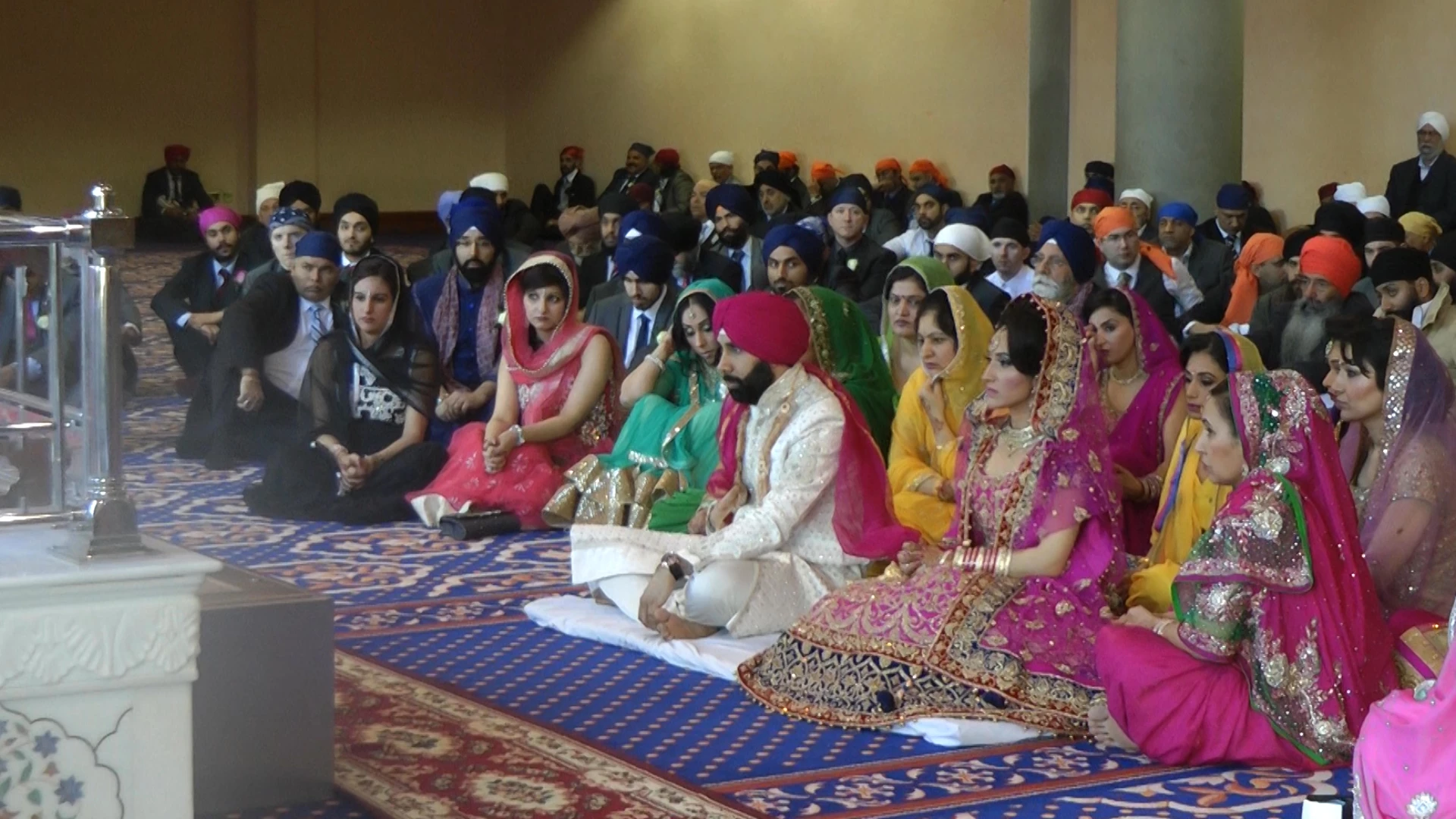
Hi, I hope someone can help me with my problem. I have edited a wedding video but there is a haze/smudge on the bottom left portion on the lens. It is not that strong but it is noticeable.  Does anyone know how I could get this removed? It's not like a dust speck on the sensor, it's that area of the lens wasn't wiped or been touched accidentally therefore causing a haze through the whole video.


I need this resolved asap as the client needs it straight away.  If anyone experienced this and managed to resolve it please do let me know. If there are any tutorials to show me that would be most grateful.


Please see the stills from the camera below. The haze is at the bottom left of the picture covering around 15% over the overall frame. It's quite noticeable when the camera moves also. I am using the latest version of Premiere Pro also.


Many thanks,

KJ
This topic has been closed for replies.
Correct answer Meg The Dog

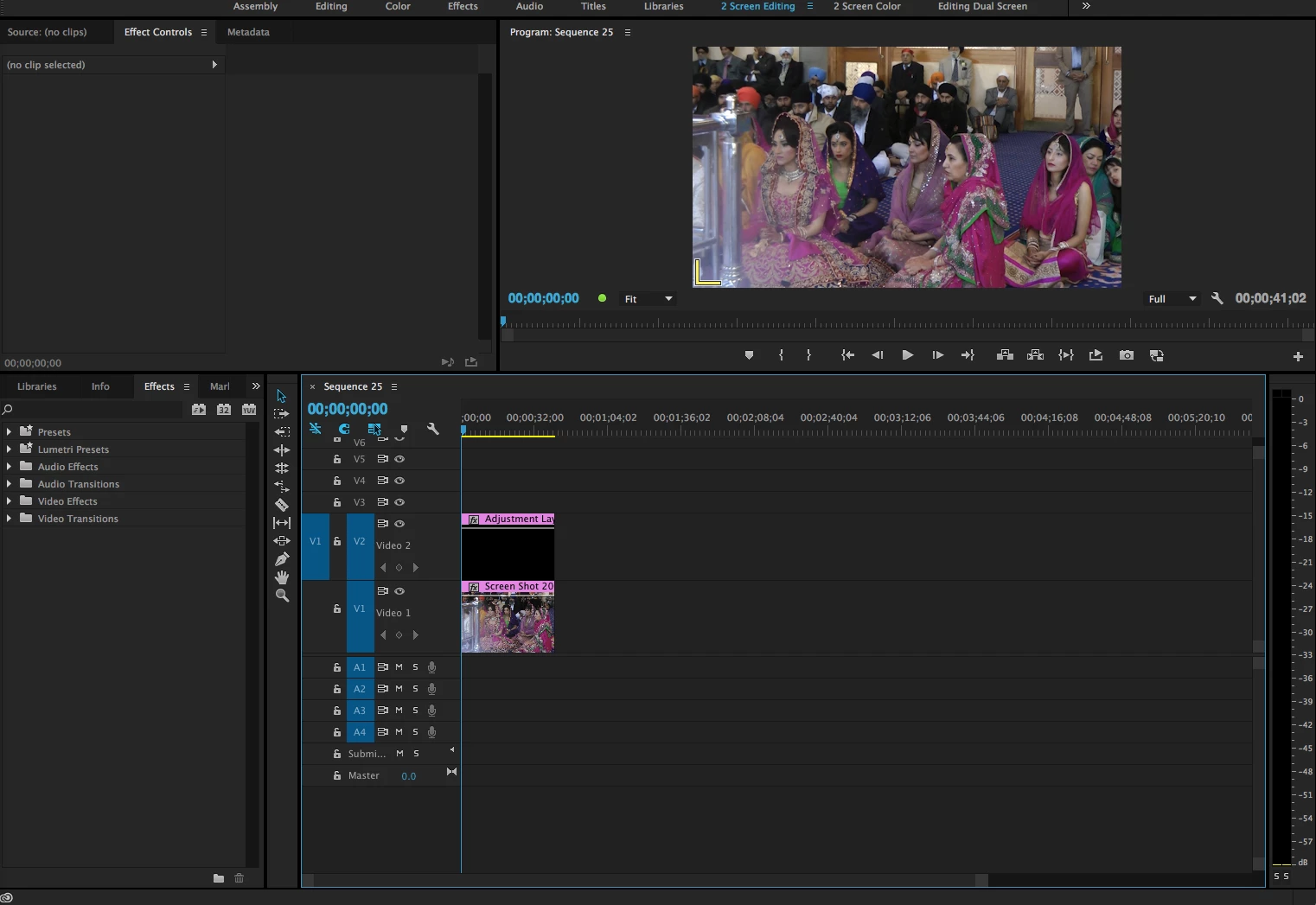
Put an adjustment layer (File > New > Adjustment Layer) on a video track above the bad clips:

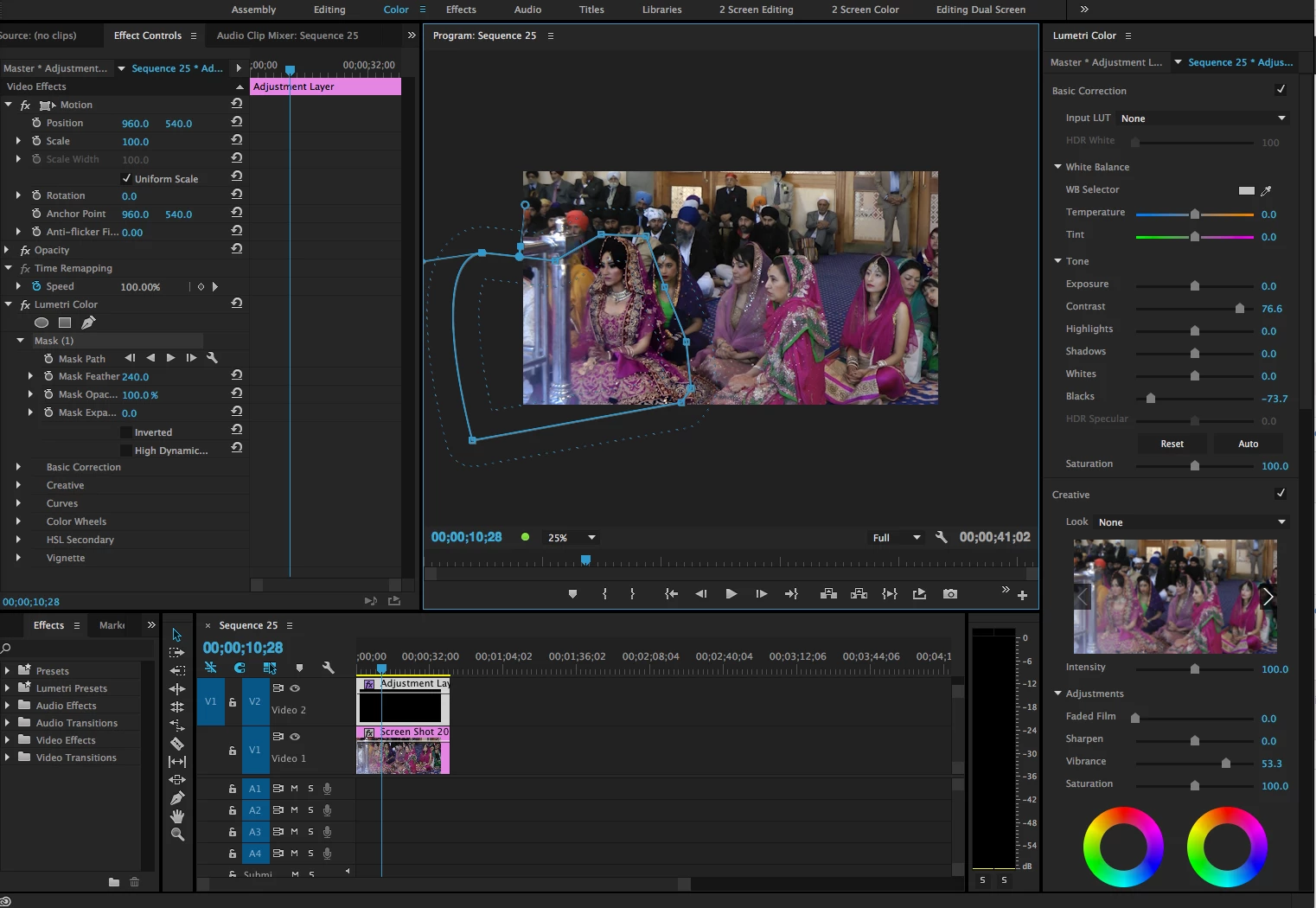
Click on the adjustment layer to select it, and switch to the Color workspace. Using the Lumetri controls, adjust the contrast, vibrance and black level controls to try to minimize the effect off the haze. Use the Mask tool, with Mask Feathering, to restrict the color correction to the area where the smudge is.

It may take a bit of trial and error in adjusting the Lumetri controls to minimize the haze as much as possible.

MtD

2 replies

Meg The DogCorrect answer
Inspiring
December 15, 2016

Put an adjustment layer (File > New > Adjustment Layer) on a video track above the bad clips:

Click on the adjustment layer to select it, and switch to the Color workspace. Using the Lumetri controls, adjust the contrast, vibrance and black level controls to try to minimize the effect off the haze. Use the Mask tool, with Mask Feathering, to restrict the color correction to the area where the smudge is.

It may take a bit of trial and error in adjusting the Lumetri controls to minimize the haze as much as possible.

MtD

Community Expert
December 15, 2016

MtD got there first but here is my attempt using a similar technique

kj4800610Author
Participant
December 15, 2016

Thank you mate, really appreciate it. I've gonna give it a try.

Legend
December 15, 2016

You're hosed, dude.  This is one of those things you can't "fix in post", you have to get it right when you shoot.

Participating Frequently
December 15, 2016

Tissue?

Participating Frequently
December 15, 2016

Perhaps UnSharp Mask and add saturation/contrast - if you can mask result to that area with a soft edge somehow to blend it in. Will never be perfect, but maybe a little better?