


paulc50903144
Participating Frequently
January 18, 2019
Question

Sony MXF Issue

  • January 18, 2019
  • 2 replies
  • 1810 views

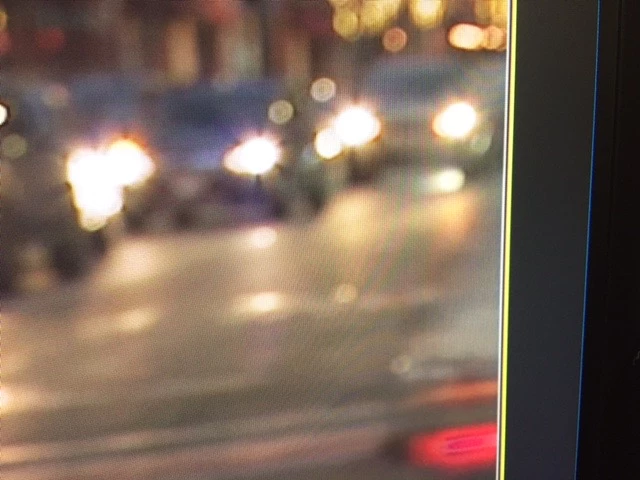
On all my Sony MXF imports, I'm getting these lines on the right side of the screen. I can eliminate them by changing the size of the frame to 101 from 100%, but its a pain and I'm wondering if there is a setting that's wrong. Has anyone experienced this?
    This topic has been closed for replies.

    2 replies

    Brainiac
    January 18, 2019

    What are the specs of the media, the sequence?

    paulc50903144
    Participating Frequently
    January 18, 2019

    Type: MXF

    File Size: 5.45 GB

    Image Size: 1280 x 720

    Frame Rate: 59.94

    Source Audio Format: 48000 Hz - 24 bit - 4 channels

    Project Audio Format: 48000 Hz - 32 bit floating point - 4 channels

    Total Duration: 00;15;11;46

    Pixel Aspect Ratio: 1.0

    MXF File details:

    Wrapper type: MXF OP1a (type: SingleItem SinglePackage MultiTrack Stream Internal)

    File generated by: Sony, Mem  (2.00)

    AVC Long GOP High 4:2:2 Profile 10-bit Unconstrained Coding

    Bitstream Format: Sony

    Class 50

    Brainiac
    January 18, 2019


    OK.

    What are your Playback Settings.  (Wrench, under the Program Monitor.)

    Vinay Dwivedi
    Adobe Employee
    Adobe Employee
    January 18, 2019

    Hi paul,

    Please post a complete UI screenshot as we can't see any settings.

    Also, mention the version of Premiere Pro and Operating system.

    //Vinay

    paulc50903144
    Participating Frequently
    January 18, 2019

    Thanks Vinay, Mac OS Mojave 10.14.2

    Vinay Dwivedi
    Adobe Employee
    Adobe Employee
    January 18, 2019

    Thanks, please post a screenshot of the program monitor andthe timeline too.