



Marcia L. 1991
Known Participant
November 8, 2024
Question

Source Monitor Is Pixelated when video is not playing

  • November 8, 2024
  • 4 replies
  • 488 views

When playing or scrubbing the playhead along the Time Line the video shows perfectly. When the playhead stops, I get a pixelated image which makes it impossible to add text overlays, synch videos... well everything.  It was working normailly, I clicked into a Finder Window and when I came back to the program I get this weird screen. If I douple click on a clip not in my time line, the Source window shows the same thing. I have restarted the program, empltied my Cache, restarted the computer and nothing seems to fix it.  I have even deleted the clips from the project and reimported them. Does anyone have a FIX for this? please?
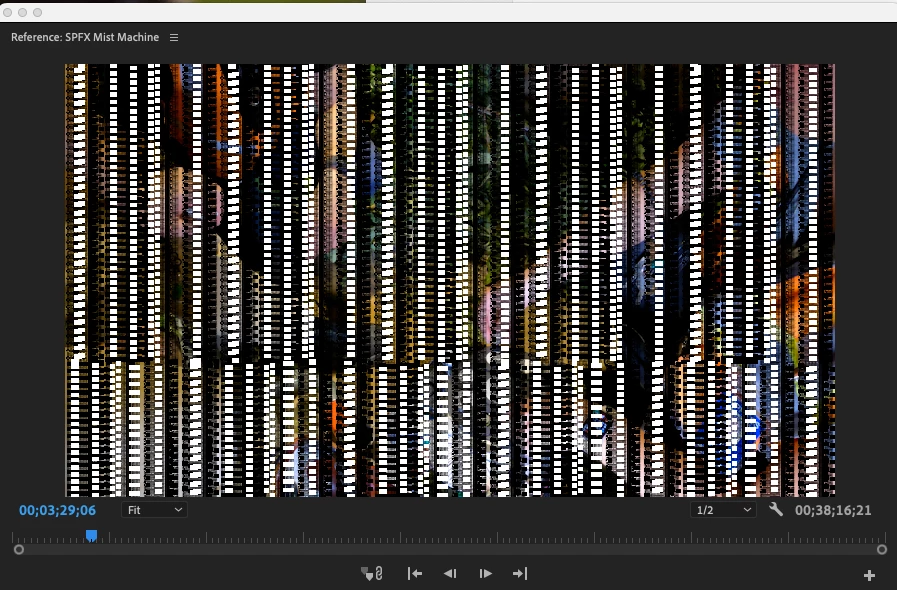
 

I am using Adobe Premiere Pro v22.0. I can not update due to our company IT department not approving the most recent version. 
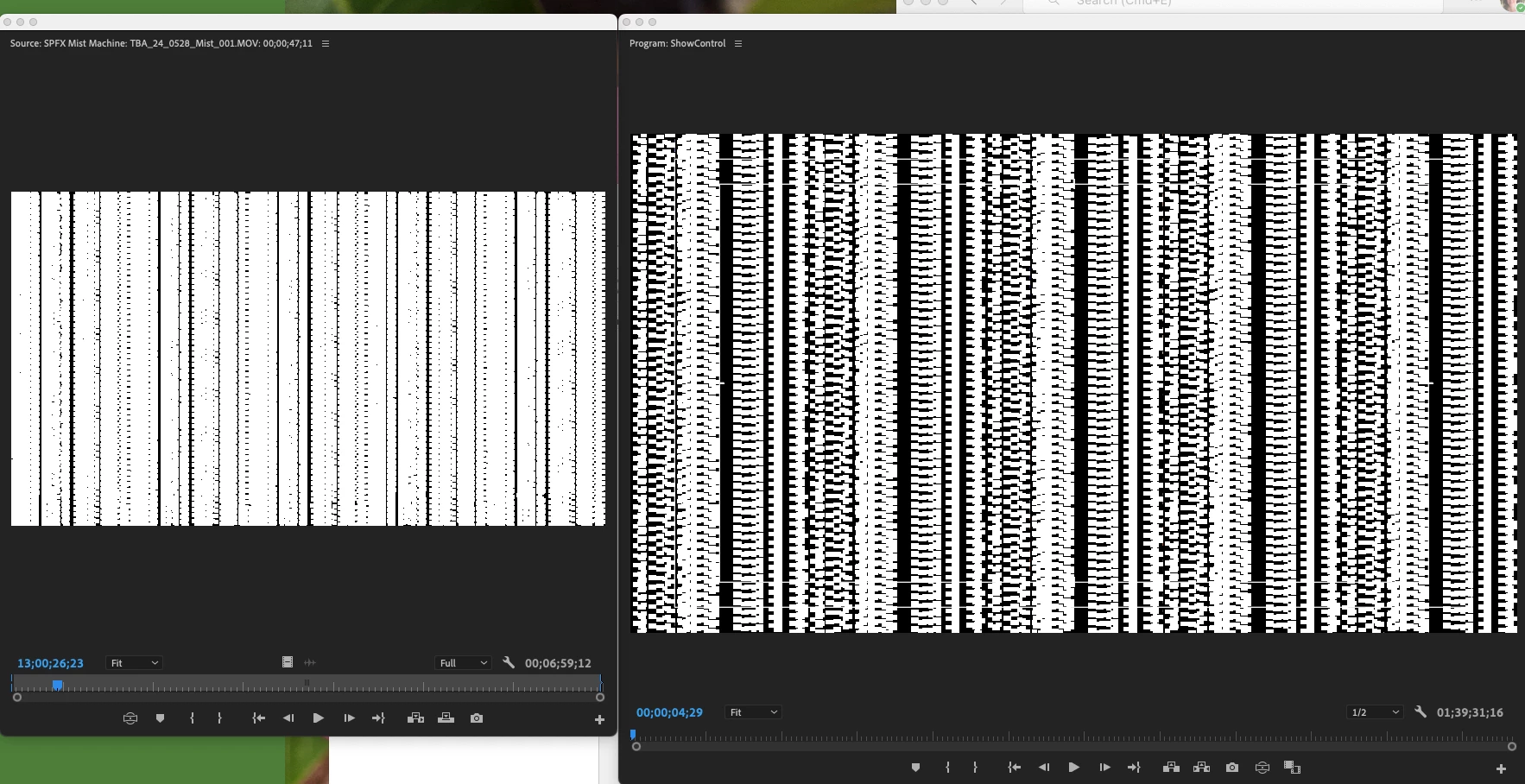
 

File Path: /Volumes//Video/24_0530 SPFX Fiber Optics/_24_0530_SPFX_001.MOV

Type: MPEG Movie

File Size: 3.97 GB

Image Size: 3840 x 2160

Frame Rate: 29.97

Pixel Aspect Ratio: 1.0

Alpha: None

Color Space: Rec. 709

Color Space Override: Off

Input LUT: None Video Codec Type: AVCHD H.264 4:2:0

This topic has been closed for replies.

4 replies

Marcia L. 1991
Known Participant
December 4, 2024

Luckily I just got an update MacBook Pro, so I have an updated version of Adobe Premiere. I now have version 24.1.


Another issue, randomly I am unable to select items on the Program window. If I select it on my timeline and attempt to move it within the screen I am unable to do so. This includes photos an text overlays. The only way I have found to fix it is to save, close the program and relaunch it. Which is an inconvienence. Twice I have had to restart my computer to get Premiere to respond to this issue. 

Community Manager
November 13, 2024

Hi @Marcia L. 1991 ,

Welcome to the Premiere Pro forums! We are glad to see you here. Unfortunately, Premiere version 22 is quite old and no longer supported. 

For a list of our current supported versions, please see this article on the Creative Cloud Support Policy and our Current Base Versions, which may help nudge your IT department into an upgrade.

Out of curiosity, have you tried starting a brand-new project and bringing the media in?  Also, does it happen with only this type of footage, or does it happen with any type of media?


 I'm sorry for the frustration.  Hopefully, we can still figure out a way to get you working again.
Best,
Rach

RamonMazinga
Participating Frequently
November 10, 2024

same problem here!

Marcia L. 1991
Known Participant
November 8, 2024

Sorry, More info.


Using a Mac Book Pro,  2.3 GHz 8-core Intel core i0 

Graphics: AMD Radeion Pro 550M 4GB Intel UHD Graphics 630 1536 MB

Memory: 64 GB 2667 MHz DDR4

Mac OS:14.5 (23F79) 


Video is stored and sourced from "Secure Drive Duo" 8TB encrypted drive. I have used this drive for this project for over 8 months. This is a recent issue.