Participant
January 6, 2018
Beantwortet

Source monitor time line is hidden.

  • January 6, 2018
  • 3 Antworten
  • 5476 Ansichten

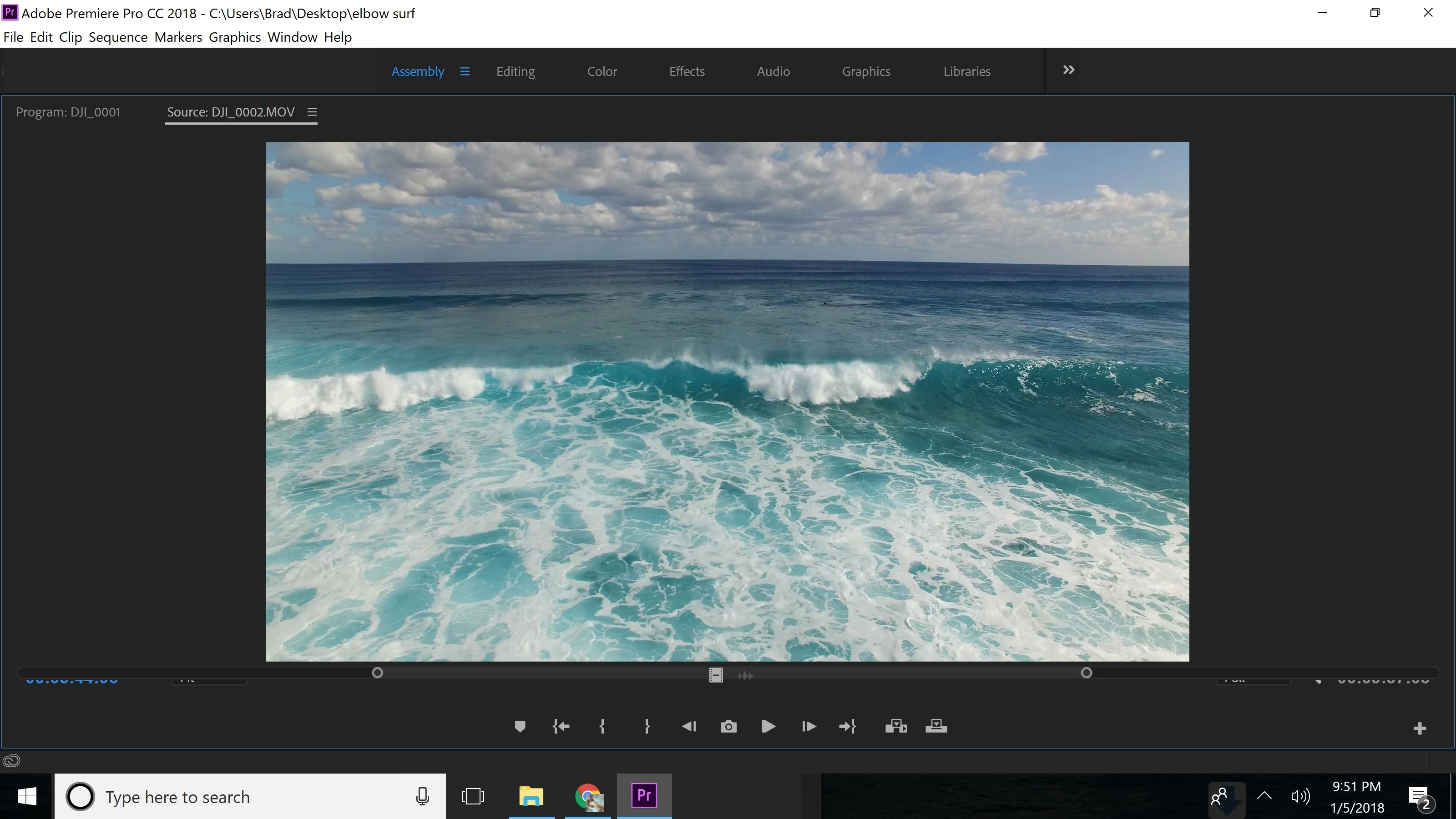
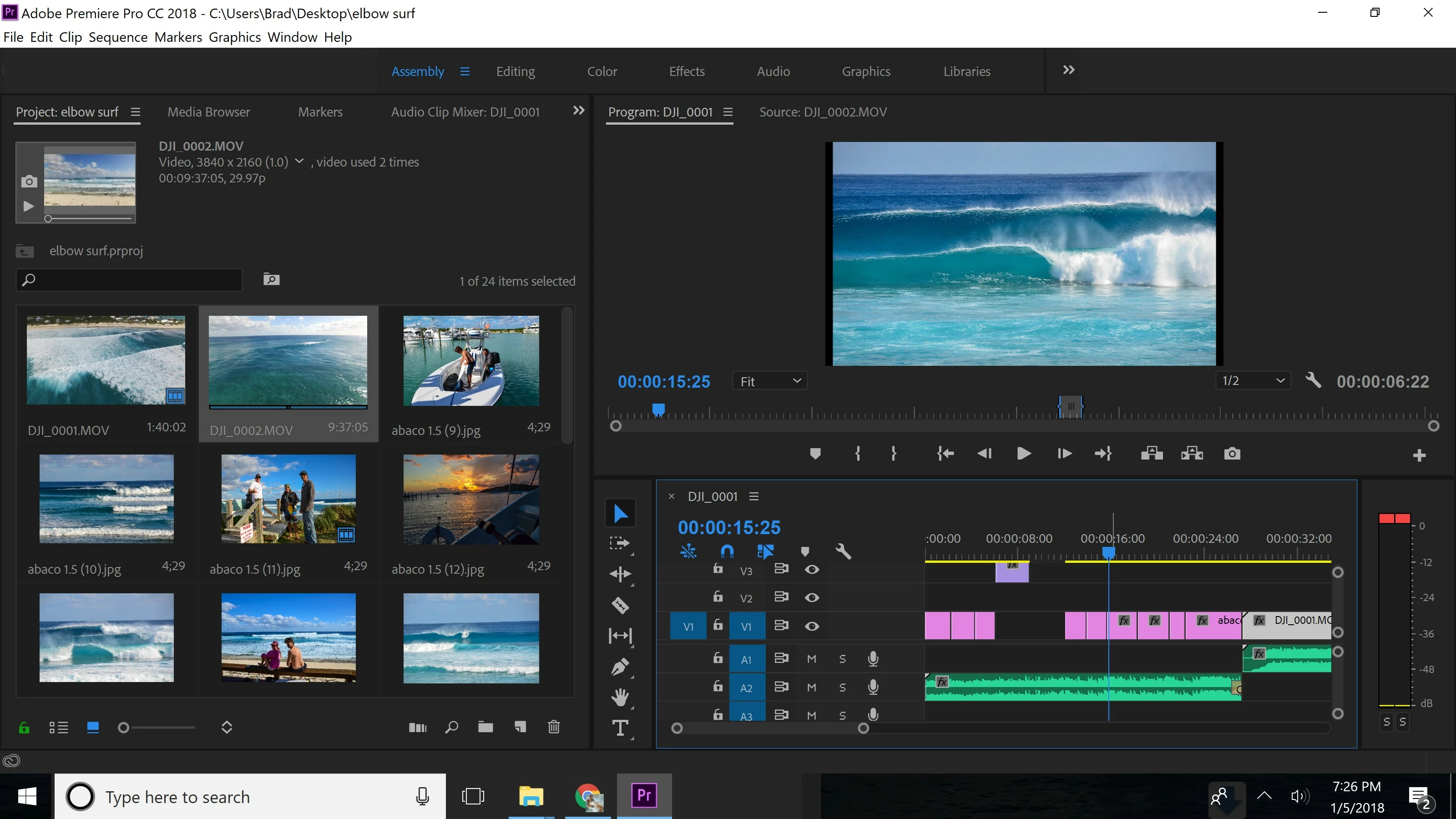
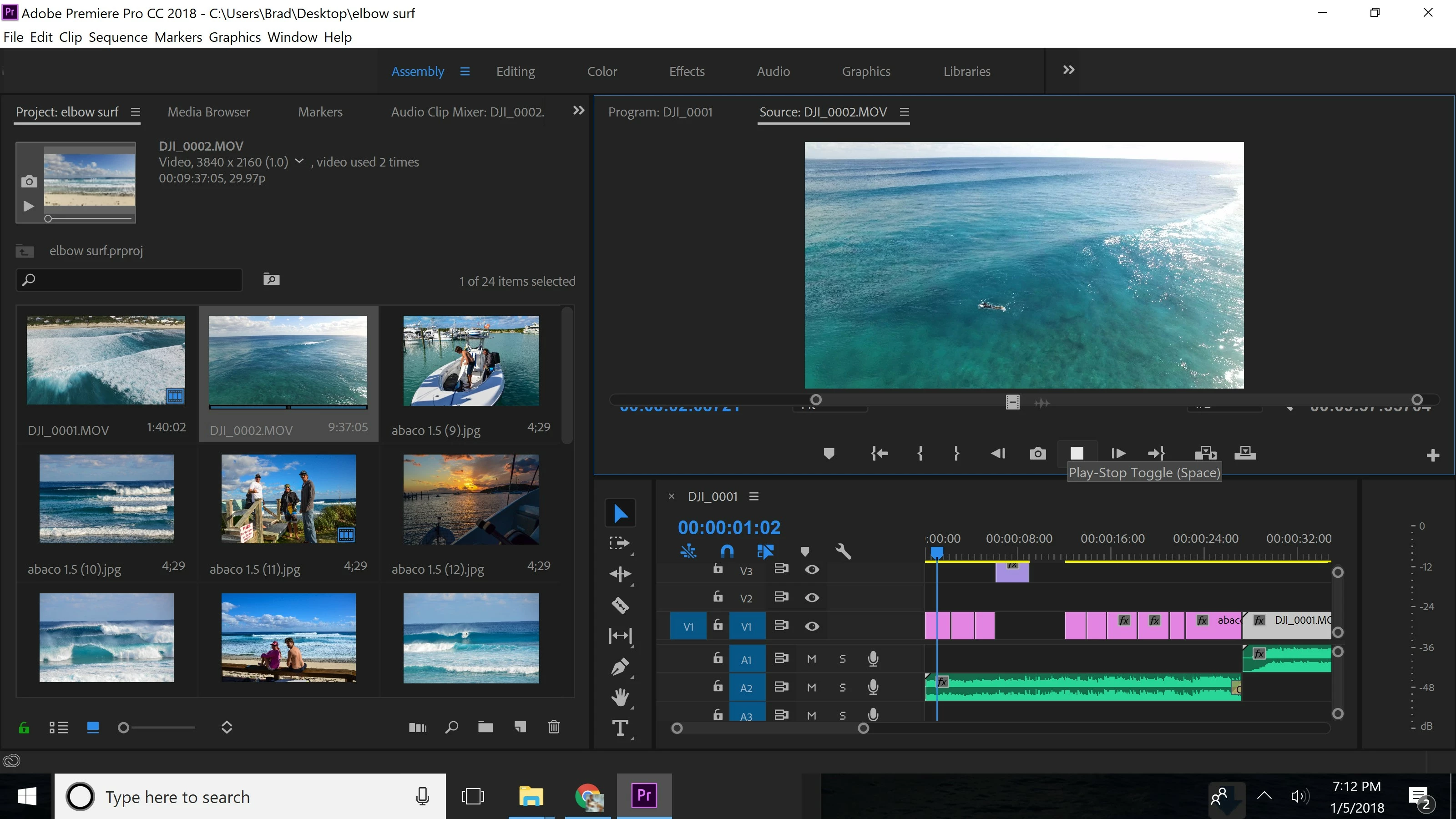
Hello all. Im fairly new to Premiere but have made a couple successful videos. However somehow my time line for adding in and out points has disappeared when usingthe Source Monitor, as pictured in the second image. It is still there on the project monitor, first image. I cant figure out how to see the timeline while in the Source Monitor.
    Dieses Thema wurde für Antworten geschlossen.
    Beste Antwort von R Neil Haugen


    At this point I would recommend down

    loading the Adobe CC Cleaner tool (don't have the link on my phone) and use that to uninstall and clean up after PrPro then reboot. From the CC App, download and install a fresh copy of PrPro.

    Neil

    3 Antworten

    Inspiring
    February 7, 2020

    I was offered a much quicker solution than has been discussed here...

    https://community.adobe.com/t5/premiere-pro/source-monitor-scrub-controls-hidden-premiere/m-p/10909024


    Windows 10, 32g ram, NVIDIA GeForce RTX 2070 Super 8GB GDDR6 Card.
    Ann Bens
    Community Expert
    Community Expert
    February 7, 2020

    Even faster is to close panel and open it again. (have not seen it for a while but worked for me).

    jaantalvet
    Participant
    February 21, 2021

    thanks- this was much faster than uinstalling/reinstalling

    Participant
    January 6, 2018

    Hi Guys Please replay me ..Premier pro cc supported vga list ..because i am new user...i want to build new pc..for low budjet

    R Neil Haugen
    Legend
    January 6, 2018

    I suggest you go to the Adobe Hardware forum for that information, it's very helpful and knowledgeable folks over there!

    Neil

    Hardware Forum ... https://forums.adobe.com/community/premiere/hardware_forum

    Everyone's mileage always varies ...
    R Neil Haugen
    Legend
    January 6, 2018

    I would go to the Workspaces menu, and click reset to saved ... it's displaying weird there.

    Neil

    Everyone's mileage always varies ...
    Participant
    January 6, 2018

    Neil, Thank you. This originally happened to me months ago. and in my unknowledgeable haste, I tried all kinds of different things. managed to really change around my workspace, seperated panes and all.

    After going through the past help forums here, I did find the reset as you mention. It re aligned my panes, but the timeline is still hidden under the image, doesn't change no matter how big or small I stretch the pane.

    Any other thoughts?

    Participant
    January 6, 2018

    If you hit the grave/tilde key while the source monitor has 'focus' (the blue border), so that it goes full screen, do you see more?

    Neil


    Yeah, that was the first thing I tried. You are meaning to do as the attached image is, correct?