


Question
Source patching not showing all tracks except after clicking tiny "+" symbol
Oh please tell me I have something set wrong. This can't possibly be how Premiere works!...
If I have a source clip that has more audio tracks than are in the sequence I'm working with (for example my source clip has 4 tracks of audio, my sequence has 1), source patching only shows me A1 of my source unless I go through the extra step to hit the tiny "+" sign on the A1 button. Making matters worse, if I use my keyboard shortcut to deselect all source audio tracks (shift-clicking on A1) without first hitting the plus sign to reveal the rest of the tracks, the rest of the tracks remain selected.
I must be missing something. In what scenario would I NOT want to see all the tracks available in the source clip?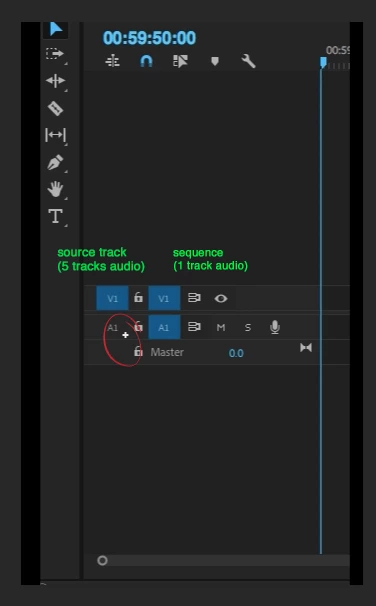
 AdChoices