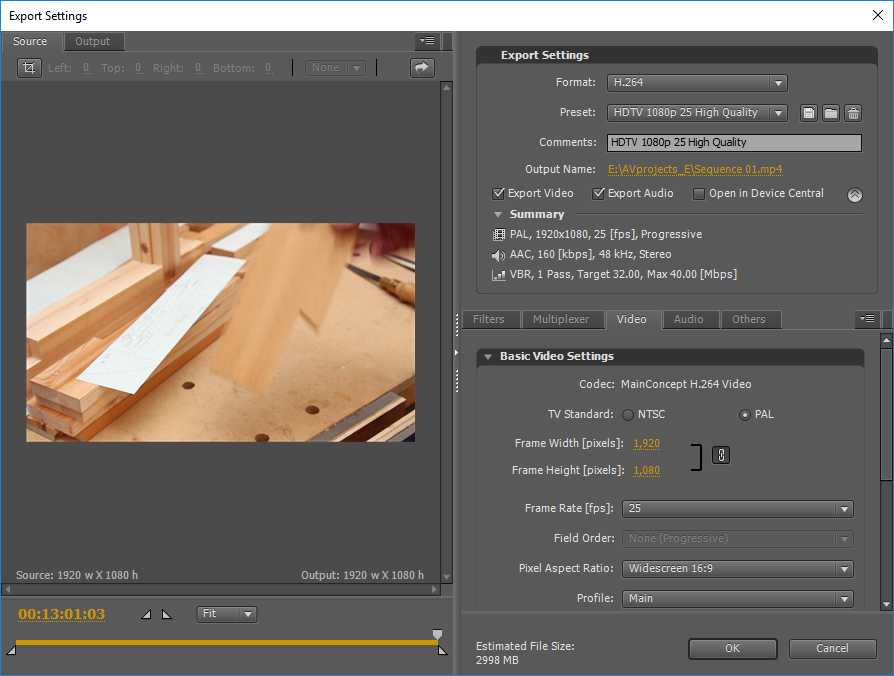
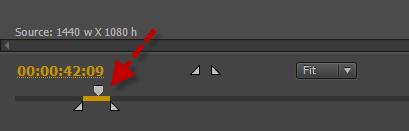
When I export media (ctrl-m) in my CS4, I can't predict whether I'm going to export the entire sequence or the work area. I started seaching and found a lot of references to the source range option at the bottom of the left side of the export media settings.
Except that my export media settings doesn't have such an option. It has a drop down called "Fit" and that's it. I assumed that setting the source range was a feature of newer versions. But searching again didn't seem to confirm this.
So, is a source range supposed to be an option in CS4's export media settings? And if so, anyone know why I can't see it?
Thanks.









 2
Replies
2
Replies


 AdChoices