



Stretched Aspect Ratio? ~ Exporting Multi-cam Proxy footage
Hi all!
Running into some wacky reframing and aspect ratio issues upon export of a multi-camera dance piece in which I had been using proxy footage to help speed up the editing process.
All along I had been using the proxies and all looked groovy. Proxies were set on the suggested 1024X540 apple pro res 422(Proxy) setting in my ingest settings.
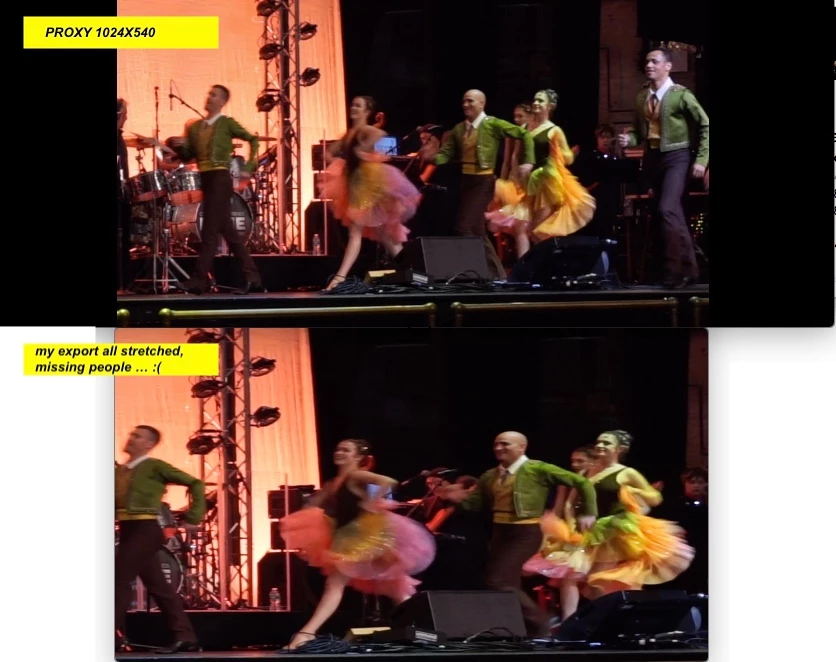
But then I went to export (which I believe should automatically relink the original high quality files?) and many of the clips are getting all stretched out and chopping people off the edges… no good…
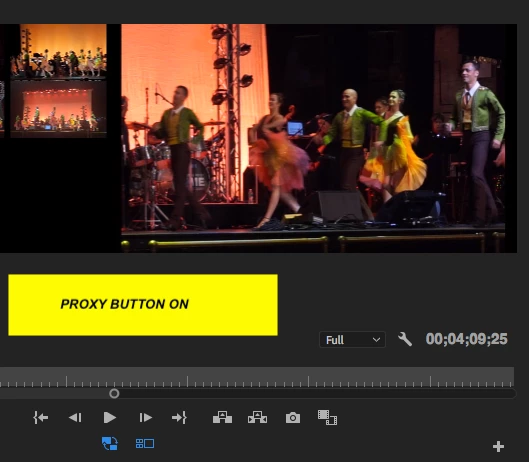
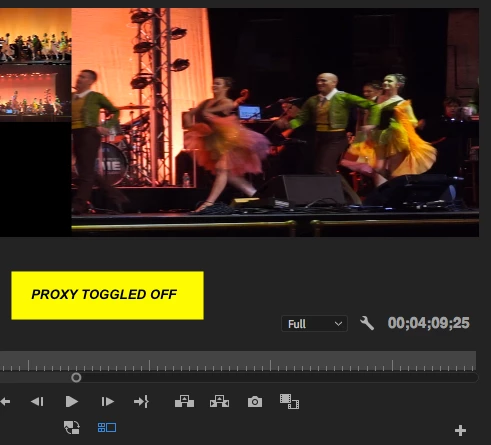
I went back into my project and toggled off the proxies and the same stretching was happening (guess I should have noticed this sooner!) (pics attached toggling on/off)
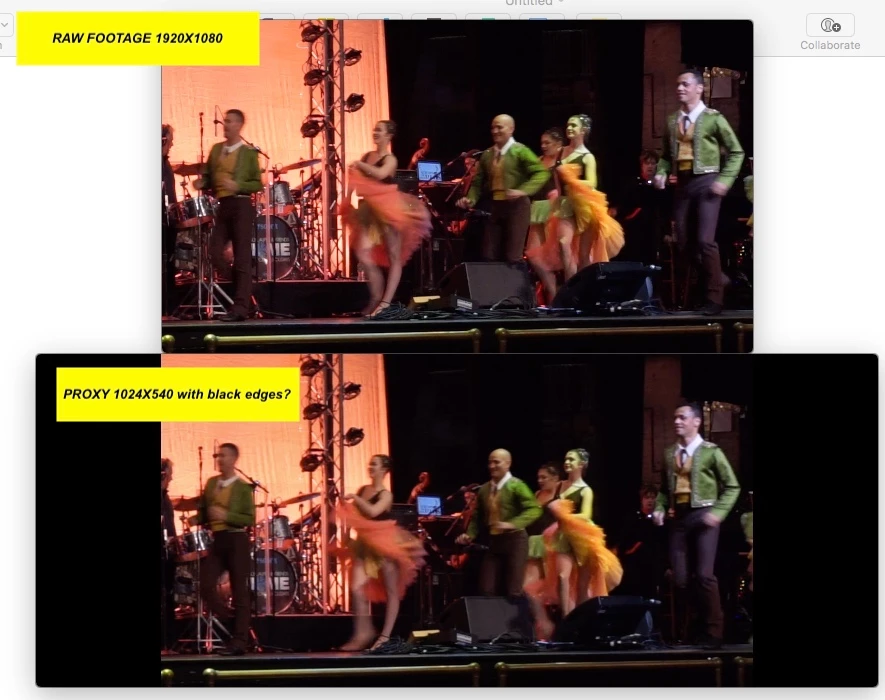
My original clips are 1920X1080. And the Proxies claim to be 1024X540 ~ but they seem to make up for this difference in aspect ratio with two black bars on the left and right side of the image? (See raw footage vs. Proxy clip pic).
Basically I like the way the film plays with proxies toggled on (no one is stretched or cut off!) ~ how do I get that same look just with the re-attaching the higher quality originals? ..wracking my brains trying all different aspect ratios and just keep getting weird exports..
SOS! Any help so greatly appreciated. Thanks in advance!
 AdChoices