


Participant
November 15, 2019
Answered

Subtitles not showing In program monitor (Premiere Pro 14.9 and earlier)

  • November 15, 2019
  • 3 replies
  • 3961 views

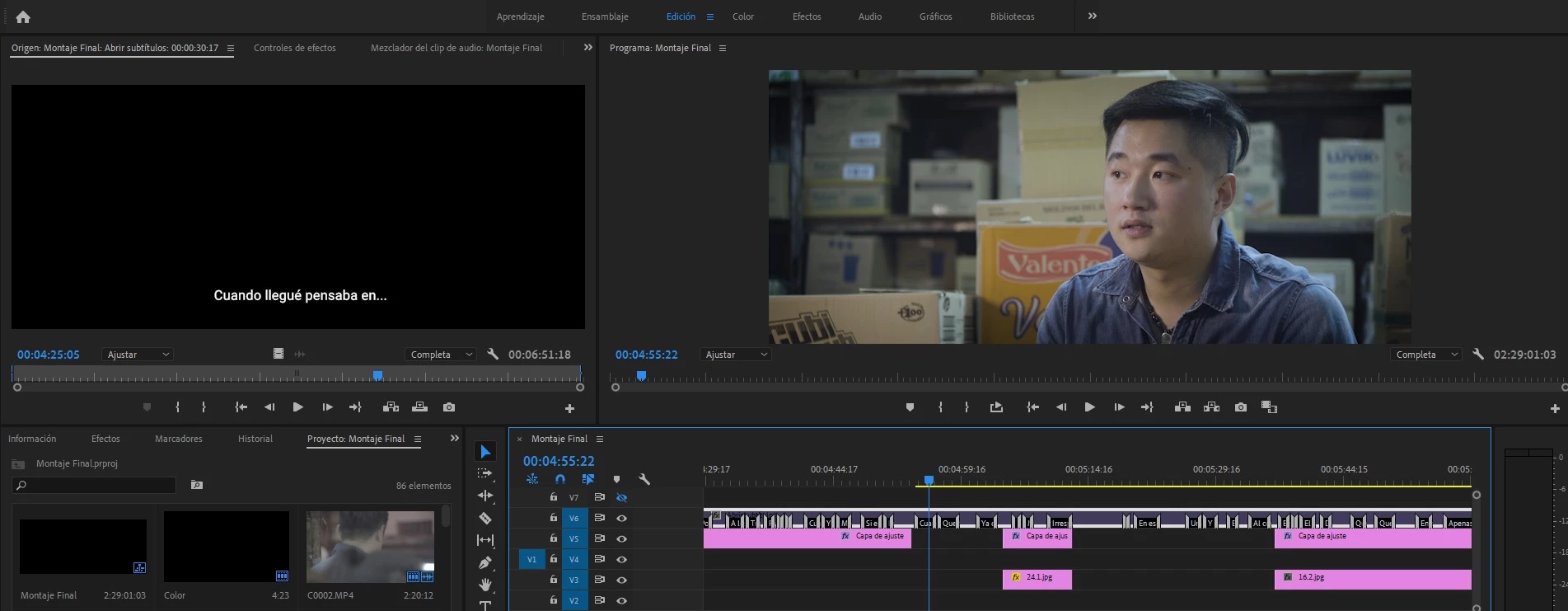
Hello, I was editing the subtitles for a documentary but they suddenly dissapeared from the program monitor. The weird thing is that the file monitor does display the subtitles. I already tried enabling and disabling the closed caption option in the wrench icon and tried the different settings but this doesn't  work.  I also noticed that the caption layer's color is slightly darker than a new caption file's color so I thought that the problem could be related to accidentaly disabling the layer but I have no idea how to solve it. I am working with open captions in Adobe Premiere Pro CC 2019.
This topic has been closed for replies.
Correct answer Joaquín Yin

I have already solved it, it was a very dumb mistake, the clip was disabled so I right clicked the clip and pressed "Enable". Thanks for the advise anyways!!!

3 replies

Stan Jones
Community Expert
Community Expert
January 28, 2020

I can't get the captions to disappear. And I get a yellow render status, but can't get it to render to green. But I have a very simple test project.


Thinking....


If you create a simple project with just the main video and the captions, does the problem still occur?


Stan

Stan Jones
Community Expert
Community Expert
January 27, 2020

remys, this is not a known issue, and I believe something is wrong between your sequence settings and caption settings. It is odd that you can see the caption in the source panel and not the program panel.


Screenshot of the caption panel might help.


The wrench icon settings option are ignored (and not needed) for Open Captions. Open Subtitling is a type of closed caption. So not harm, but this doesn't tell us what may be wrong.


Stan


Participant
January 27, 2020

Hi Stan, thanks for the quick reply.

Here are some screen shots, I hope they provide appropriater diagnostic info.

Please ignore the odd resolution, it is appropriate to project that is being worked on.

Stan Jones
Community Expert
Community Expert
November 15, 2019

Open Captions hsould always show in the Program Monitor: the caption settings do not apply to Open Captions.


There is a known issue where captions may not longer show, but that affects both the program and source monitor. So that does not appear to be it.


Are you sure your caption stream and sequence settings match? Pixel size and par.


Please post a screen shot of the caption panel.


Stan

Joaquín YinAuthorCorrect answer
Participant
November 15, 2019

I have already solved it, it was a very dumb mistake, the clip was disabled so I right clicked the clip and pressed "Enable". Thanks for the advise anyways!!!