


jonathanp68678337
Participant
June 18, 2018
해결됨

Subtitles will not export out of Premiere Pro (Premiere Pro 14.9 and earlier)

  • June 18, 2018
  • 2 답변들
  • 54645 조회

Hello,


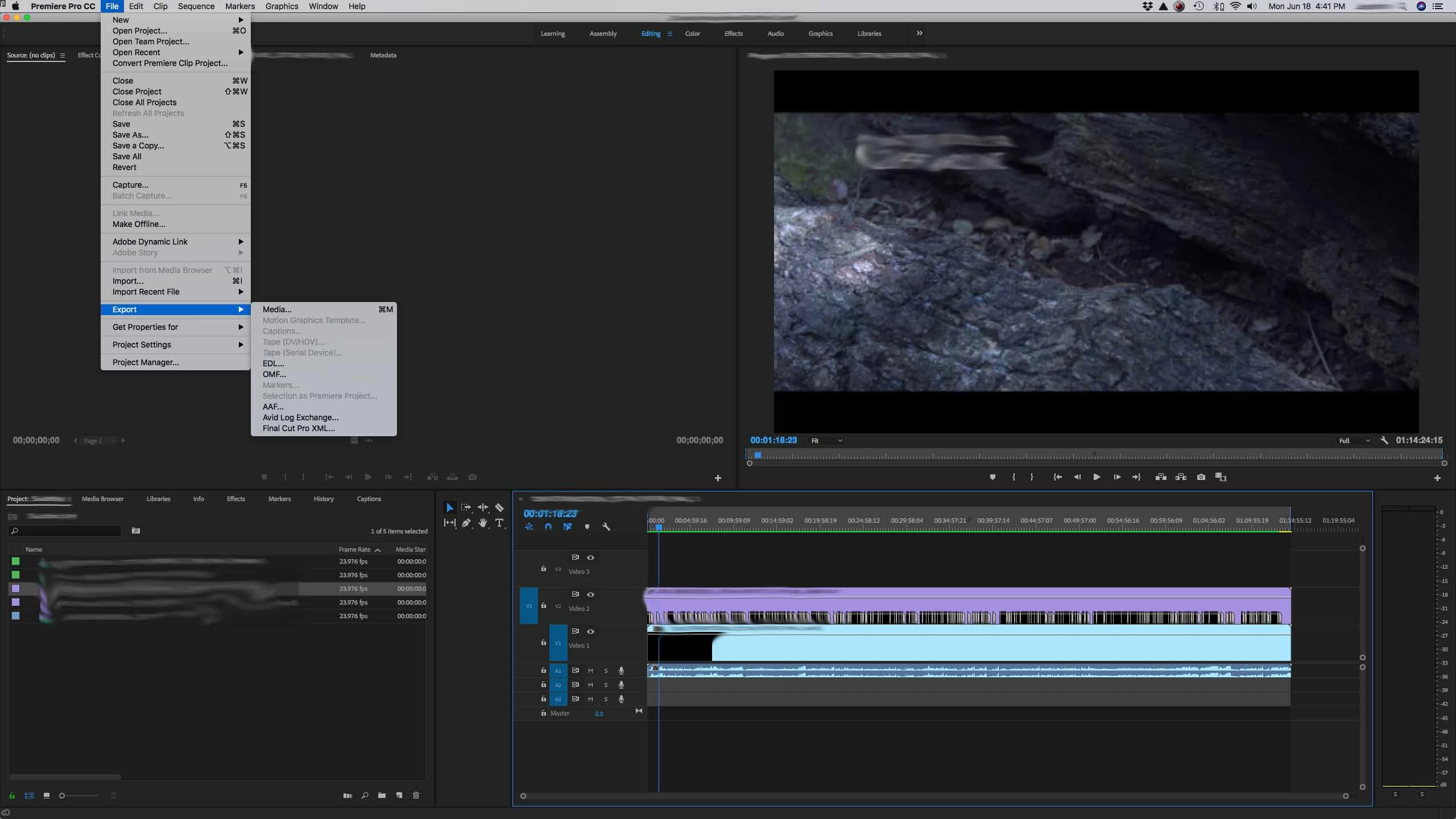
I imported a .srt file I was given to make changes in Premiere. The file imported fine and I was able to open it under the Captions window and make the changes I needed. But when I go to export the captions, the option under export is grayed out. (See screen grab) I can only export it as media, which i do not want. I have tried everything from starting a new project to new sequence and even starting a new captions file. Any reason why I can't export the captions.
 

이 주제는 답변이 닫혔습니다.
최고의 답변: Stan Jones

I can't tell from the screenshot in your original post, but you must select the .srt file in the project panel (not the timeline), then File -> Export -> Captions.

I do not see this explained in the help file. The section on "Export Captions" is part of the closed caption options.

2 답변

Participant
January 2, 2022

My issue was that the captions were not appearing in the exported video. When I selected "Match Sequence Settings" in the export window, (see attached) it worked like a charm. 

Kevin J. Monahan Jr.
Community Manager
Community Manager
May 11, 2022

Hi WPP-CCE,

This post is from 2018 and is referring to the previous captions system. When you are exporting, usually you do want to match the sequence dimensions so that items added to the export (like captions) will appear in place. That does make sense. If you are scaled up, the captions might not be there. 


Thanks,
Kevin

Kevin Monahan - Sr. Community and Engagement Strategist – Adobe Pro Video and Audio
Kevin J. Monahan Jr.
Community Manager
Community Manager
June 18, 2018

Hi jonathanp,

Here's the documentation. Let us know what exactly does not work for you: Learn to work with captions in Premiere Pro

Thanks,
Kevin

Kevin Monahan - Sr. Community and Engagement Strategist – Adobe Pro Video and Audio
jonathanp68678337
Participant
June 18, 2018

Hi Kevin,

Unfortunately I have tried that route as well. The only option it gives me under the captions tab in the Export window is "none" or "burn captions into video", which is something I definitely do not want to do. See Photo.

Stan Jones
Community Expert
Community Expert
June 18, 2018

I can't tell from the screenshot in your original post, but you must select the .srt file in the project panel (not the timeline), then File -> Export -> Captions.

I do not see this explained in the help file. The section on "Export Captions" is part of the closed caption options.