


New Participant
April 2, 2020
Question

Target disk does not have enough free space to write the project file

  • April 2, 2020
  • 4 replies
  • 3000 views

I have serious problems with my project. Suddenly it started work very slow. I musted use autosave because I couldn't do anything in my project. Finaly I'm working on auto save of auto save. Now I can't save my project because all the time I got this message 
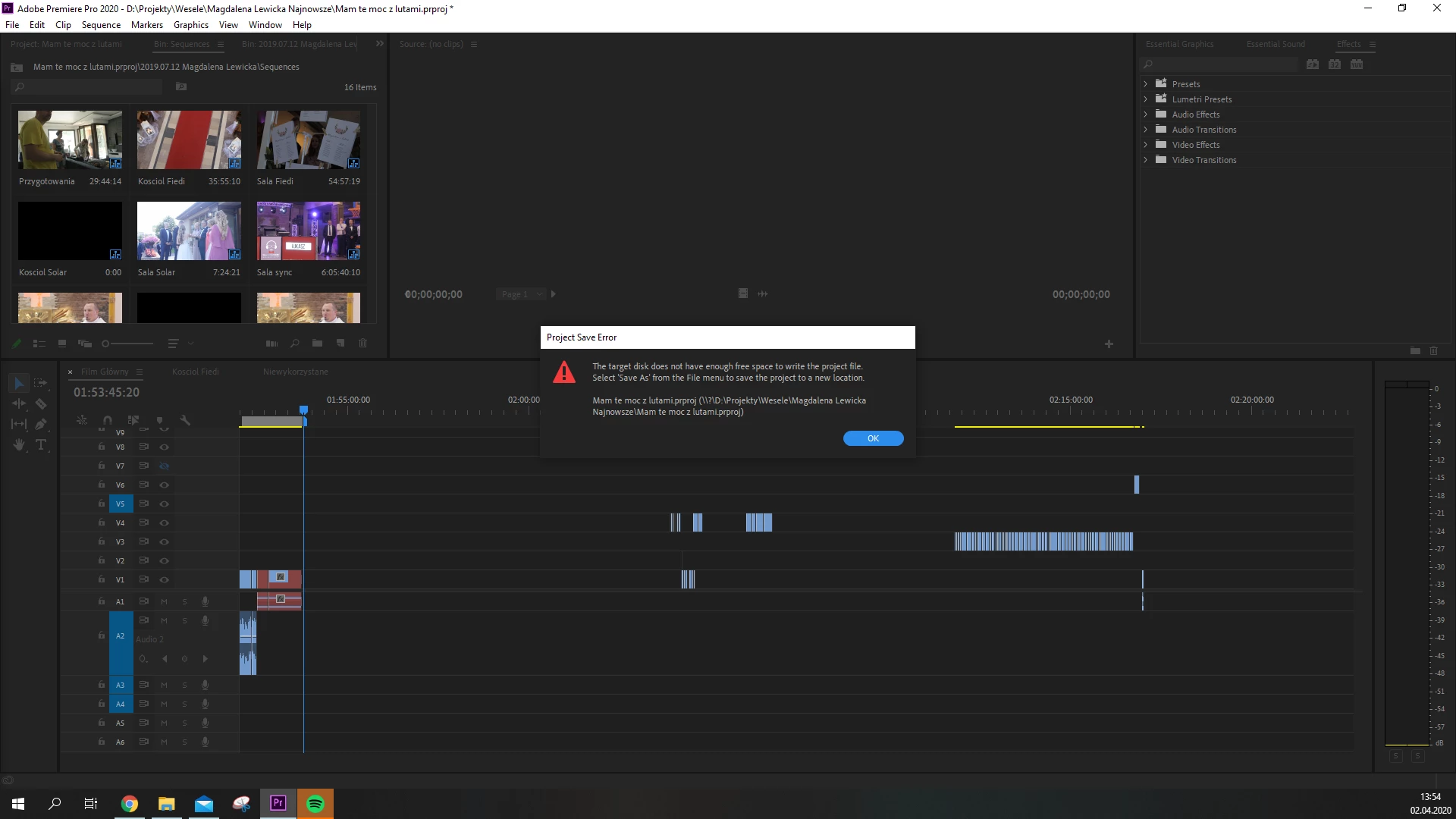
I have 100GB+ of free space on each disk and project disk have 200GB+ of free space.. 


It's so pathetic because I spent 3 weeks on this project and all the time I have problems with software. This is my last month with Premiere Pro I swear

This topic has been closed for replies.

4 replies

New Participant
October 24, 2021

Getting the same error, saving as does not work, just gives me another error that the project file could not be saved. Has anyone found a solution to this? Cheers. 

New Participant
June 6, 2022

For me, it was a Color Matte that was causing the problem. As soon as I deleted it and replaced it with a new one, the saving problem stopped. Really weird problem considering Color Matte's are native to Premiere. 


Try running through a sequence of events that lead to the problem and you might be able to work out what is causing the problem. 


Hope this helps anyone facing this problem.

Mo Moolla
Brainiac
October 14, 2020

I am sorry to see how frustrated this has become for you

If you do a Save as with a new file name, do you get the same error?

Sometimes the metadata stored with the original save file can be corrupted. This is why its best practise to always create a copy of the save file after each days work is done


I look forward to your response


Mo

sssss7008252
Known Participant
October 14, 2020

Metadata in the project file gets corrupted?   

How?  Seems like a bug to me.

Is'nt file handling one of the basics of an O/S and an application to VERIFY the correct saving, by performing for example, a Metadata validation step, upon saving?   

Seems like good programming practice - what each Computer Science student is taught on day 1.


I am also experiencing excessive slow timeline performance, slow loading, and timeline interaction LAG, let alone that Premiere Pro will consume > available system RAM - forcing the O/S into Swap-to-disc?


What are you guys going to fix the recently introduced performance bugs to this product? 


Mo Moolla
Brainiac
October 14, 2020

When I stated meatdata corruption here is one possible scenario"


Sometimes the permissions on the save file can be corrupted. As a result you will not be able to save to that file any longer. This is common on almost all software not just Adobe products. It happens from time to time and can be caused due to a number of facttors.


I would like to see what happens when the OP tries to save as a new file.


Performance bug issues are being addressed and will be patched in the near future. As with all software there will be issues on new releases but Adobe will ertainly attend to these promptly


Mo

FABYBABY
New Participant
October 14, 2020

I'm so sick of adobe too! It's just problem after problem 😞

New Participant
July 27, 2020

I have the same problem, and weirdly enough this error only shows up on one of my project files. I can save edits on all my other projects.