Nordic Made Film
Participant
May 3, 2017
Answered

Text is cut in program monitor - Premiere Pro 2017

  • May 3, 2017
  • 13 replies
  • 71171 views

Hi,

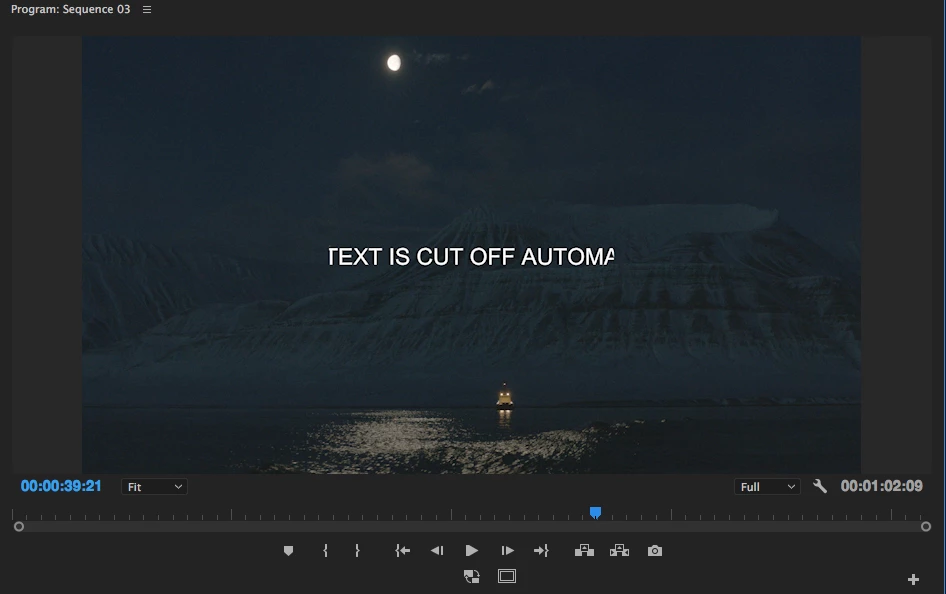
When adding text in the new Adobe Premiere Pro 2017.1  the text gets cut in the program monitor.  It is as if there is a hidden safe zone, which cuts off everything  outside of the center.  If I use the old  "legacy title" tool, there is no problem.  Any way I can remove those "safety borders"  or whatever they are?   As you can see on the added frame grab the text is cut on the left and on the right.   If I move the text further to the left or right it gets cut off even more.

Thanks,  Per

I am on a MacBook Pro 15 " mid 2015
    This topic has been closed for replies.
    Correct answer Ned Suohevets

    I've got it!

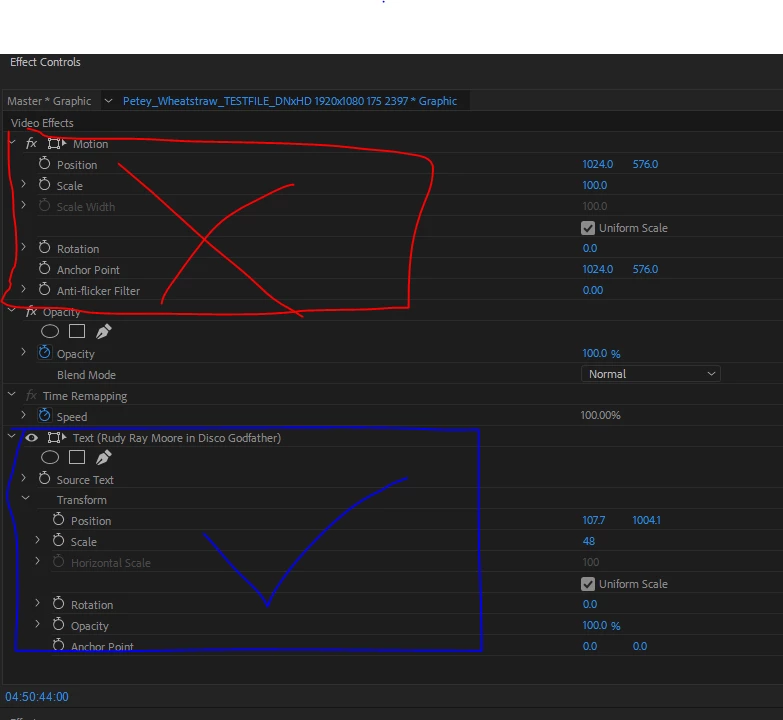
    Simple answer: don't use the Video Effects to control what the text does, but the Text Effects, which appear below in the same Effects Control panel.

    In more detail:

    When the new text clip (an 'fx' clip) is selected,

    ...the Effect Controls will show not only the default Video Effects and any effects you have added, but also...this is key...a SPECIFIC set of controls for the Text itself.  Use THOSE to control position, scale, etc. of the text and there will not be any of this cutting off at the edges nonsense. 


    Many Bothans died (or at least got really frustrated) to bring us this information.  Use it well.

    13 replies

    Participant
    September 7, 2017

    I think i found a solution. I've been having this same annoying problem. The text itself is not what is set in the wrong location. If you click on the new text in the timeline and hit the motion frame in the properties effects box (NOT the actual texts motion box), you'll see it's off frame. I don't know why it defaults this way, but this should take care of the framing issue.

    As to why my center and right align still seem to be completely off, i have no clue. Hope this solves your problem!

    Participant
    November 22, 2017

    That is exactly what was wrong with mine.  My titles were getting cut off like they were stuck inside a window same as the OP described.

    When I checked 'Video Effects' with the drop down arrow I noticed my 'Scale' was set to '58' and the 'blue box' that appeared on the 'Main Monitor' when I clicked 'Scale' was exactly the size and location of the titles being cut off.

    I increased the 'Video Effects' 'Scale' to 100 and then decreased the 'Scale' on the titles and it fit perfectly.

    Thanks for the help!

    Dan

    Roei Tzoref
    Legend
    May 8, 2017

    my guess is you probably dragged the text off the screen a bit and to move it back you used motion controls and not the text control.

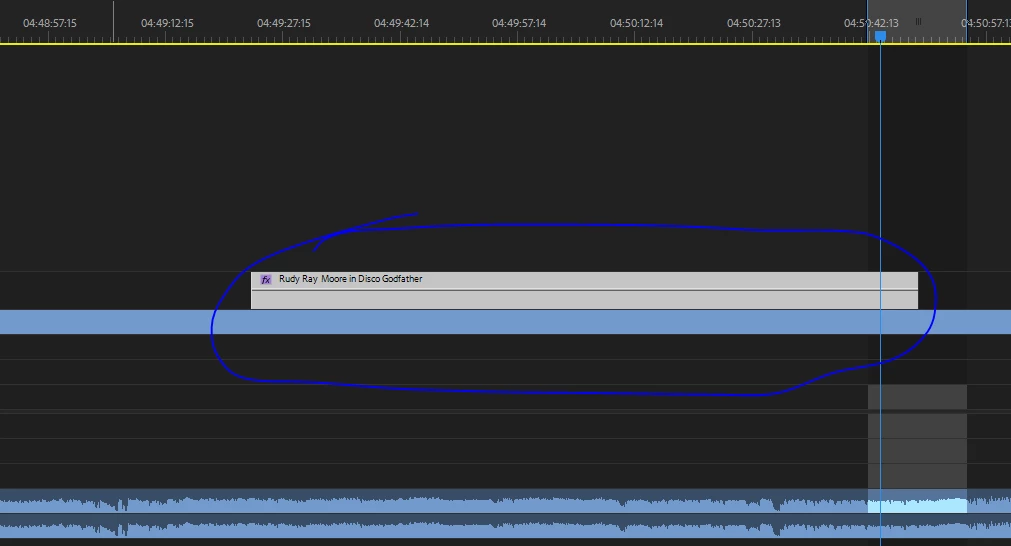
    here is moving the text from outside the screen with the text controls

    here is moving the text from outside the screen with the text controls

    things will be more clear if you click twice in the program monitor (not on the text) and

    check see the motion controls on screen.

    thekawaiikiing
    Participant
    March 18, 2018

    Thank you so much motion controls helped!

    Ann Bens
    Community Expert
    Community Expert
    May 3, 2017

    Post screenshot of title properties in effect controls window.

    Nordic Made Film
    Participant
    May 4, 2017