Question
The Audio Clip Mixer is Malfunctioning and Not Writing Keyframes 2025
I am using the up to date version of Premiere Pro CC. Also I have the Audio Track already set to show Clip Keyframes, by the way.
So here's the PROBLEM with the Audio Clip Mixer...
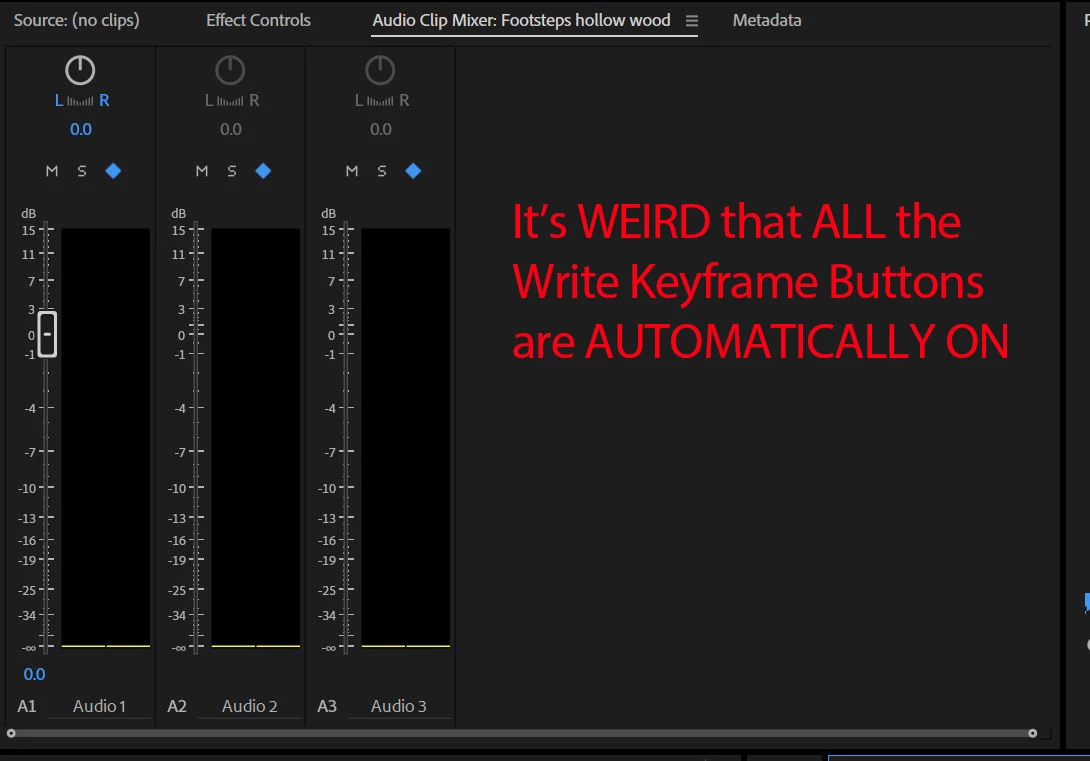
The Write Keyframes Button is automatically ON for each audio track when I open it.
The buttons are bright BLUE and glaring at me, without me having to even click on it.
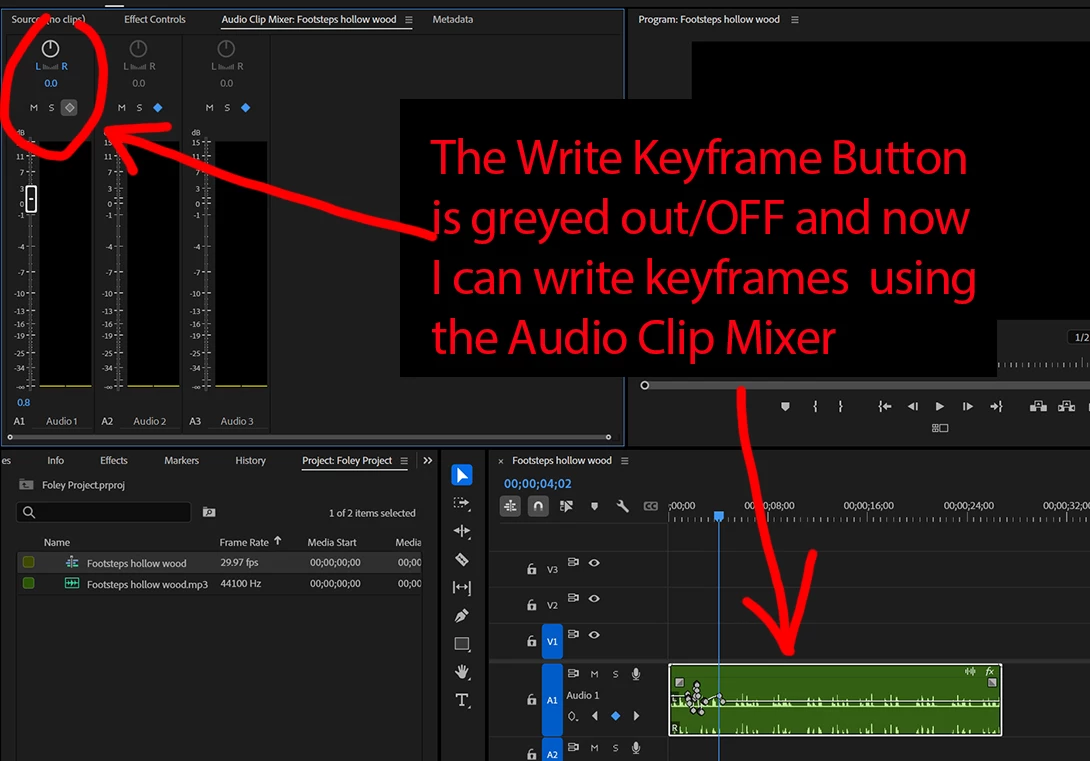
Normally, the Write Keyframes button is greyed out, UNTIL you make the decision to click on it. But things have CHANGED???
Now I have to turn off the write keyframe button for it to work. So now it's greyed out/turned off, but that's the ONLY way it will write clip keyframes.
 AdChoices