


- Home
- Premiere Pro
- Discussions
- The play button/keyboard shortcuts for the play bu...
- The play button/keyboard shortcuts for the play bu...

Copy link to clipboard
Copied
It's much easier showing than telling, so here's a gif demonstrating what I mean by that problem.
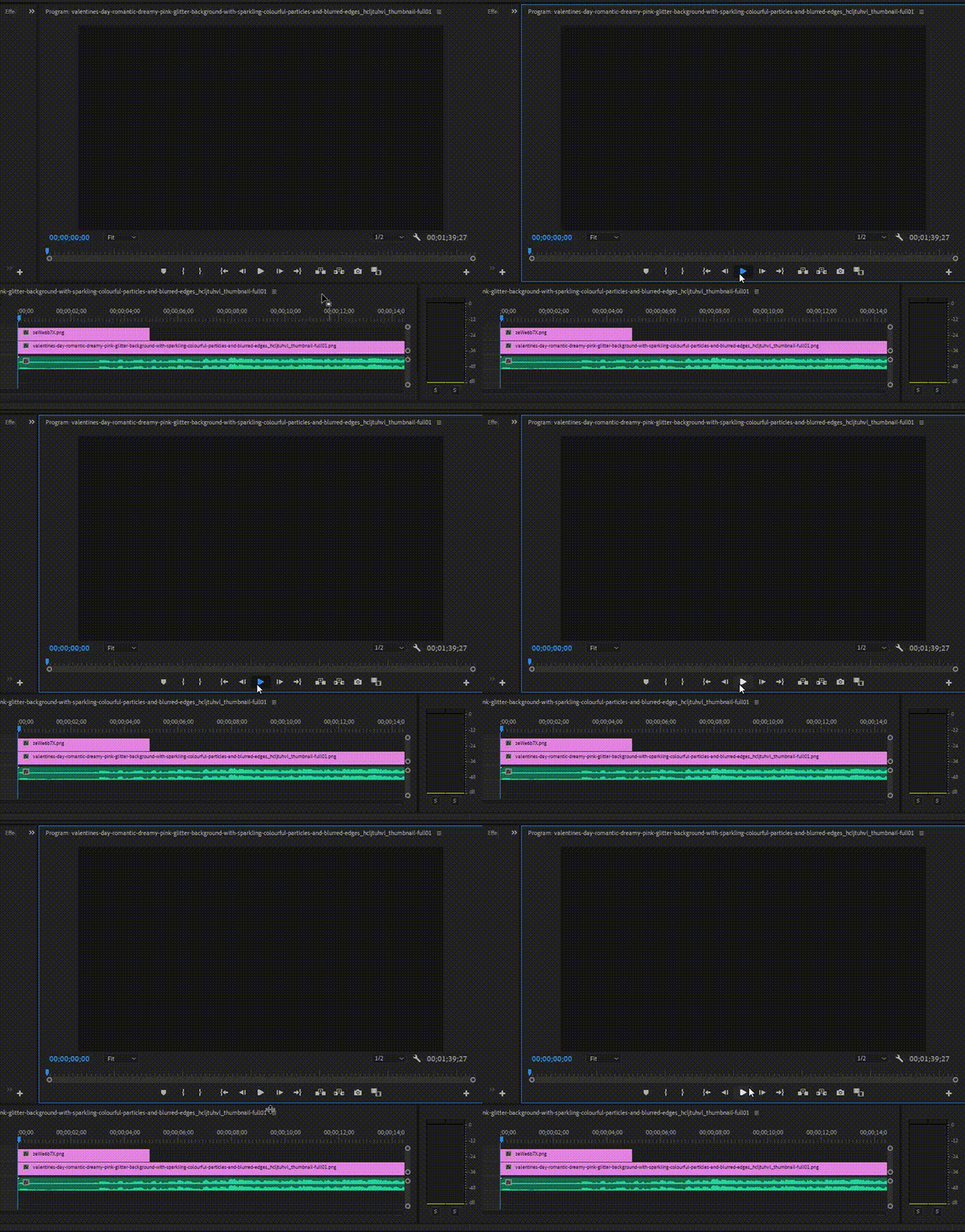
Whenever I try to press the play button, nothing happens. It doesn't change to a stop button, it doesn't play the video, nothing. Playing the video is extremely important for me when I make videos. If I can't play the video, how am I supposed to know what it looks like?
I tried restarting the program. Didn't work. I tried restarting my computer. Didn't work.
Please someone help.


 1 Correct answer
You could also change video renderer to software only and see if that solves this issue

 10
Replies
10
10
Replies
10

Copy link to clipboard
Copied
Hi
I would recommend you reset your preferences
Press Alt (Windows) or Option (Mac OS) while launching Premiere Pro.
You can release the Alt key or Option key when the splash screen appears. To reset preferences and plug-in cache at the same time, hold down Shift-Alt (Windows) or Shift-Option (Mac OS) while the application is starting
Let me know if this resolves your issue
Copy link to clipboard
Copied
I just reset my preferences. Still won't play.
Copy link to clipboard
Copied
Hold on is that the source monitor you are pressing play on or the program monitor?
On the right is a window (program monitor) that will play whats on your timeline
Have u loaded anything onto the source monitor?
Can you manually scrub the source monitor timeline?
Copy link to clipboard
Copied
I was pressing play on the program monitor in the gif. I remember loading an audio file onto the source monitor but nothing happened when I pressed play on the source monitor. But I'll change the renderer to software only and I'll update you on that.
Copy link to clipboard
Copied
You could also change video renderer to software only and see if that solves this issue
Copy link to clipboard
Copied
Woah! It worked! Thank you dearly! You are amazing!
Copy link to clipboard
Copied
You are welcome
Glad to get you back on your feet 
Mo


Copy link to clipboard
Copied
hannahrite wrote
Woah! It worked!
That means that you need to either update or roll back your video driver.
Copy link to clipboard
Copied
Agreed +1

Copy link to clipboard
Copied
I'm really sorry to bother you (plus I'm 2 years late) but how exactly do I do that? Do I do it in After Effects Preferences or my own system settings or something else?


Get ready! An upgraded Adobe Community experience is coming in January.
Learn more
 AdChoices