Inspiring
November 16, 2018
Answered

Tilde key not available in foreign Keyboard

  • November 16, 2018
  • 1 reply
  • 6632 views

How can I see in full screen mode from my Premiere Pro 2018 ? the "TILDE" key doesn't exist in my Italian Keyboard.

I could add English in my general MAC preferences, but as I have also subtitles and more and we have different keys it is time consuming to switch back and forth from one General keyboard layout to another from the System Preferences.

Also I am unable to find the full screen mode in the Premiere keyboard shortcuts.

Could anyone help to assign to an ALT (OPTION on MAC) and any other key to change the default keyboard short cuts for full screen mode?

Thanks a lot

This topic has been closed for replies.
Correct answer Mo Moolla

Its CTRL+`

So CTRL and `

You can also do this:

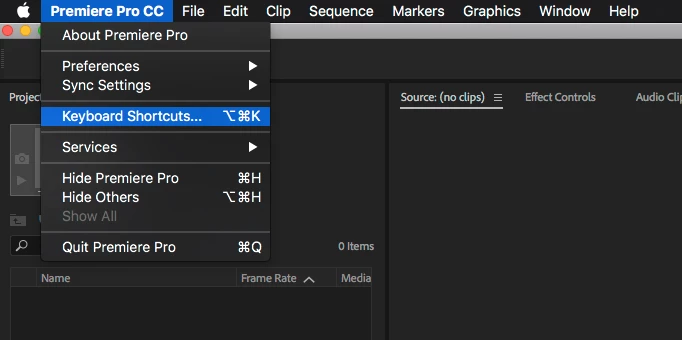
Goto premiere pro/ keyboard shortcuts

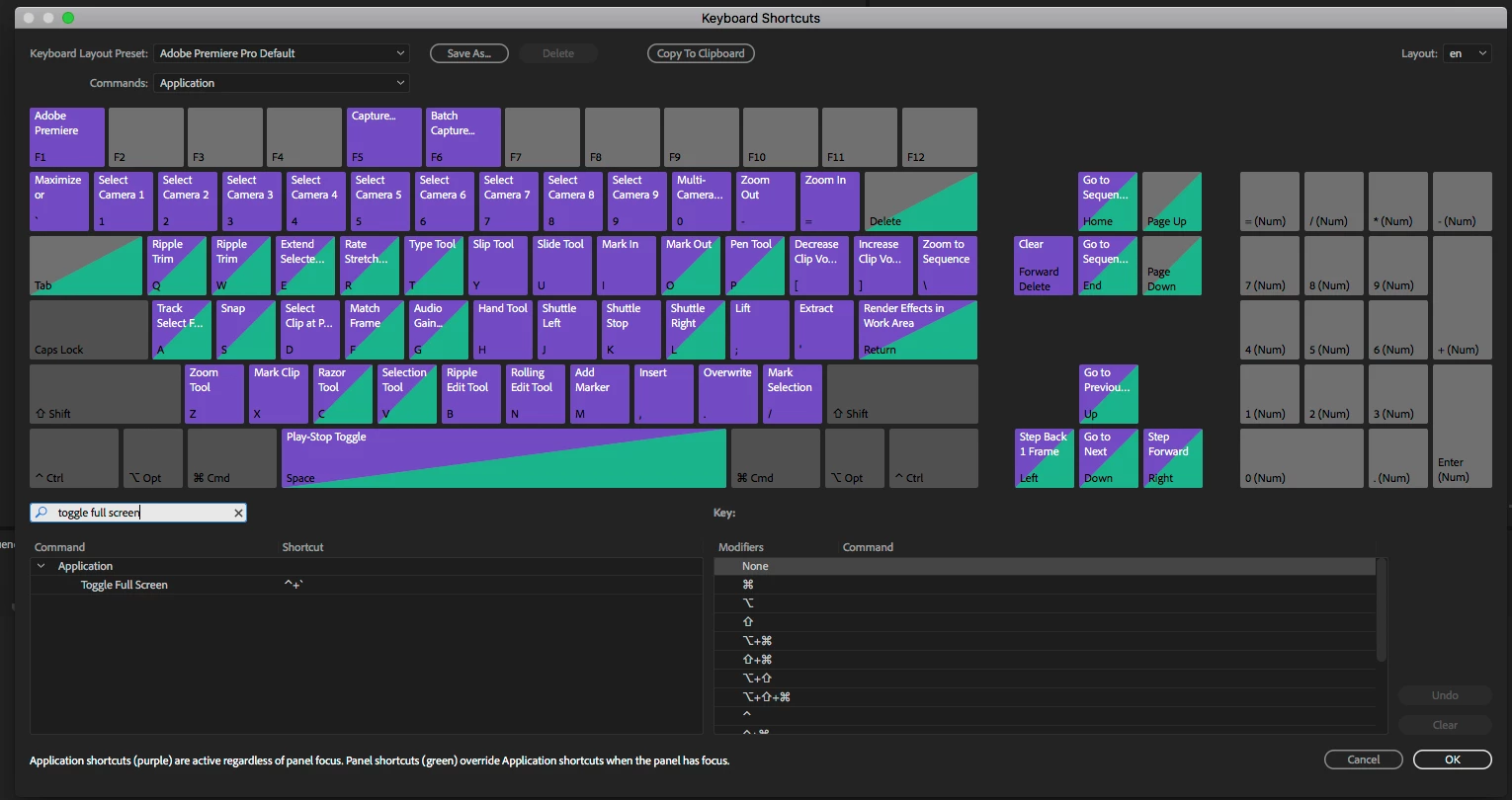
search for : toggle full screen

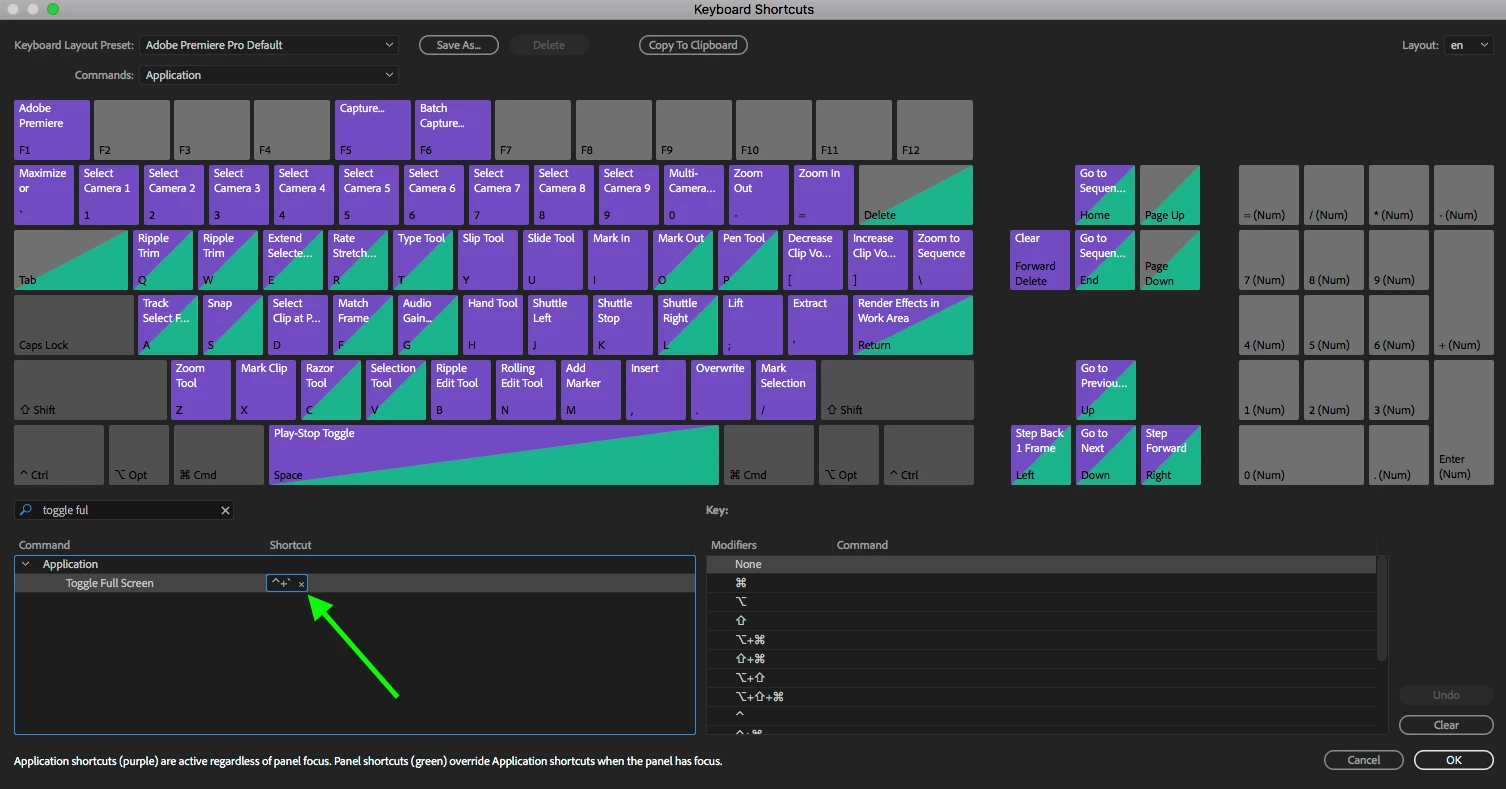
Click and change the shortcut to your preference

Click on the little x to delete the current shortcut and then head over to the right ad chose a modifier and key to set. Thats it

1 reply

Mo Moolla
Legend
November 16, 2018

CTRL+` will do it.

Thats full screen with no controls

DantemAuthor
Inspiring
November 16, 2018

Thanks. but unfortunately it doesn't work

I selected both the program window and executed CTRL+ and then the timeline but nothing changes

I wonder if this is just one of the constant bugs I have in version 12.1.1 for Macintosh, along with no audio forcing me to duplicate the project to listen and several others ....

Perhaps updating to the latest version would fix this, but I am editing a feature film and I already had various problem updating from version 2017 to ver 2018 and right now I can't afford it ... as many other users rightly suggest not to update in these cases.

Perhaps is just Apple computers ever changing (and worsening system software) since Snow Leopard are real crap. I used Macs since day 1 and now I regret it ....

Maybe the way Apple sets keyboard layouts in various languages interfere with other companies software.

If you are on a MAC I could try to use the MAC Application keyboard preferences and create my own shortcut using the OPTION KEY, but I'd need to call something from the Premiere Menu, and trying to find it I didn't find what I was looking for. Any ideas on this?

Thanks for your time

Mo Moolla
Legend
November 16, 2018

Thanks a lot I modified the Keyboard shortcuts ... as OPTION+ and it works just fine

Thanks for your time and care

Regards


Pleasure and glad you are back up editing