Inspiring
August 23, 2023
Answered

To Edit Names Make Changes in Source Script? Export and Reimport?
  • August 23, 2023
  • 2 replies
  • 2928 views

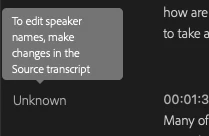
Where is the source script for auto generated transcripts? Is the transcribe location not the source of the script of the auto generated tracscription? Does one have to export then reimport the file script file with the names?
 

Correct answer Stan Jones

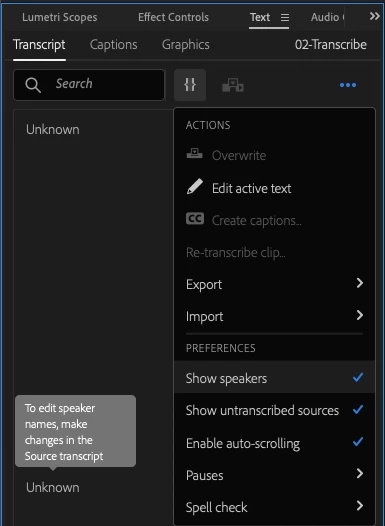
Once it is open in the Source Monitor, switch to the Text Panel/Transcript Tab.


You should then be able to edit speakers.


If not, see my comment above re Source vs Program monitor view.


Stan


2 replies

Stan Jones
Community Expert
August 23, 2023

Make sure you have "Follow Active Monitor" on in the bottom left of the Transcript tab. Then what @jdwme2 says will work. (If you have it turned off and have the Sequence view selected, you may still not see the Source media view.)


Stan


New Participant
December 18, 2023

so if we want to change the names for a whole entire sequence, we have to click on each clip? 

Stan Jones
Community Expert
December 19, 2023

@Scott Abshire,


I don't know of any way to edit speaker names for multiple transcripts. Even the "import corrected transcript" does not effect speaker names.


I think that would be a feature request.


@Alexander Riss @Kerstin Ebert Any thoughts?


Stan


New Participant
August 23, 2023

The source script can be found by double clicking on the clip and opening it in the source monitor, or by double clicking on the clip in the project panel. Now if only I could figure out why I can't hear the audio from the source monitor when I double click the clip in the timeline. 

55878965Author
Inspiring
August 23, 2023

Thank you but what you're saying isn't really clear to me.

Clicking on "clip", more specific? Clicking a clip opens the clip in the source monitor but nothign to do with captions, text, or transcipts. 

Stan Jones
Stan JonesCorrect answer
Community Expert
August 24, 2023

Once it is open in the Source Monitor, switch to the Text Panel/Transcript Tab.


You should then be able to edit speakers.


If not, see my comment above re Source vs Program monitor view.


Stan