


Known Participant
May 17, 2022
Answered

Updated 22.4 Not showing captions in timeline or text panel

  • May 17, 2022
  • 9 replies
  • 13017 views

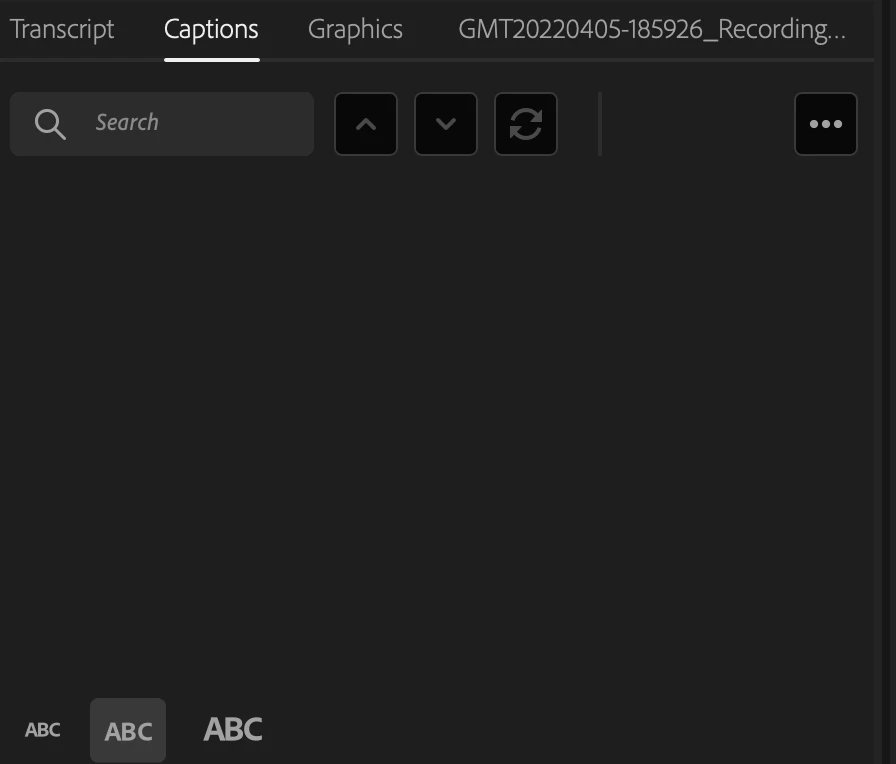
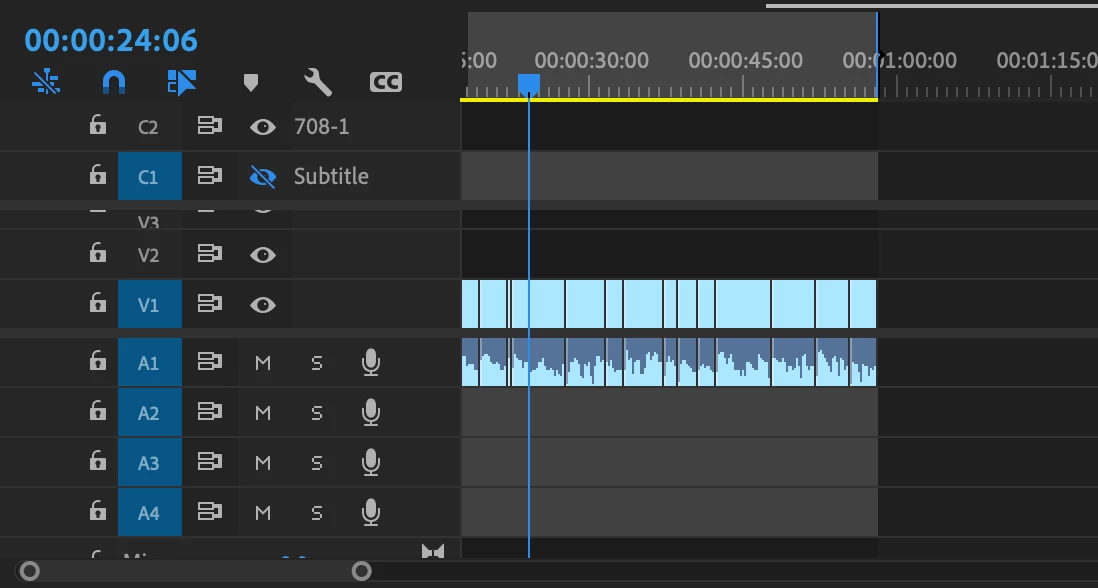
Just updated to 22.4 and trying to create captions. It transcribes the sequence but then I go to create captions and it loads them, but then they do not appear on the timeline or in the text panel. I've seen on past versions that people have gone to settings and enabled the display of captions, but I don't have that as an option. I've also tried regular subtitles and then 708-1, but neither are working. All screenshots are below. Please assist. Thank you!


Correct answer 5C97

I've found a work-around that works - so far.


When transcribing the VO, I un-select 'Transcribe in point to out point only.'  Now the caption text boxes have magically reappeared.

9 replies

Participating Frequently
June 30, 2022

This still doesnt work for me. I updated to 22.5, no fix. I added in and out points, then cleared in and out points, neither worked. i deleted all of my work, re-transcribed and created captions again. nothing shows up. I made sure to not check transcribe in and out points only, still nothing.

Stan Jones
Community Expert
Community Expert
June 30, 2022

Adam,


I hope you're keeping backups of your various sequences....


Post a screenshot of the new transcription... The bug we're talking about here would prevent creating captions.


Stan


Randune23
Inspiring
July 4, 2022

Nope, it is still not working...I've very, very, very hesitant to upgrade to version 22.5 and have more bugs appear.  I have about 3-4 projects I am working on simultaneously and I would hate to lose all the progress I have made on these projects just to get the "this file was created in an early version and cannot be opened" error message (which is exactly what happened last time I upgraded).


Randy

Stan Jones
Community Expert
Community Expert
June 23, 2022

This is fixed in 22.5 (6/22/22?). It implements what I described above for the Beta version.


It a) disables the checkbox for "in to out" if there is neither an in or out point set and b) proceeds as if there is an automatic in point set if there is only an out point set,and vice versa. It does not actually set the "missing" in/out point.


Stan

Known Participant
June 23, 2022

Woo! Thanks for the update and the help, Stan!!

Impakt Media
Inspiring
May 31, 2022

I had this happen this morning after the update over night and was so stumped and frustrated. Grateful to have found this thread which worked for me by removing "transcribe to in and out"

Things like this should not happen for a software we pay so much for.

Randune23
Inspiring
July 4, 2022

I have "transcribe to in and out" unchecked and they still don't appear.  They were working before but now....NOOOO.  I even created a whole new project, copied the video files over to the new project, selected "transcribe sequence", it did its thing, and still not caption track and no captions to speak of.  Originally, I was thinking since I don't render my videos for YouTube with the captions anyway because I upload the SRT file I would be fine.  But there are no captions so an empty SRT file...Grrrr.


Randy

Stan Jones
Community Expert
Community Expert
July 4, 2022

Randune, maddening!


Is your transcript starting at the 8 to 9 hour timecode? That is the test for this bug.


Here is a different problem reported by a couple users. But no followup. I was not able to replicate. The key symptom appears to be that the Create Captions dialogue never appeared. In the in/out bug, the dialogue shows, completes, there is a caption track, but no captions.

https://community.adobe.com/t5/premiere-pro-discussions/premiere-pro-22-4-captions-doesn-t-work/td-p/12974024


You can try installing the Beta version, which does not interfere with the Release version you have installed. Sometimes a problem is fixed there and can be used for a specific purpose, e.g. to export srt.

https://helpx.adobe.com/x-productkb/global/creative-cloud-beta.html

https://helpx.adobe.com/premiere-pro/using/premiere-pro-beta.html


I always create a clone of my drive before updating. Too many times where updating deleting old versions even though I don't allow it in the settings.


Stan


OxfordPress
Participating Frequently
May 23, 2022

Yes this is the issue I've had all morning I had to go back and do them the previous way. Hel anybody 🙂

5C97Correct answer
Participant
May 18, 2022

I've found a work-around that works - so far.


When transcribing the VO, I un-select 'Transcribe in point to out point only.'  Now the caption text boxes have magically reappeared.

Known Participant
May 18, 2022

Oh my gosh, wow! Yes that definitely works for now! Thank you!!

jayc20957962
Participant
May 24, 2022

Thanks, I have been struggling with the new 22.4 captions upgrade for over a week.  This really helped!

Inspiring
May 18, 2022

Fortunately I haven't had any issue making captions from transcripts in 22.4, but I did notice something a bit odd after the 22.4 update, and that was captions blocks were no longer using the label color I set for captions under Preferences > Labels.

Wonder if these issues are related at all, or if anyone else is running into the same matter with caption label colors - like I said though, hasn't had any serious impact for me personally.

Stan Jones
Community Expert
Community Expert
May 18, 2022
Inspiring
May 18, 2022

Stan, thanks!

Stan Jones
Community Expert
Community Expert
May 18, 2022

shadybeats, What do you see in the Transcript tab? Screenshot?


Stan


Known Participant
May 18, 2022

Transcript is there like usual. 

Stan Jones
Community Expert
Community Expert
May 18, 2022

Your transcript shows that it starts at the 8 HOUR mark. This was a bug that started about 22.0.0 and was fixed in 22.1.1. Apparently some version of it is back.


As reported by @5C97, the workaround is to turn OFF transcribe in to out, or as also discovered in the past version of this bug, make sure that both an in AND out marker are set when using transcribe in to out. When you don't set an actual in or out marker, even though it acts like the beginning is an in point and the end is an out point, they are not. (There is no in or out point to "clear," for example.)


See this previous thread:

https://community.adobe.com/t5/premiere-pro-discussions/adobe-premiere-pro-22-captions/m-p/12479063#M374531


@NicoBecherer Has anyone reported this for a new bug report?


Stan


Legend
May 17, 2022

Write urgently to the user's voice so that Adobe developers fix the problem. And so nothing will be fixed.

https://adobe-video.uservoice.com/forums/911233-premiere-pro 

Participant
May 17, 2022

I am having the exact same issue after updating to 22.4.0.  I previously created captions for no less than 57 separate videos (each 1 – 8 minutes in length). After applying the update, captioning stopped working and I’m now dead in the water.  I have another 19 videos to captions and I may have to do them manually…

Known Participant
May 18, 2022

Ugh sorry to hear that 😒