mycc3
Known Participant
September 28, 2020
Answered

v14: track matte key with text

  • September 28, 2020
  • 2 replies
  • 1206 views

Hi,

want to make a text transparent on a white rectangle:
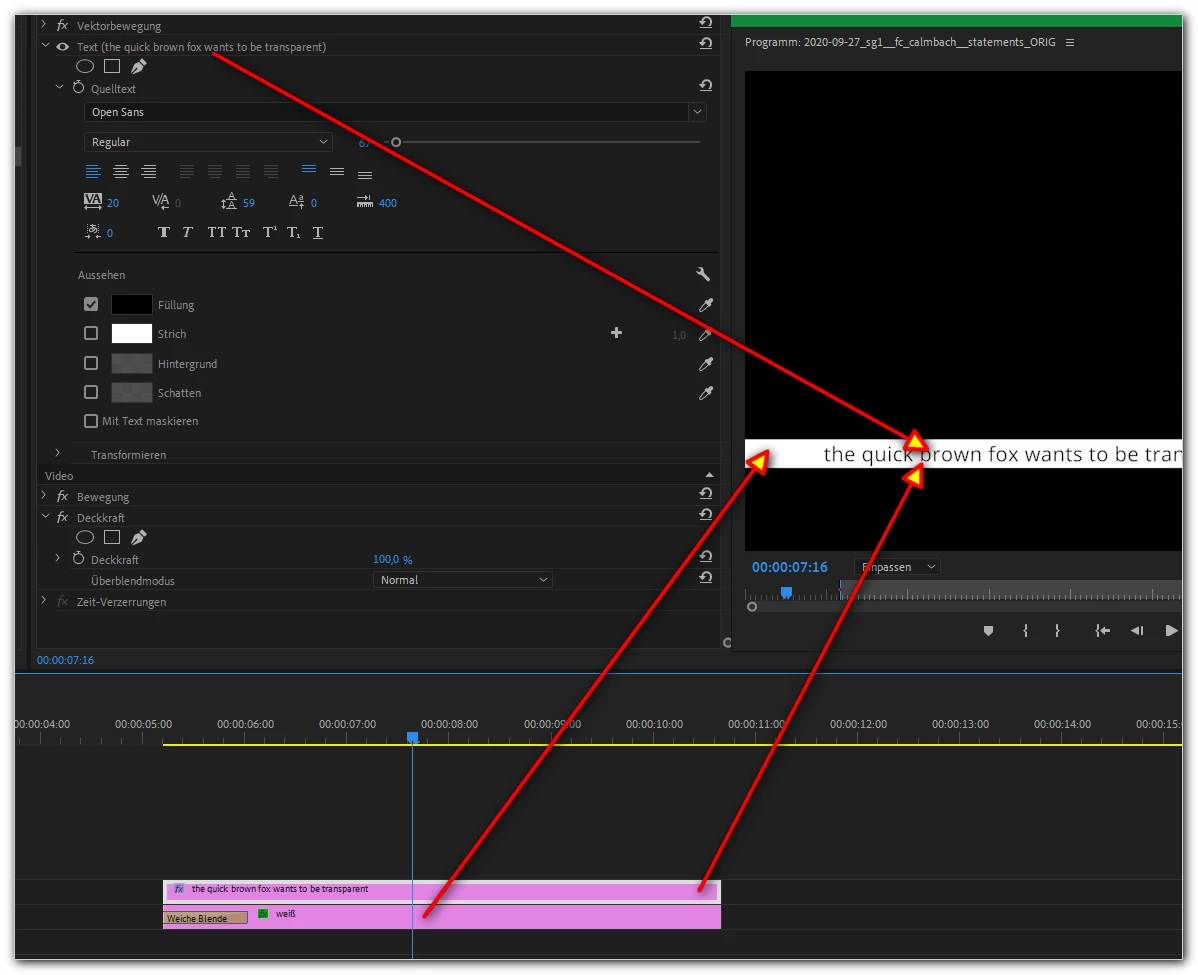


But after activating the track matte key the text will be distorted:
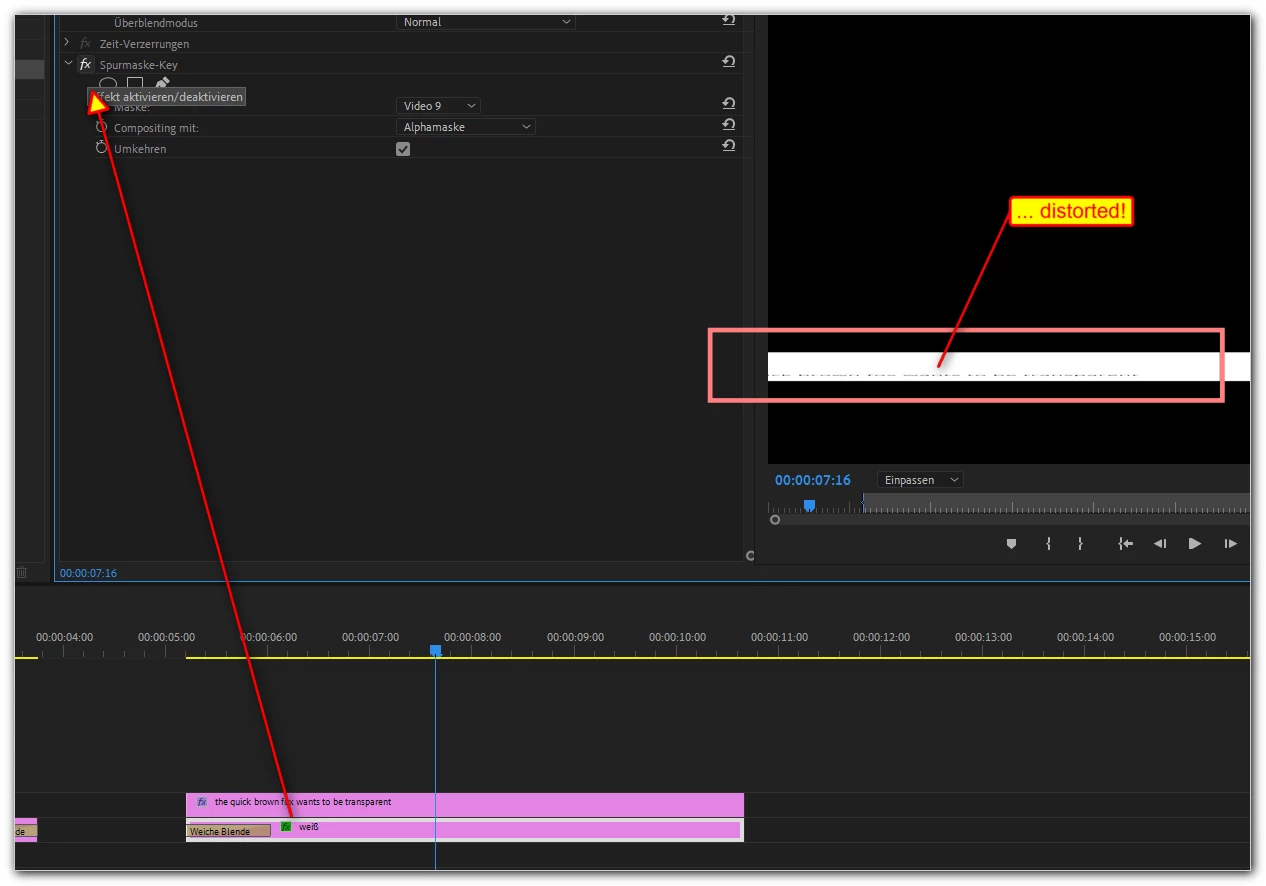


Any idea/solution/workardound/...?

Thanks!

mycc

This topic has been closed for replies.
Correct answer Ann Bens

2 replies

R Neil Haugen
Brainiac
September 28, 2020

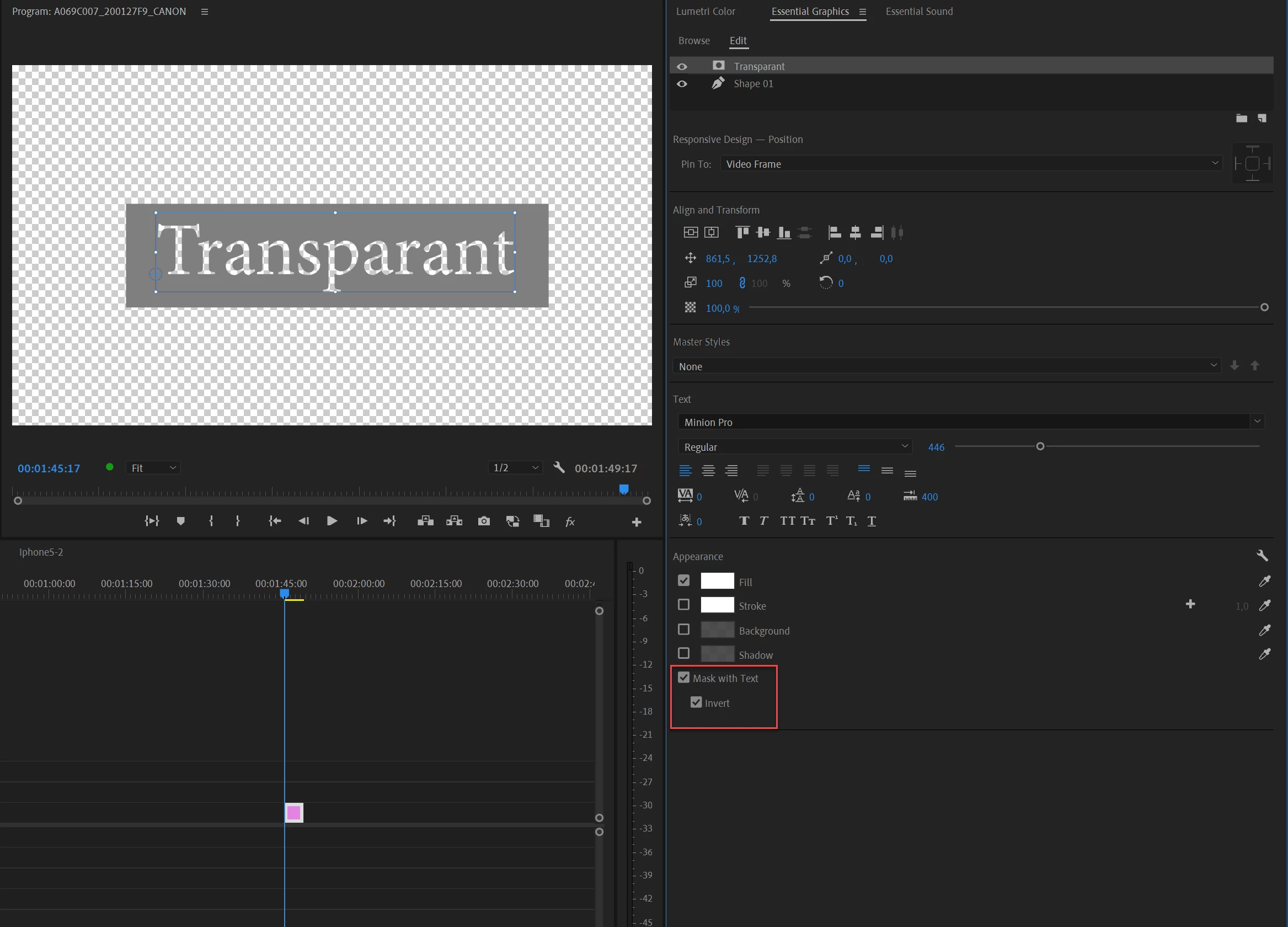
Ann's correct ... simple to do in the EGP. No need for the Track Matte ... which I use without issues all the time btw.


Neil

Everyone's mileage always varies ...
Ann Bens
Community Expert
September 28, 2020

This one is done with the track matte.

mycc3
mycc3Author
Known Participant
September 29, 2020

Ah, thanks for your hidden link! 🙂


I found "my" mistake: I did not used the crop filter to create the rectangle in the background of my text line – I scaled the solid fill (German: Farbfläche)! 😞

That caused the distortion of my transparent text line ...


Now I have 2 options 🙂

Inspiring
September 28, 2020

The track matte effect has been buggy for years. At this point in time all you can do is pound sand  :  )

https://youtu.be/1mJnLnyACog

mycc3
mycc3Author
Known Participant
September 28, 2020

Thought, all would be better after using CS6 for many, many years, than jumped to the newest CC version maybe 1,5 years ago 😞


I can't believe it! It's really horrible 😞


I tried switching to software renderding, cleared cache etc. before, in the last night... (as it is mentioned in the video) – but now I know that I have to switch to another piece of software ...


... or maybe it is possible to do this circumstantially with After Effects ...


Thanks  for your response.


Ann Bens
Ann BensCorrect answer
Community Expert
September 28, 2020