


New Participant
January 7, 2021
Question

Vdeo (especially text in it) after rendering looses quality/sharpness

  • January 7, 2021
  • 1 reply
  • 430 views

Hey there!
Could I ask you if it is known why after rendering the quality of the video reduces, the image becomes blurry/loses sharpness and text even hardly readable because of that. Not sure what is it that I am doing wrong. Would appreciate the help a lot!
Greetings!
Greta
This topic has been closed for replies.

1 reply

Averdahl
Community Expert
January 7, 2021

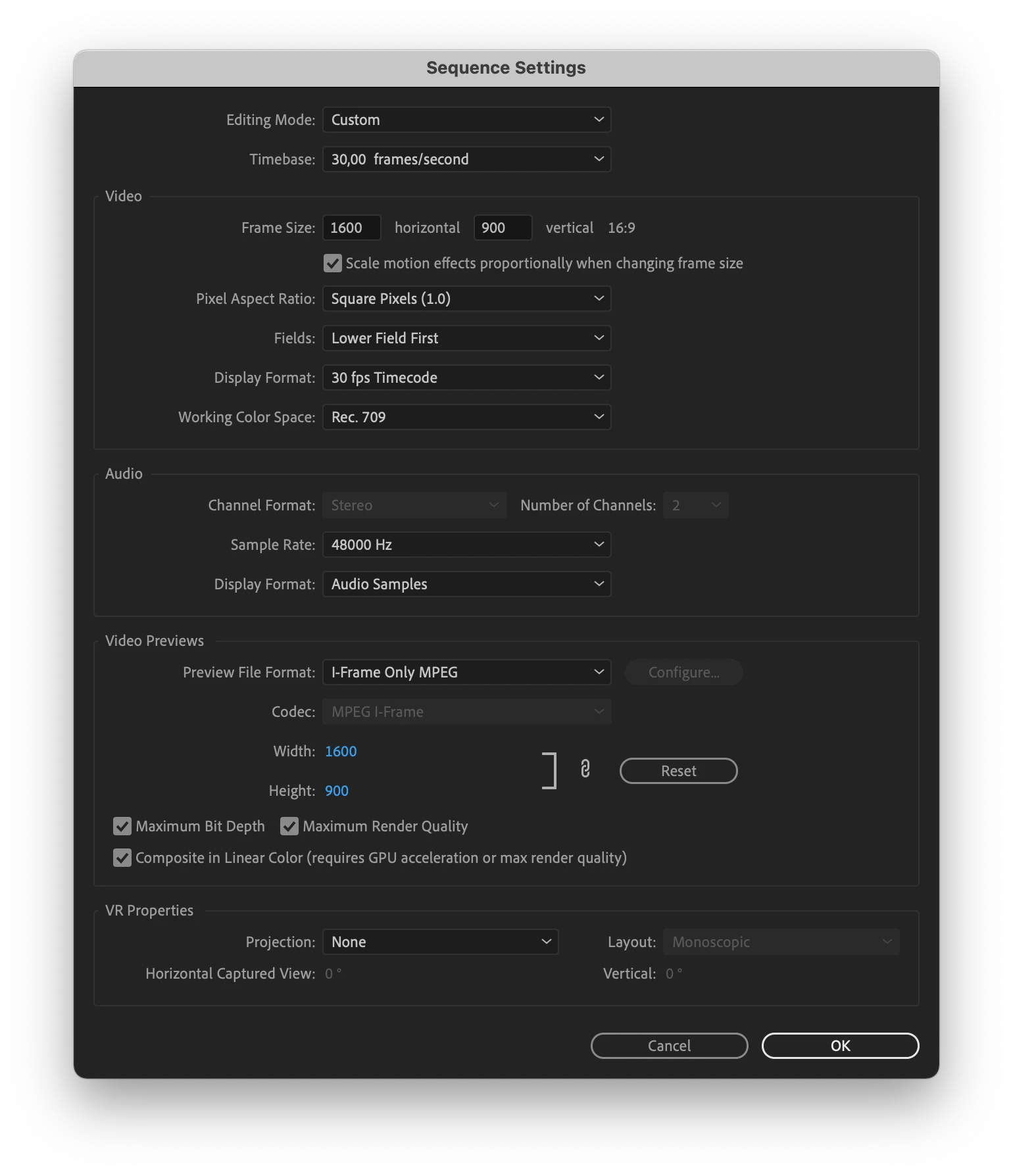
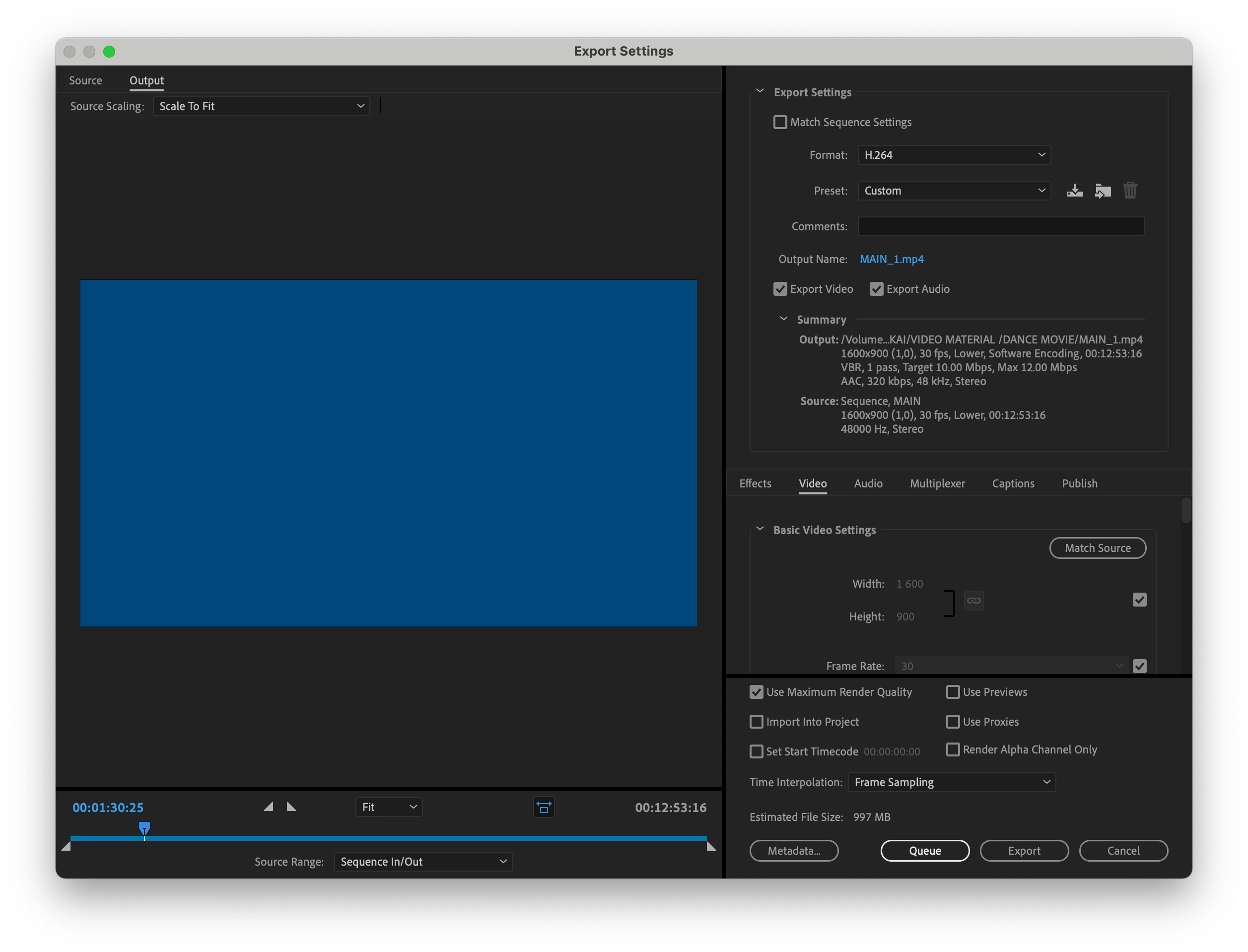
Start with to un-check "Maximum Bit Depth" and "Use Maximum Render Quality" unless you do know what they do and that you need it. Most people do not need any of them and they are known for reducing quality under some (many) circumstances.


Render at Max Depth and Use Max Render Quality - What are those check boxes doing?


And, the preview codec is MPEG2 encoded at a low bitrate. And, you have the Sequence Settings and Export Settings set to Lower Fileds First. Using Fields are only done with SD footage and 1080i footage and you have none of those two. I doubt that you need it. Change Fileds in the Sequence Settings to Progressive and make sure to export using Progressive as well.


What exact version of Premiere Pro do you use?

New Participant
January 7, 2021

Thank you for your answer! I am using the one before the latest version of Premiere Pro (still need to do an update). 

Could you advise me which preview file format I should use?
 
Thank you in advance.
Averdahl
Community Expert
January 7, 2021

Could you advise me which preview file format I should use?


My question then becomes: Do you really need to render previews? There is no must and it will not enhance the final output if you render the timeline. Rendering the timeline comes in handy when the render bar abowe the footage is red and the playback stutters because the computer cant cope. Then it is great to render so the render bar switches from red to green. If you want a good preview codec you can change Preview File Format to GoPro CineForm (YUV 10-bit).


In your case with a timeline set to interlace and using "Maximum Bit Depth" and "Use Maximum Render Quality" the rendering codec is the last thing to adress. Have you adressed those issues? 🙂