
cherylg91582686
Participant
February 19, 2025
Answered

Video file shows up wrong length in Premiere Pro

  • February 19, 2025
  • 2 replies
  • 1143 views

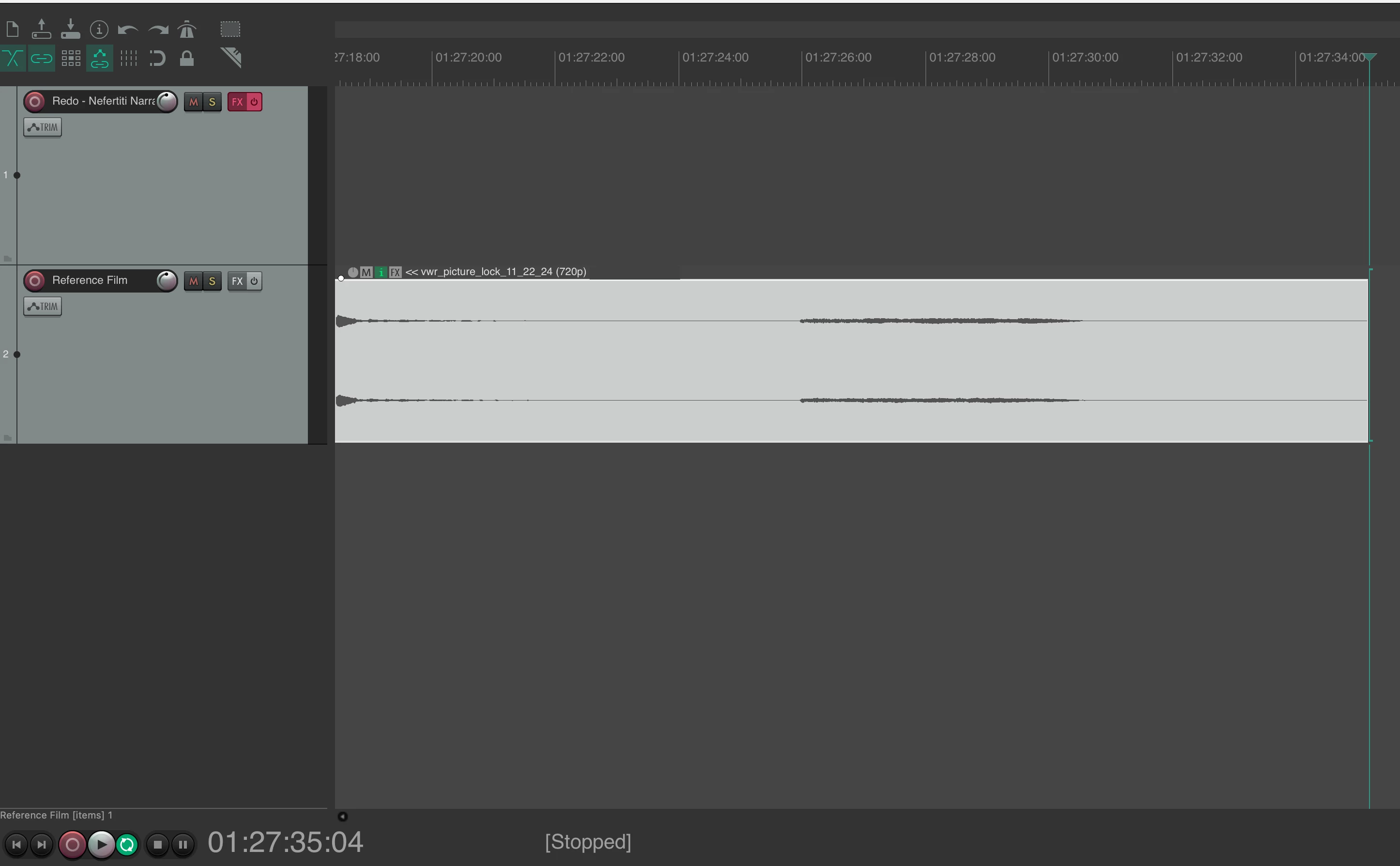
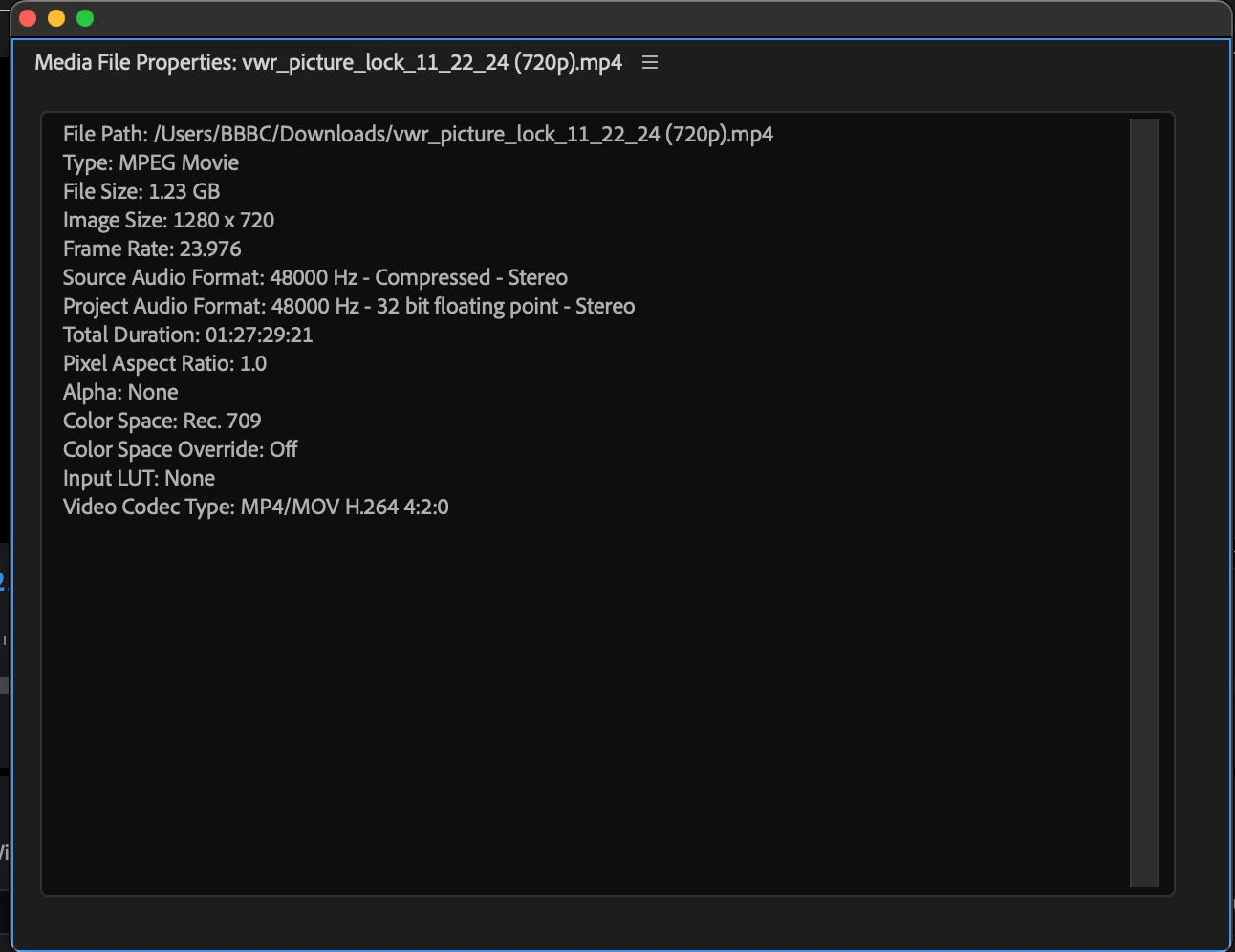
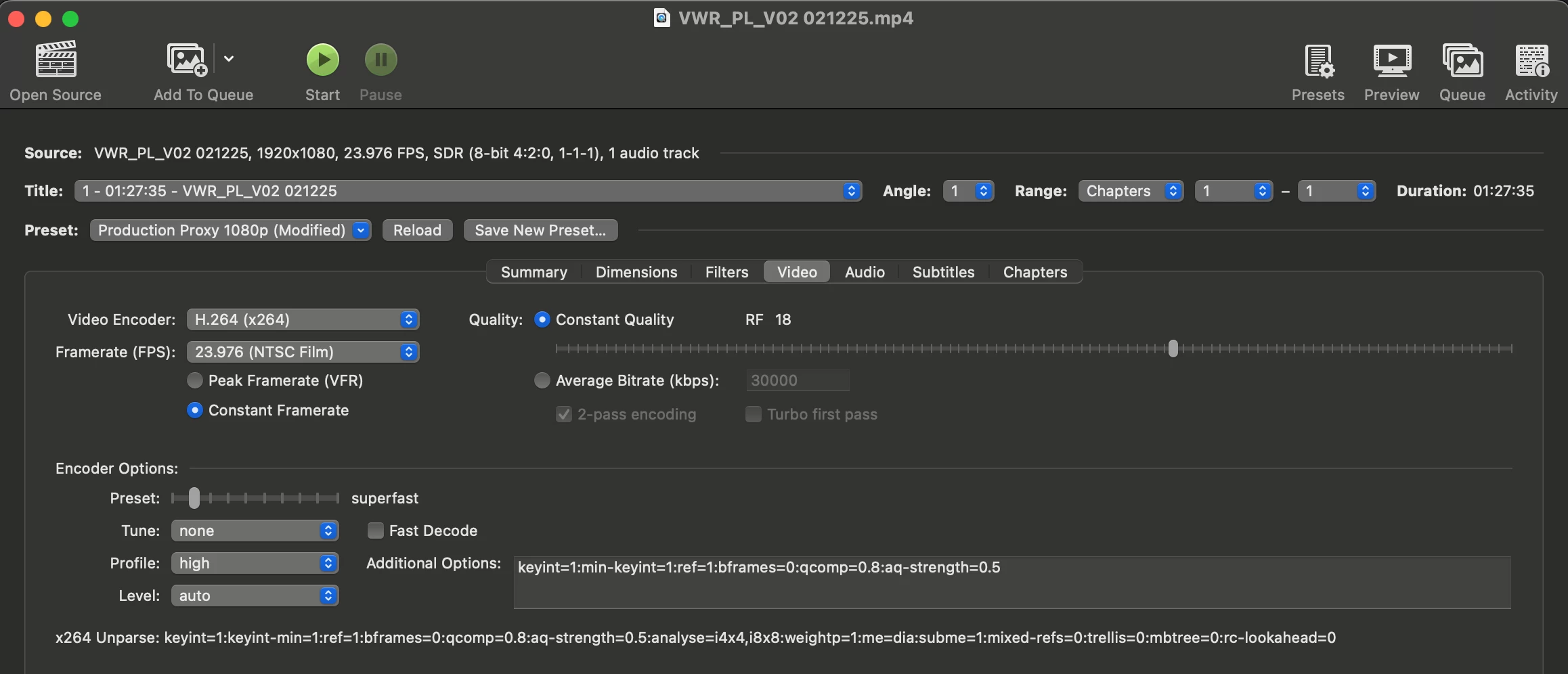
I've followed instructions from others complaining of something similar to not avail. This video file reads 01:27:35:04 in Reaper, Handbrake, and QuickTime, and in Google Drive and on Vimeo. Bringing it into Premiere Pro, Audition, and two different non-Adobe-related dedicated captioning programs, it always reads 01:27:29:21. I had the editor re-export with CBR, which didn't help. I even re-exported that one through Handbrake with CFR, which still didn't fix it. I'm desperate, as a collaboration I'm doing is not working because our programs are reading the file differently.
Correct answer cherylg91582686

You can PM me a link to the file that you upload somewhere, like Google Drive.


Thanks,
Kevin


Thank you, Kevin, but I think I solved it now! I'm very embarrassed to say that when I simply adjust the sequence settings to 24 fps (or set my captioning software to 24 fps) with the 23.976 file, the "correct" TRT shows up. What this tells me is that there has never been an issue with this video file in the least. The issue that keeps coming up is some kind of discrepancy with the clocks when I am sharing my files with someone who's using Reaper to edit them. I don't know if it's Mac versus PC or Adobe versus Reaper, but I cannot believe there's anything wrong with my files that you'd need to look into. I appreciate your help. I'm sure you get newbies on here all the time who just have to tweak one silly setting to solve it. I will now get in touch with Blackmagic to see if we can figure out how I can share my files to a Reaper user on PC so that the time codes don't seem to appear wrong.

2 replies

Averdahl
Community Expert
Community Expert
February 19, 2025

I am not sure here, but maybe it is because in Premiere Pro/Audition the footage is interpreted as 23.976 fps and maybe the other apps interpret it as 24 fps. I cannot test/calculate it right now.


To test in Premiere Pro, select the file in the Project panel, right click on it and select Modify > Interpret Footage. In the Modify Clip dialog, change the frame rate from 23.976 by typing 24 in the Assume this frame rate-box and click OK. How long is the clip now?


cherylg91582686
Participant
February 19, 2025

Thank you for this idea. I just tried it interpreting to 24 and even to 29.97. In both cases, it shortens the clip. My issue is that my clip is already shorter than it shows up in the other programs! I imported the clip into Repear in a 23.976 project and a 24 project, and in both cases, the file is the correct length (as in, longer than what it appears to be in Premiere and Audition). Thank you!

Averdahl
Community Expert
Community Expert
February 19, 2025

O.k! 


From what video editing app does the file come from?


You can also test Shutter Encoder - Encoder|Converter video FREE PC|Mac to see if you can transcode it there, iow if it does a "better" job than Handbrake. You can see how it reads the time of the clip as well.


Try as those settings:


The file size will be huge. Choosing Proxy instead of LT will create a smaller file.

Kevin-Monahan
Community Manager
Community Manager
February 19, 2025

Hello @cherylg91582686,

Welcome to the forum. Can you provide a sample file so that the team can inspect it? I hope we can help you.


Thanks,
Kevin


Kevin Monahan - Sr. Community and Engagement Strategist – Adobe Pro Video and Audio
cherylg91582686
Participant
February 19, 2025

Thank you so much for a quick response, Kevin. And I forgot to mention I'm on a Mac with Apple M1 Max Chip running Sequoia 15.3.1 and using Premiere Pro 25.1.0 (though it's happening the same way in Audition, ME, and even Davinci Resolve on this machine and on a much older Mac) and that it's happening with other .mp4s. The film isn't out yet, and it isn't mine. I'm adding captions and audio description. If I send a sample, is it just up here on the forum? I wouldn't have permission to do that. And it's 87 minutes, so it's bigger than the 47 MB max. Are you saying even just a snippet of it would be useful? Thank you!

Kevin-Monahan
Community Manager
Community Manager
February 19, 2025

You can PM me a link to the file that you upload somewhere, like Google Drive.


Thanks,
Kevin


Kevin Monahan - Sr. Community and Engagement Strategist – Adobe Pro Video and Audio