New Participant
October 11, 2022
Question

Video lagging after export

  • October 11, 2022
  • 3 replies
  • 305 views

Hi, 

I've edited a video from files filmed by a drone. 

When exported, the video lags terribly. 

I've tried clearing media cache, changing preview settings, to no avail. 

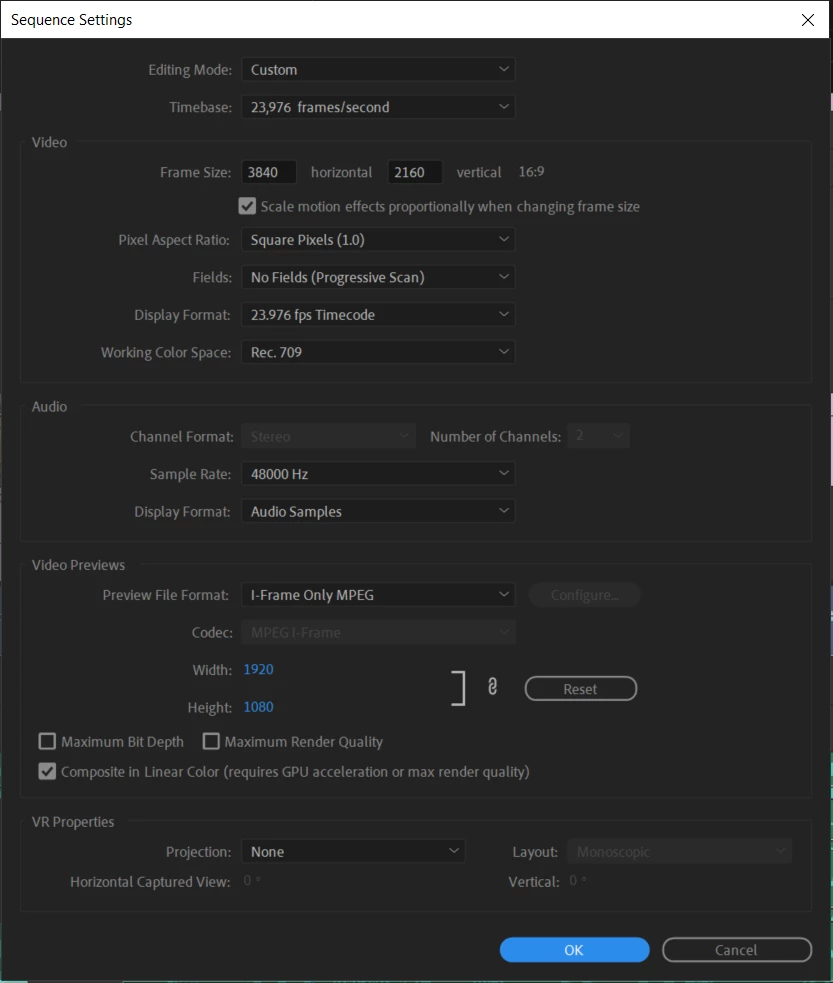
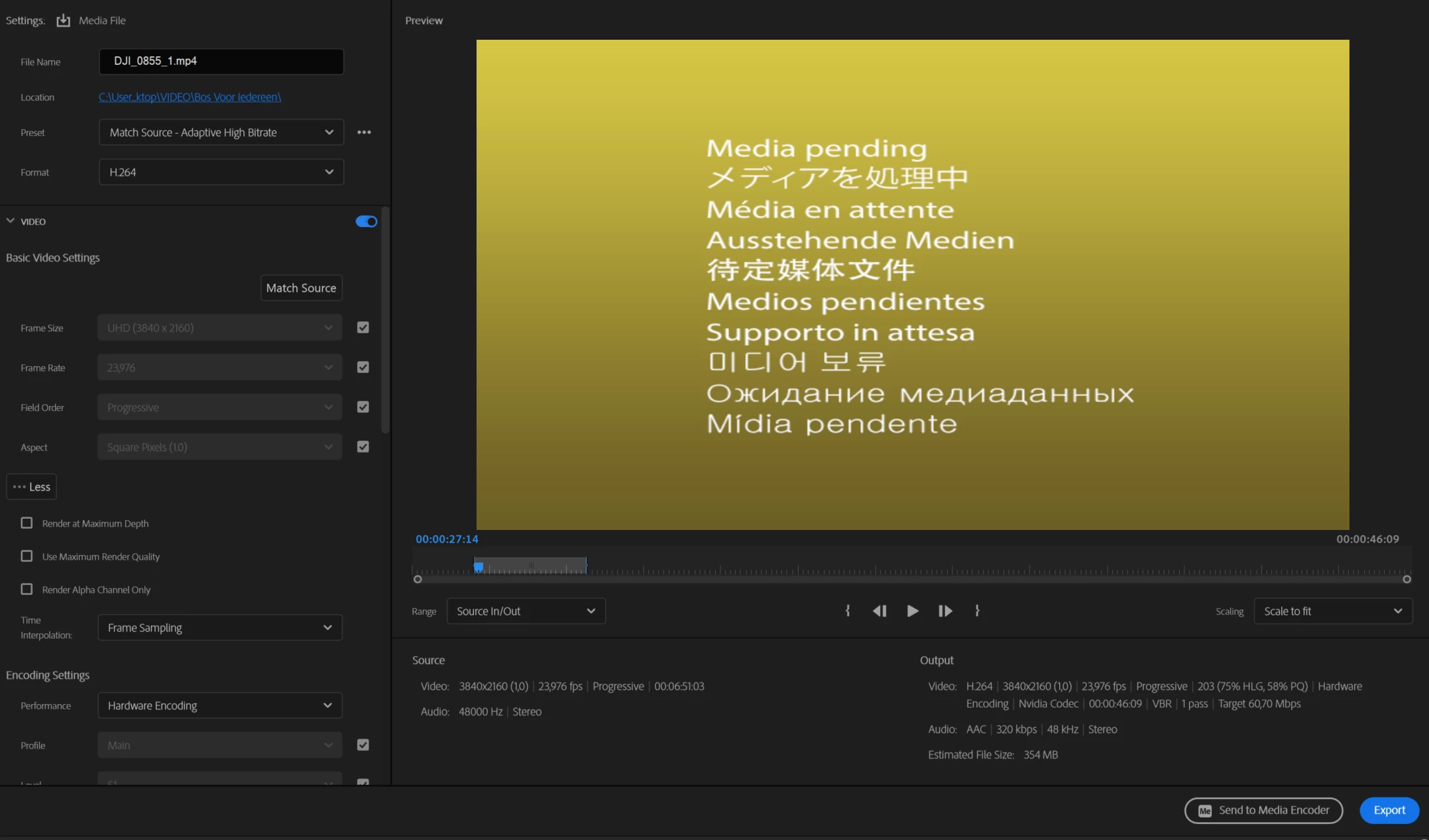
My project settings:


Se
This topic has been closed for replies.

3 replies

Ann Bens
Adobe Expert
October 11, 2022

You need to get rid of the Media Pending before exporting.

New Participant
October 12, 2022

Yes, I took the scrfeenshot from a copy of the project I made to safely tinker with settings. 

Could it be there is something wrong woth the source file? I just opened the project again this morning and there is lag in the Premiere playback as well. 

Adobe Expert
October 11, 2022

Try taking the final video into Premiere and see if it plays fine in Premiere. 

If it plays fine in Premiere it could be a YouTube issue.

New Participant
October 12, 2022

Hi, no, that's not the issue.  Thanks for the tip though. I can keep this one in mind for later problems.


New Participant
October 11, 2022

To add some more information.

I'm working on a computer that should be sturdy enough - 64GB RAM, Intel(R) Core(TM) i9-10920X CPU @ 3.50GHz 3.50 GHz, NVIDIA RTX A4000.

The footage properties: Type: MPEG Movie
File Size: 1,10 GB
Image Size: 3840 x 2160
Frame Rate: 23,98
Total Duration: 00:01:34:09
Pixel Aspect Ratio: 1,0
Alpha: None
Color Space: Rec. 709
Color Space Override: Off
Input LUT: None
Video Codec Type: HEVC 4:2:0 


I'm editing on Premiere Pro 2022, version 22.6.2


This is a link to the video: https://www.youtube.com/watch?v=BB7qINz3hh4


Thanks for your help!