


Copy link to clipboard
Copied
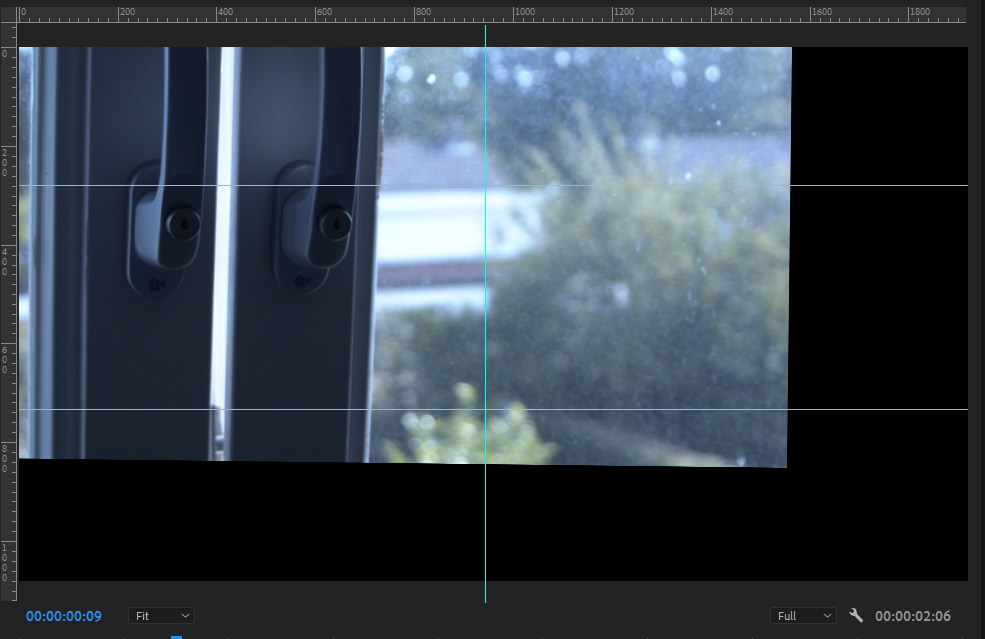
The warp stabilzer offsets when i render in GPU. If I renden software only it's no problem but very slow.


 2 Correct answers


Hi All above offset issue is fixed, and fix available in the Beta build : 23.4 build 28, And this fix will be available in the next 23.4 Release build.


For now if using say 4K in a HD setting and scale is set to 50% set it to 50.1%
 3
Replies
3
3
Replies
3


Copy link to clipboard
Copied
System specs and Premiere version?
Does it export like this?
In the Warp Stabilizer properties in the Effect controls, do you have it set to 'Stabilize, Crop, Auto-scale' under 'Borders>Framing'?
Copy link to clipboard
Copied
Hi All above offset issue is fixed, and fix available in the Beta build : 23.4 build 28, And this fix will be available in the next 23.4 Release build.
Copy link to clipboard
Copied
For now if using say 4K in a HD setting and scale is set to 50% set it to 50.1%


Get ready! An upgraded Adobe Community experience is coming in January.
Learn more
 AdChoices