


Participant
January 19, 2023
Answered

When I select a clip. one more frame is added in the end

  • January 19, 2023
  • 1 reply
  • 195 views

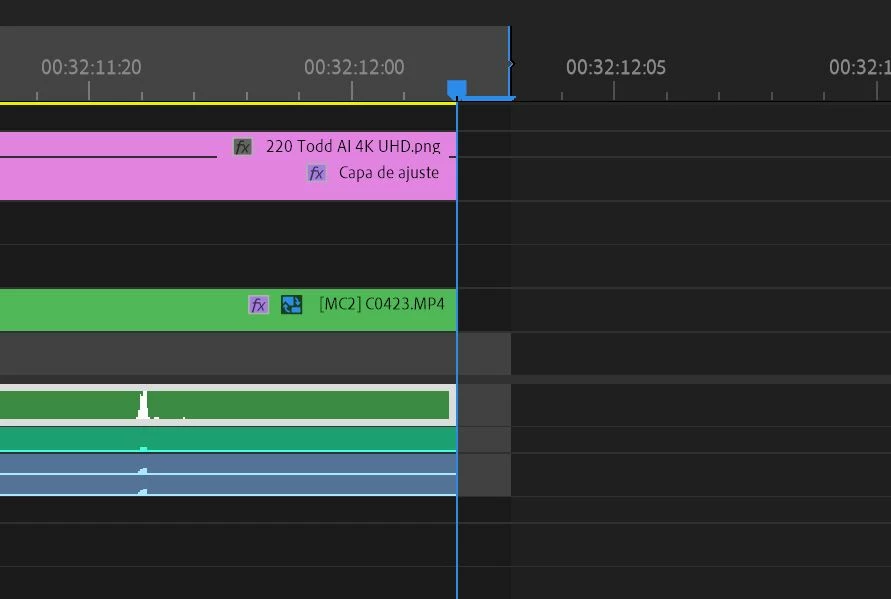
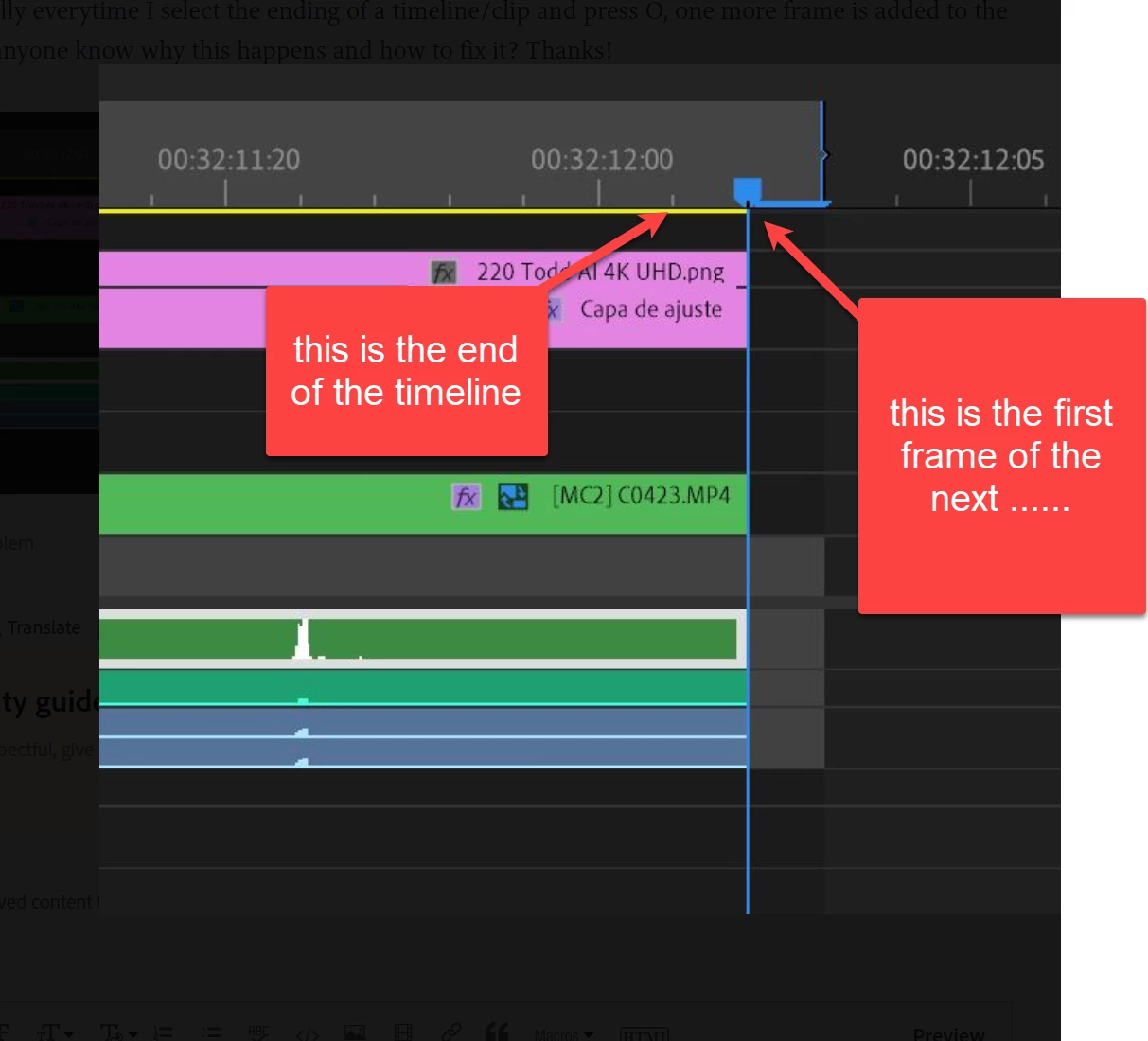
Hello! So basically everytime I select the ending of a timeline/clip and press O, one more frame is added to the end of it. Does anyone know why this happens and how to fix it? Thanks!
 

This topic has been closed for replies.
Correct answer Ann Bens

Mark out will set itself on the position of the playhead.

If you select the end of the timelilne and then hit O then yes its will go past the last frame.

So in short hit End, left arrow, O.

Or use forward slash to select in and out of a clip.

1 reply

Ann Bens
Community Expert
Ann BensCommunity ExpertCorrect answer
Community Expert
January 19, 2023

Mark out will set itself on the position of the playhead.

If you select the end of the timelilne and then hit O then yes its will go past the last frame.

So in short hit End, left arrow, O.

Or use forward slash to select in and out of a clip.

Participant
January 19, 2023

Alright, got it, thanks!