


Participant
December 23, 2018
Answered

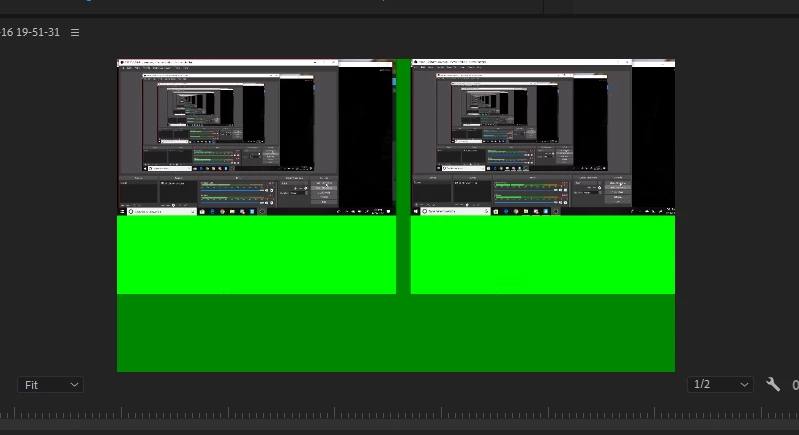
Why does my video show in a vr format with a large green bar at the bottom
  • December 23, 2018
  • 1 reply
  • 530 views

I am new to Premiere and I am trying to learn to start editing my videos. However I've run across the problem of when I put my video into the timeline it has this VR type look and large green bars at the bottom of it. I am using an MP4 file. Is there any way to fix this?

This topic has been closed for replies.
Correct answer Vidya Sagar

Hi DouglasWheeling,

Sorry for the preview issue. Just for a test, change the renderer and check if it fixes the issue: FAQ: How to change the Video Renderer in Premiere Pro?

It can be an issue with the GPU driver. Please check this article: Resolution for an issue where green, purple, or pink haze appears in the Source or Program monitors, or the exported fil…

Thanks,

Vidya

1 reply

Vidya Sagar
Adobe Employee
Vidya SagarCorrect answer
Adobe Employee
December 24, 2018

Hi DouglasWheeling,

Sorry for the preview issue. Just for a test, change the renderer and check if it fixes the issue: FAQ: How to change the Video Renderer in Premiere Pro?

It can be an issue with the GPU driver. Please check this article: Resolution for an issue where green, purple, or pink haze appears in the Source or Program monitors, or the exported fil…

Thanks,

Vidya