khomthepreditor
Inspiring
June 12, 2019
Answered

Working with burn-in timestamp.

  • June 12, 2019
  • 1 reply
  • 2217 views

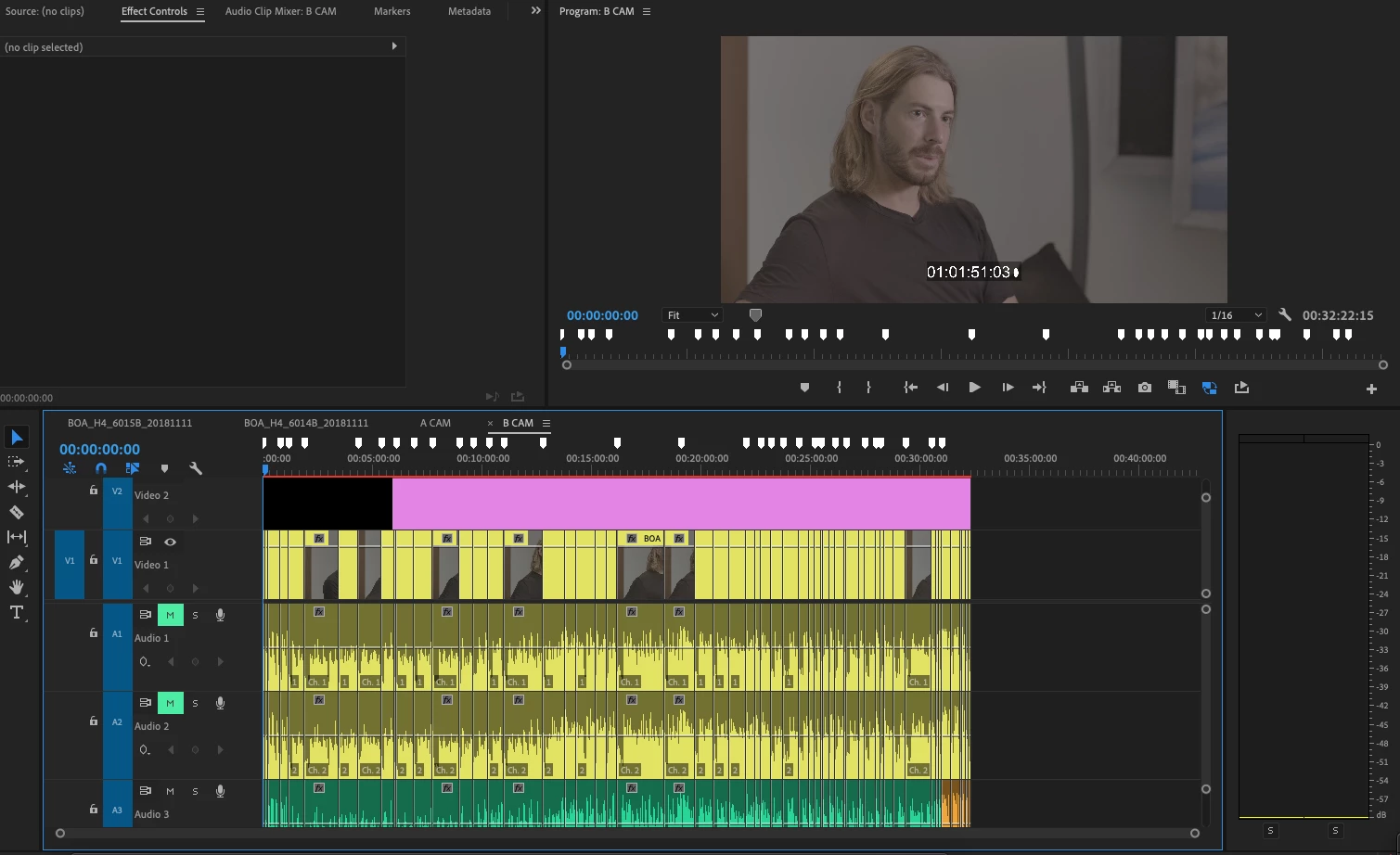
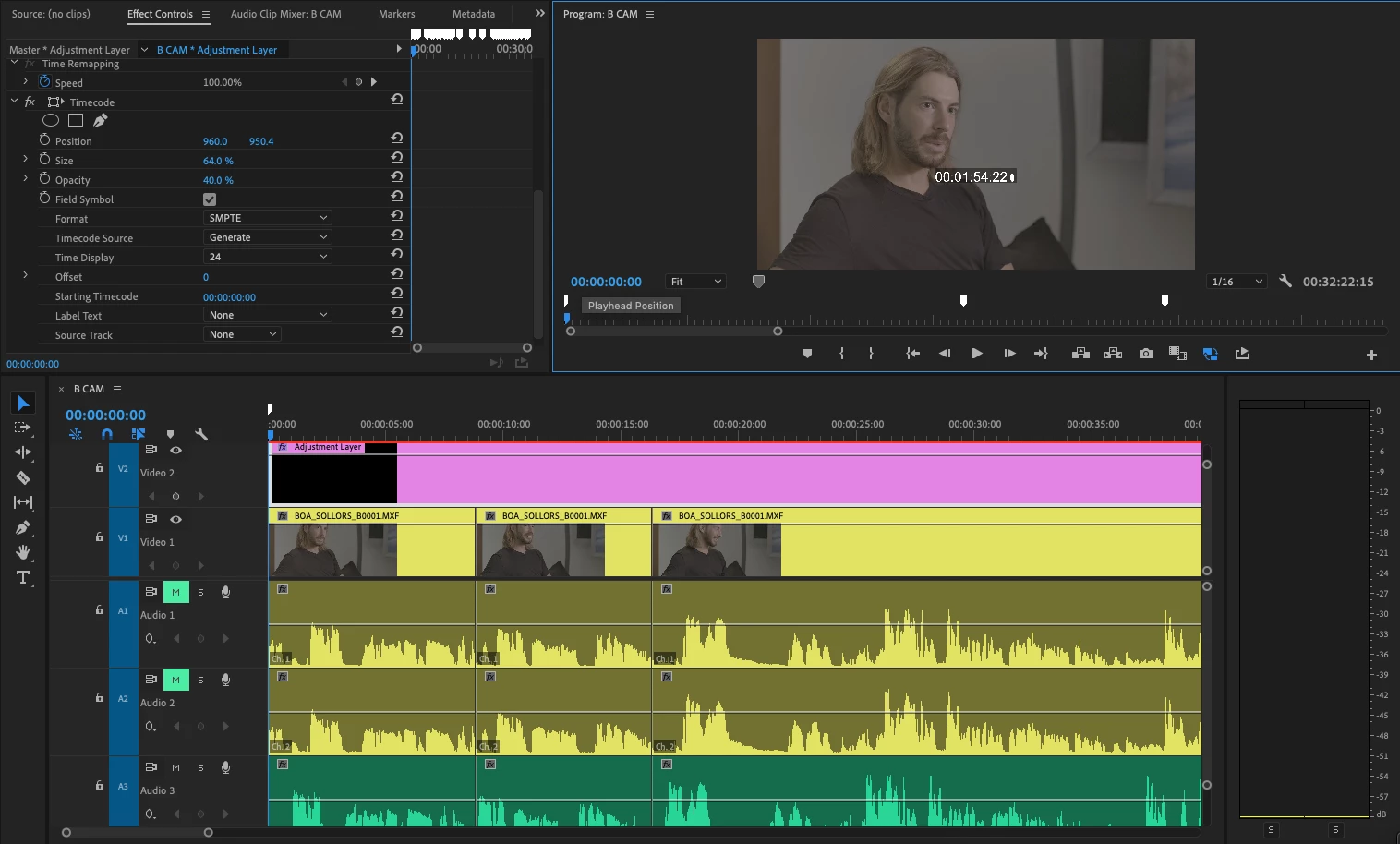
Hey all, I know timecode/timestamps can be a tricky subject, but I'm really just trying to do something pretty basic. I sent audio from a 30-minute interview off for transcription, and I'd like to be able to match up the time-stamped transcription with burn-in timestamps on the interview video. So I open the sequence I exported my audio clip from, drop an adjustment layer above my interview clips starting at 0:00, and set the length to be exactly as long as all my clips. Here's a screenshot of what that looks like:

I then apply the "Timecode" effect to the adjustment layer. With the playhead at 0:00 on the timeline, I want the timestamp to start at 00:00:00:00, or maybe 01:00:00:00, but instead it starts at 01:01:51:03. See below:
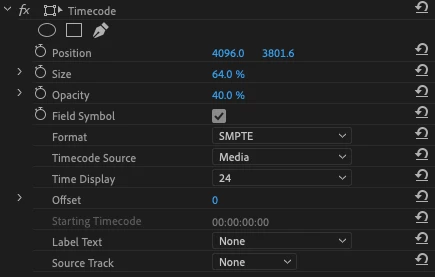
Here are my sequence settings, clips settings, and effect settings:
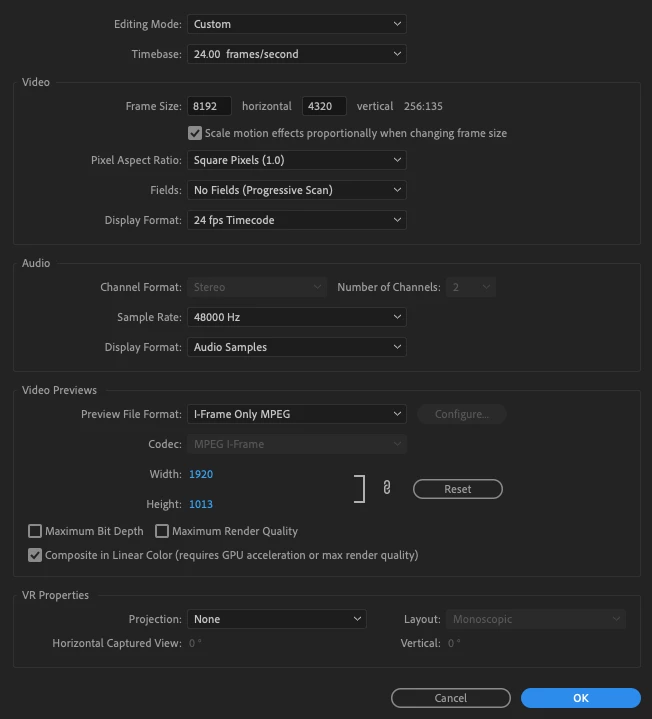
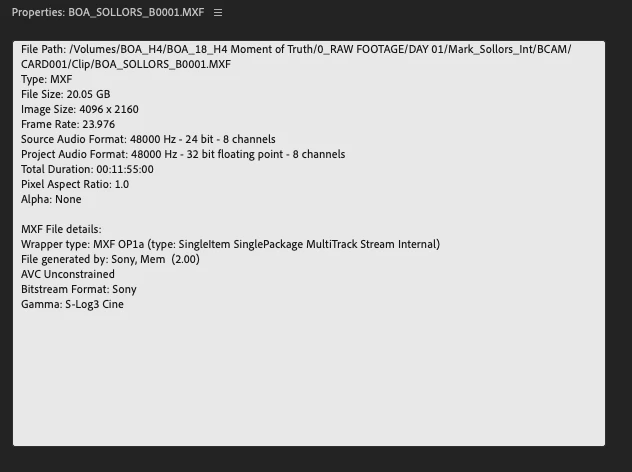
What am I doing wrong?
This topic has been closed for replies.
Correct answer Stan Jones

Created a new project, imported the old one (selecting "Entire Project"), and no luck. In fact, the timecode has actually changed positions in my program monitor:

Timecode moved because that's a 1920x1080 adjustment layer and the position keyframes were out of whack when moving projects for some reason. Tried a higher-res adjustment layer as well and no dice.

One more thing... I tried changing my "Source Track" to Video 2, and that didn't work either. As I'm thinking about it at home, maybe I'll do that in combination with setting the Timecode Source to back to Media. Something to try in the morning...


Try transparent video instead of adjustment layer. I got your results with an adjustment layer.

See this thread:

Re: Something is totally broken in TIMECODE effect

1 reply

R Neil Haugen
Brainiac
June 12, 2019

In your bottom image, see the "Timecode Source" option?

Set that to Generate, and the beginning automatically goes to all zeros ...

Neil

Everyone's mileage always varies ...
khomthepreditor
Inspiring
June 12, 2019

Hey Neil, thanks for the response!

I did see that in my initial search for a solution, but it doesn't seem to change anything, aside from shifting that timestamp a few digits. Check my screenshot:

khomthepreditor
Inspiring
June 13, 2019

Try transparent video instead of adjustment layer. I got your results with an adjustment layer.

See this thread:

Re: Something is totally broken in TIMECODE effect


That was it! Thanks so much