Exit
  • Global community
    • Language:
      • Deutsch
      • English
      • Español
      • Français
      • Português
  • 日本語コミュニティ
  • 한국 커뮤니티
0

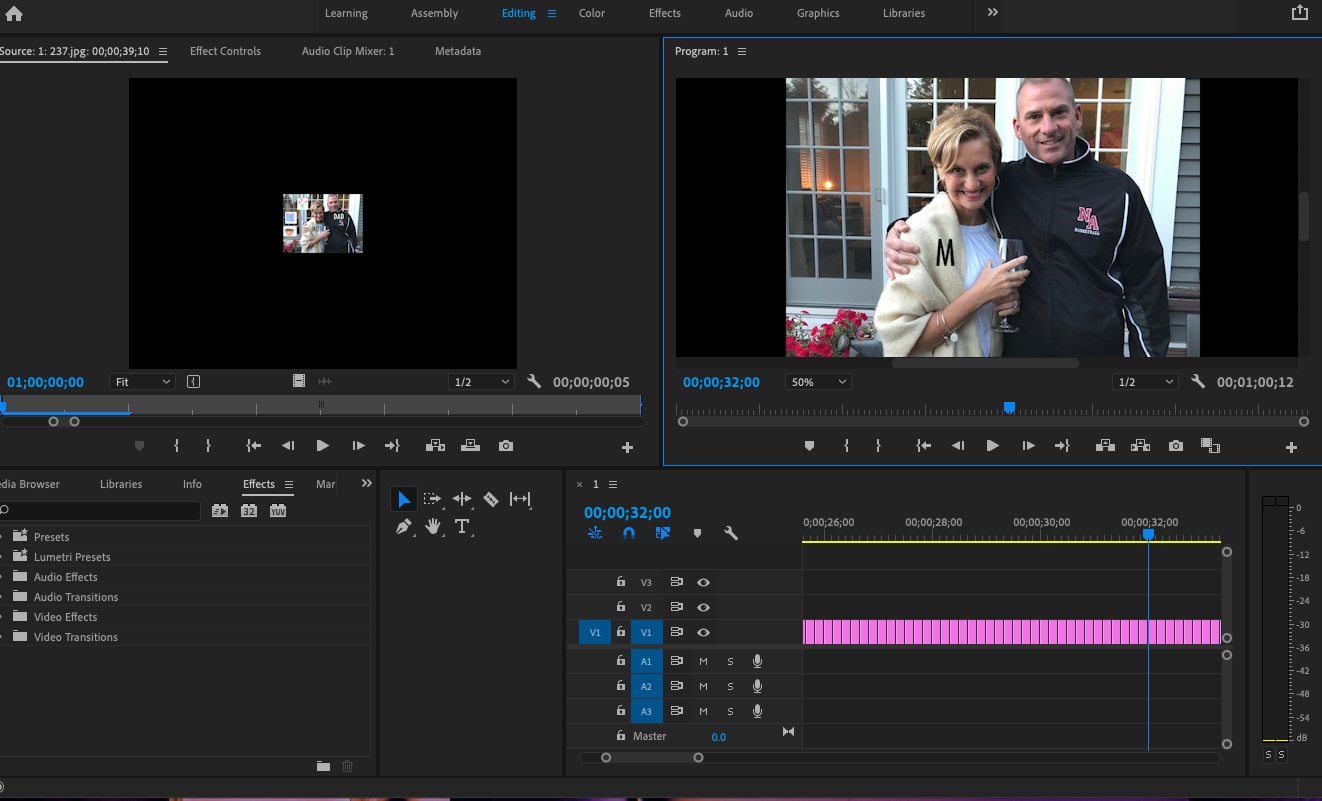
Zoom in 50% for portion of video

New Here ,
Dec 03, 2020 Dec 03, 2020

I am transfering .jpg images from photoshop to premiere pro to make a stop motion movie. from images 192-318, the image does not fit on the screen like the others. it is way zoomed out. If i change the setting from "fit" to "50%" the images in that sequence look normal, but I only need to be zoomed in 50% for that stretch of images and not the whole movie. How do i get the program to only have those images zoomed in for that time? Thank you !

TOPICS
Editing , Effects and Titles , Formats , Import
710
Translate
Report
Community guidelines
Be kind and respectful, give credit to the original source of content, and search for duplicates before posting. Learn more
community guidelines
Community Expert ,
Dec 03, 2020 Dec 03, 2020

The settings you are changing only affect the source and program monitor, it does not change the size of the clip when exported. What are the pixel sizes of your stills and do they have a black border?

Translate
Report
Community guidelines
Be kind and respectful, give credit to the original source of content, and search for duplicates before posting. Learn more
community guidelines
Community Expert ,
Dec 03, 2020 Dec 03, 2020
LATEST

If you are talking about the Program monitor, that is not how it will look on output unless set at 100%.

It only changes the zoom as you watch it in the program monitor.

Translate
Report
Community guidelines
Be kind and respectful, give credit to the original source of content, and search for duplicates before posting. Learn more
community guidelines