


Known Participant
September 5, 2018
Answered

Difference Between 29.97 FPS Non-Drop And 30 FPS

  • September 5, 2018
  • 2 replies
  • 27672 views

Hello...

In the ARRI sequence preset, there is are Timebase options of 29.97 and 30.
If you choose 29.97, you can specify a display format of 29.97 Non-Drop.
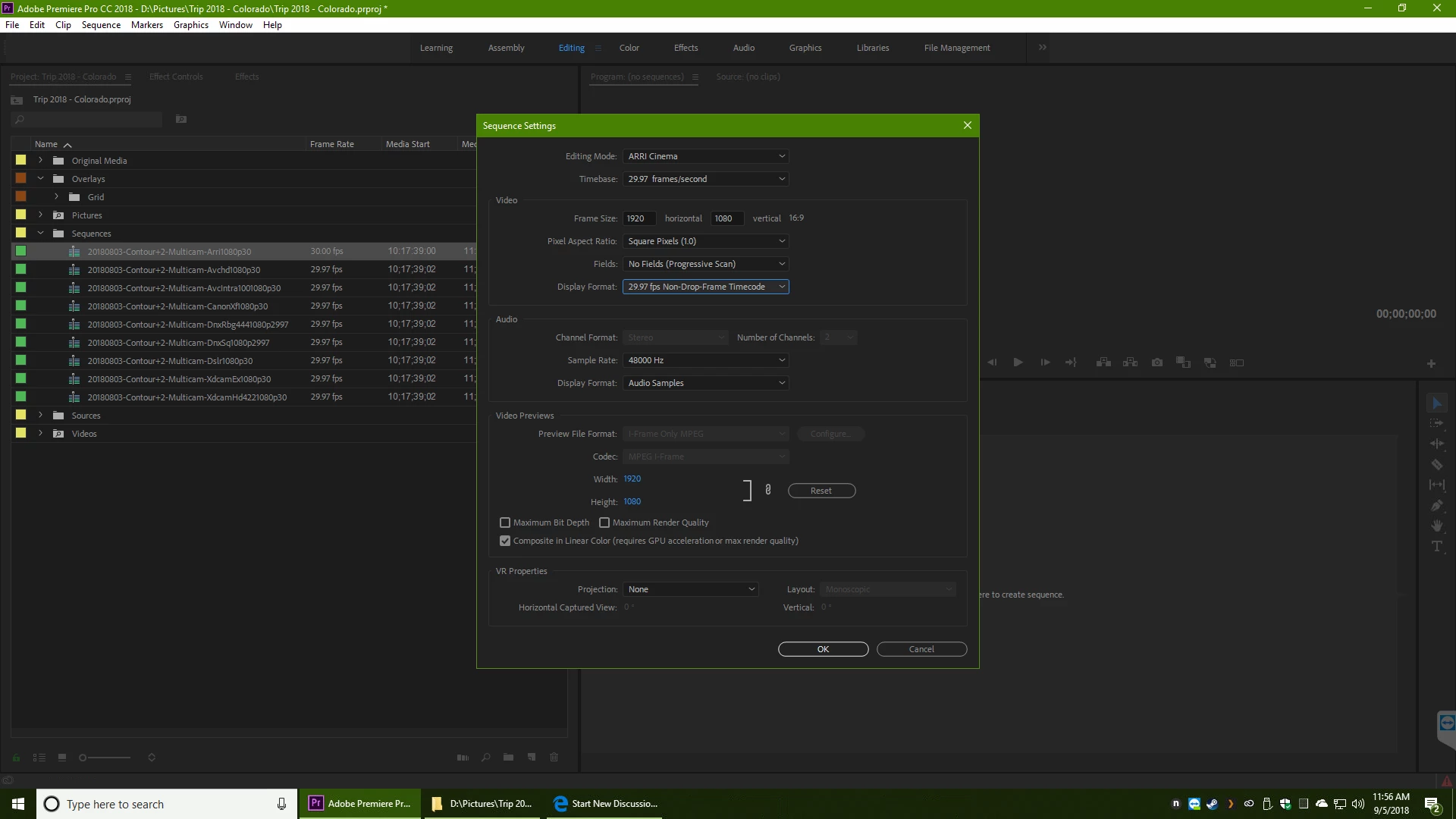
And if you choose 30, it has a display format of 30.
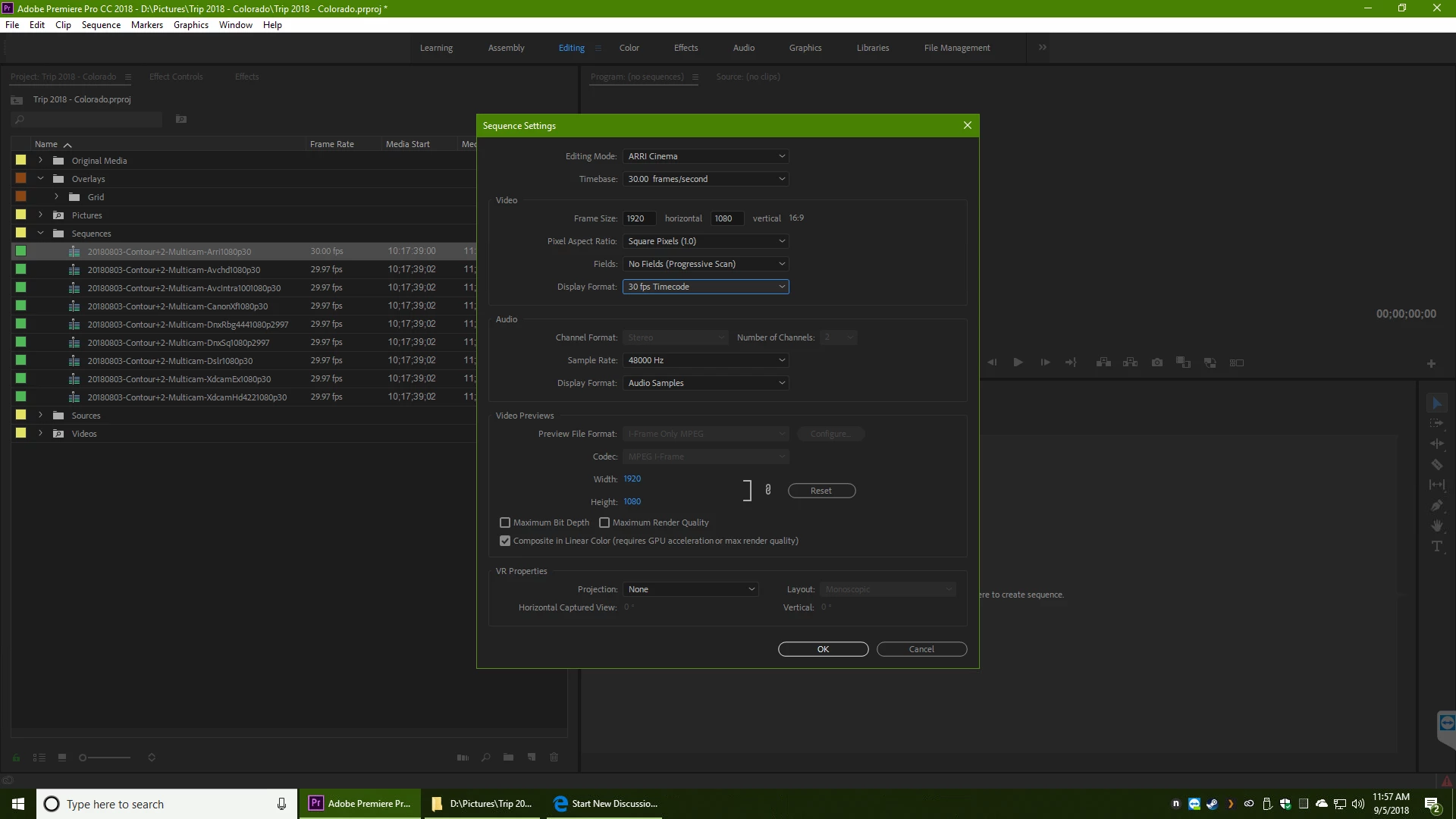
Is there a difference, between them?

I would think that 29.97 non-drop and 30 would be the same.

Personally, when I'm doing a 30fps project, I like seeing 30 (not 29.97).

I'm not working on something for broadcast, but computers.

I'd rather use ARRI 30, just for the visual framerate confirmation (don't have to be concerned about it getting switched to drop frames, accidentally).

JJ

    This topic has been closed for replies.
    Correct answer excited_Genie16B8

    Drop and Non-Drop refer to Timecode only.

    29.97 and 30 refer to the Frame Rate.

    There is a difference between Frame Rate and Timecode.  There is a difference between 29.97 and 30 fps Frame Rates.

    Choose correctly.

    2 replies

    Inspiring
    September 5, 2018

    29.97 drop frame is used in broadcast to ensure a proper duration indication

    if you use non-drop frame TC you will be ~4 seconds too long when you get to the 1 hour indication

    1st rule is typically to pick the frame rate that matches your source footage

    if all your source material is generated in PrP (just text, bknds etc.) then pick any frame rate you prefer

    2nd rule is typically to match your time code to the frame rate

    if you're using 29.97 or 59.94 then you have to decide if a accurate duration indication is necessary

    of you don't care about exact duration, pick any TC rate you prefer

    Fa310txAuthor
    Known Participant
    September 6, 2018

    Qengineering  wrote

    29.97 drop frame is used in broadcast to ensure a proper duration indication

    if you use non-drop frame TC you will be ~4 seconds too long when you get to the 1 hour indication

    I was specifically asking about 29.97 NON-drop frame versus 30.

    Is there any difference, between those two?

    JJ

    Inspiring
    September 6, 2018

    Fa310tx  wrote

    I was specifically asking about 29.97 NON-drop frame versus 30.

    Is there any difference, between those two?

    Yes, the choice of drop or non drop timecode is only available for a frame rate of 29.97.

    If you choose to edit with a frame rate of 30fps, you will only have 30 fps timecode as the available option.

    It seems to me that you are confused between the timebase of the sequence and the type of timecode that you should use with your choice.

    In you original post you should source files that were all shot at 29.97. Why you would want to edit at 30fps is a mystery to me.

    As Qengineering

    has already posted, if you edit at 29.97 fps you have two choices of timecode. You would use Drop Frame timecode if you are targeting an exact edit duration greater than 10 minutes. If you don't need to hit a specific show duration,  or are editing something like a :30 second tv commercial, I would choose Non-Drop code.

    But it's your choice.

    Note:

    Drop Frame timecode is called drop frame timecode because it adjusts the timecode numbers automatically, it does not drop any video frames.

    Here's a link to more guidance:

    https://blog.frame.io/2017/07/17/timecode-and-frame-rates/

    MtD

    excited_Genie16B8Correct answer
    Brainiac
    September 5, 2018

    Drop and Non-Drop refer to Timecode only.

    29.97 and 30 refer to the Frame Rate.

    There is a difference between Frame Rate and Timecode.  There is a difference between 29.97 and 30 fps Frame Rates.

    Choose correctly.