

[Now released] New Simplify Sequence feature available in Premiere Pro (Beta)
This feature is now shipping in the October 2022 release of Premiere Pro. Questions or comment about it should be posted to the main Premiere Pro forum: https://community.adobe.com/t5/premiere-pro/ct-p/ct-premiere-pro.
-------------------
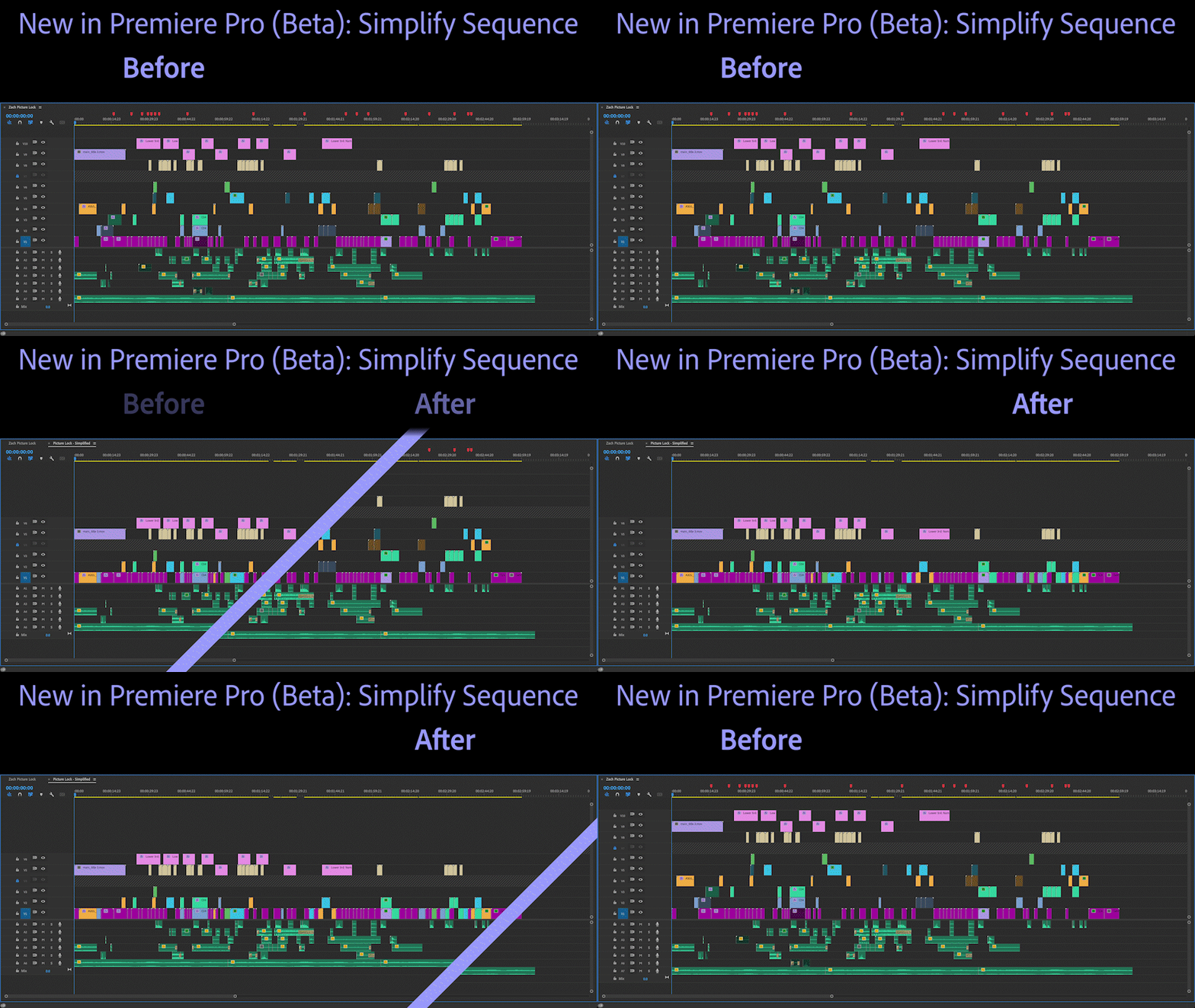
Use Simplify Sequence — new in today's Premiere Pro (Beta) build — to make a copy of your sequence that has been simplified based on options you choose. Simplify Sequence is perfect for when you want to clean up your timeline to focus on your story. It’s also great for sharing your sequence with another editor or preparing it for export via EDL, XML, or AAF.
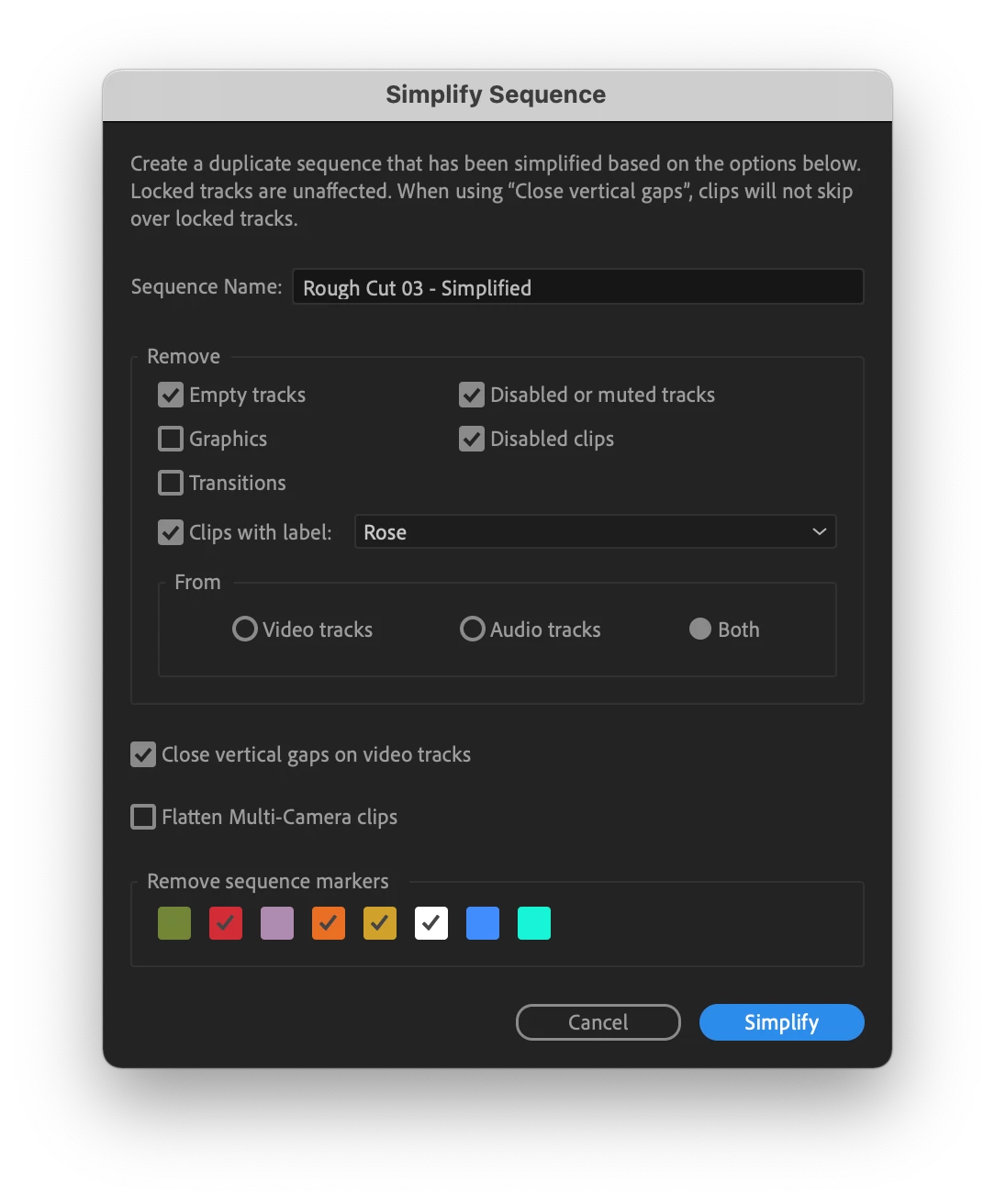
Simplify Sequence can be found in the Sequence menu, by right-clicking on a sequence, or by assigning and using the keyboard shortcut.
Locked tracks and the clips on them are always preserved. When using the “Close vertical gaps on video tracks” option your clips will not skip over a locked track. For complex sequences with many video tracks, you can use locked tracks to keep vertical sections separate while still benefiting from closing vertical gaps.
We’re excited to get Simplify Sequence out to our beta community and hear your feedback. Let us know how you’re using it and if there are other capabilities you’d like to see. Thank you!


 AdChoices