
Participating Frequently
February 18, 2017
Answered

Lumetri - Can I apply an existing colour palette?

  • February 18, 2017
  • 3 replies
  • 3897 views

Apologies for how naive or rudimentary this probably sounds to those with far more experience, but I've recently become more interested in colour grading and as I'm also very new to the concept of colour palettes I'm curious to know if there's a way to apply an existing film's colour palette to clips of my own. As I say, I'm very new to grading so I'm slowly learning the basics but the more I've explored the world of video colouring I've been amazed to discover how a still frame from any film can be broken down into the colours that were used to professionally grade it. Roxy Radulescu's website MoviesInColor(dot)com has a stunning collection of famous movie stills accompanied by the spectrum of individual colours that were used to give them their signature look. I suppose my question is - if these scenes are primarily built on a set of particular colours is there potentially a way that I could input the same colours of a favourite film scene into Lumetri using a colour-picker to then apply them to clips of my own. Obviously I don't expect them to look identical since I appreciate how cameras, lenses, locations, lighting are all factors that would need to be carefully replicated to achieve the exact same look, but I'd find it a fascinating learning exercise that would likely help me to understand the building blocks of elements that I may or may not want to achieve in my own future colour grades.

I realise what a naive question this may be to those with significantly more grading expertise but many thanks in advance from an enthusiastic novice.
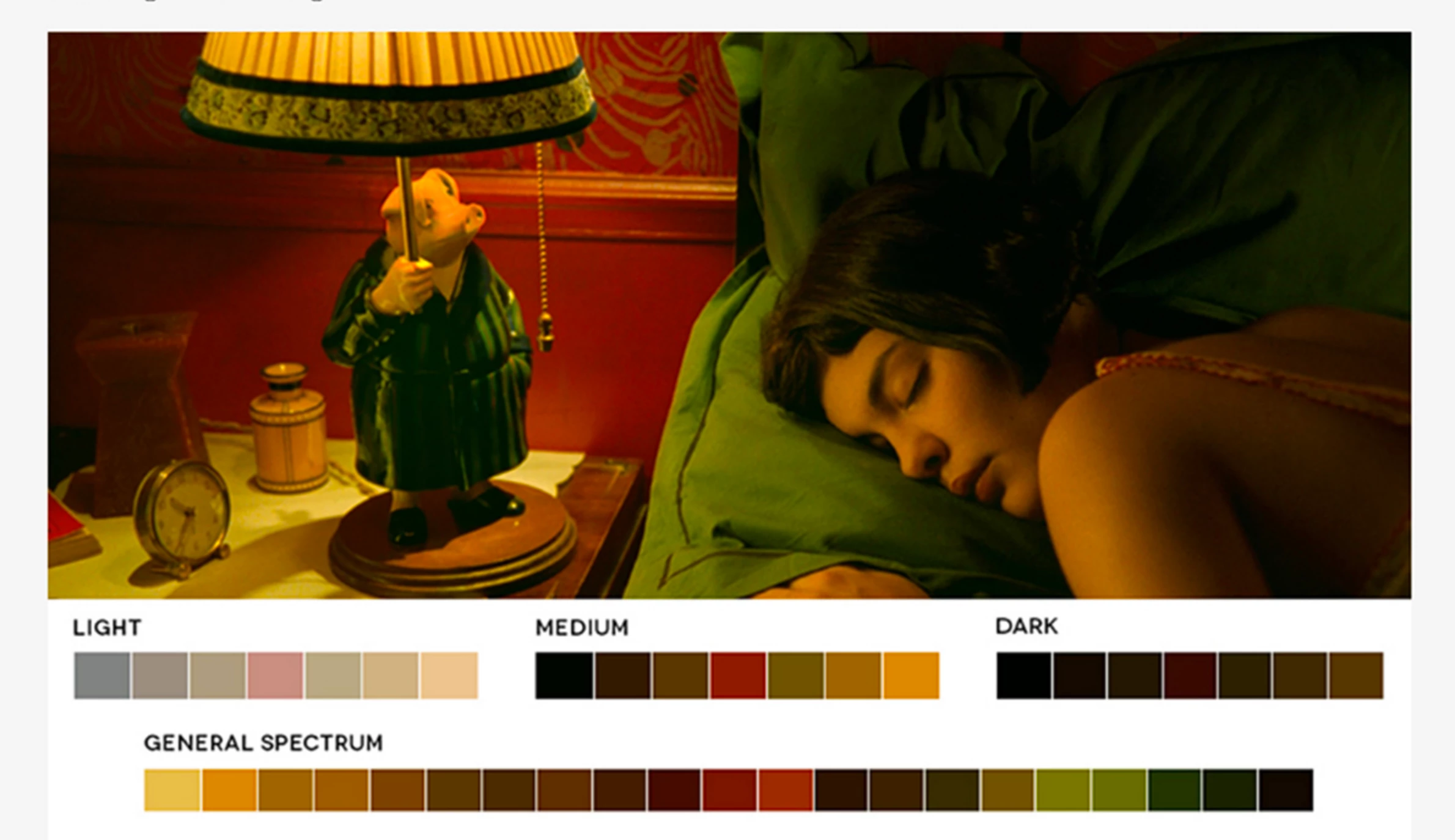
Credit: MoviesInColor(dot)com
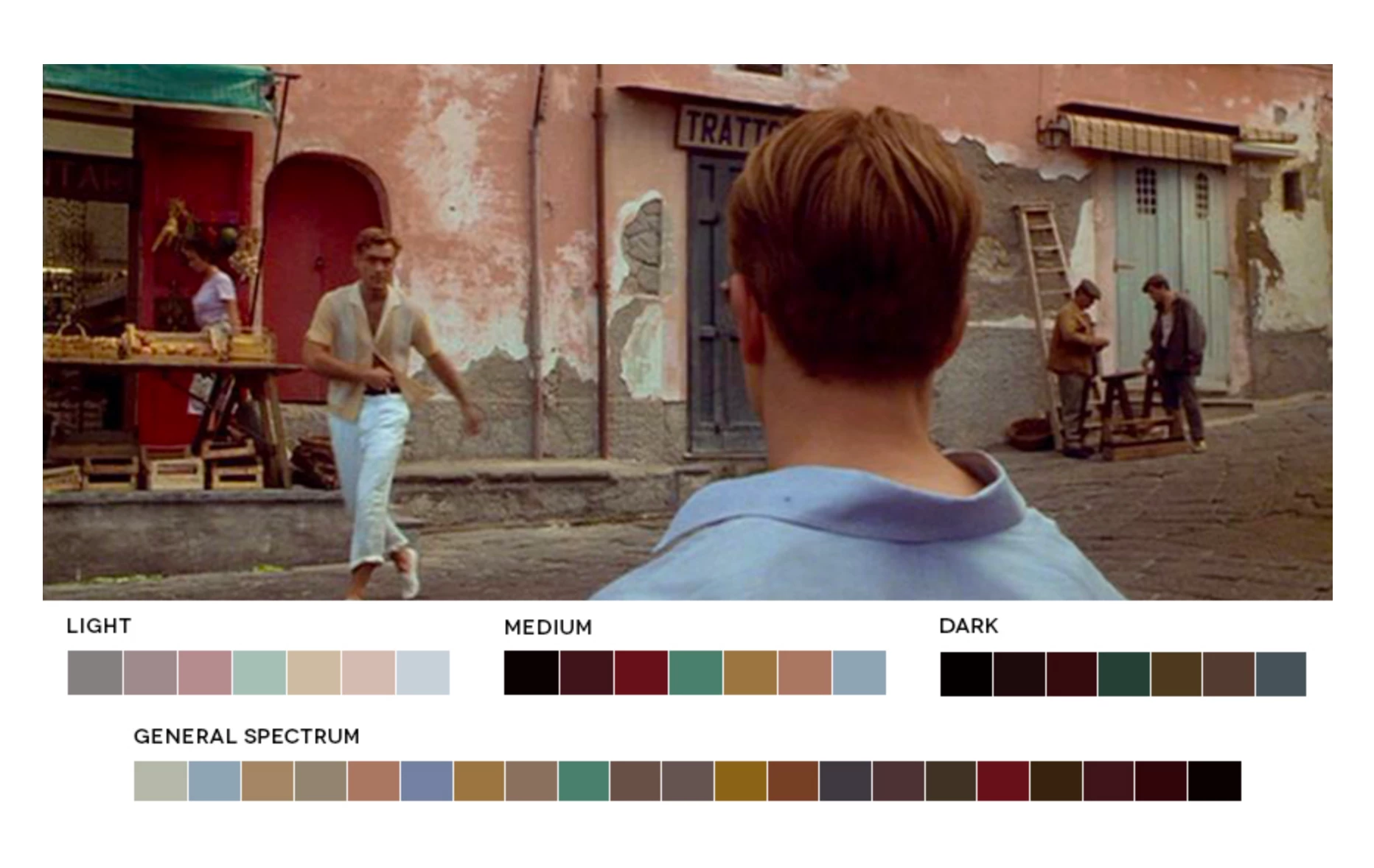
Credit: MoviesInColor(dot)com
This topic has been closed for replies.
Correct answer R Neil Haugen

That could be done by building a "look" with a series of stacked Lumetri effects, especially using the HSL Secondaries, where you can select a color/tonal range and then modify that towards something else. Now ... capturing multiple Lumetri instances into one savable Look can be a bit of work.

You'd need to use something like LUT Buddy from Red Giant (Red Giant | Downloads ) which I believe is still free, and install that, then there's a process easy to do but takes explaining to create a LUT you can then apply via LUT Buddy to emulate the entire look of the other grading stack.

Or of course, there are both free and for-purchase LUTs and Looks files available from numerous sources to use to emulate a particular type of Look. In fact, PrPro ships with a number of LUTs & Looks designed to be used with Lumetri. Check what's available from the Creative tab's LUT/Look dropdown list ... you can scroll through those.

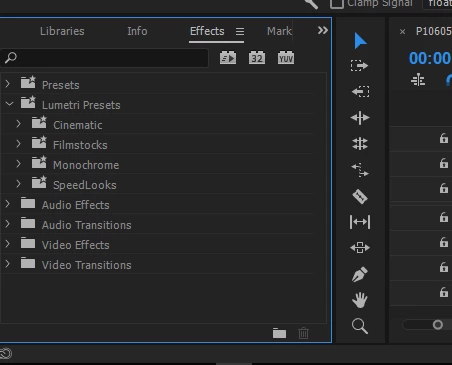
Also, check in the Effects panel, second section down is "Lumetri Presets", with several sub-sections. You can of course start with any Preset or LUT/Look and modify to taste.

Neil

3 replies

Participating Frequently
February 18, 2017

Thank you R Neil Haugen​ and Stefan Gruenwedel​ for putting me in exactly the direction I was hoping. Particularly the Adobe Capture tool which I have plans to begin using immediately.

As dynamic and versatile and as I've found Lumetri I haven't been so overwhelmed with the results I've had applying its presets to my flat Canon 7D footage (although it seems to do a much nicer job on C300 and FS7 clips), so you're right - it's good to a apply a couple of things then tweak to taste.

But the LUT Buddy and tutorial suggestions will certainly get me off to a good start. Many thanks for your advice.

shooternz
Legend
February 18, 2017
to my flat Canon 7D footage

Are you shooting "flat" with your 7D?  Why?  Does it shoot RAW?

R Neil Haugen
Legend
February 18, 2017

Oh ... another way, really cool ... uses Adobe's Capture app for mobile devices. Using that, you can take a picture of say a sunset, floral arrangement, anything with a range of tones you'd like to work with, and it will give you a number of samples applying different subsets of the tones of the image to a test image. Choose the one you like, name it, and save it to your "Library" in Adobe's "Cloud" ... and then access that from the Library panel of PrPro. As you can see, I've got a few here ...

And it shows the tones left to right that are most predominant.

Neil

Everyone's mileage always varies ...
stefan_gru
Inspiring
February 18, 2017

Perry: To piggyback off of Neil's comment about using Adobe Capture, take a look at these tutorials:

Get a great look for your video

Capture color themes | Adobe Creative Cloud Mobile Apps Tutorials

R Neil Haugen
R Neil HaugenCorrect answer
Legend
February 18, 2017

That could be done by building a "look" with a series of stacked Lumetri effects, especially using the HSL Secondaries, where you can select a color/tonal range and then modify that towards something else. Now ... capturing multiple Lumetri instances into one savable Look can be a bit of work.

You'd need to use something like LUT Buddy from Red Giant (Red Giant | Downloads ) which I believe is still free, and install that, then there's a process easy to do but takes explaining to create a LUT you can then apply via LUT Buddy to emulate the entire look of the other grading stack.

Or of course, there are both free and for-purchase LUTs and Looks files available from numerous sources to use to emulate a particular type of Look. In fact, PrPro ships with a number of LUTs & Looks designed to be used with Lumetri. Check what's available from the Creative tab's LUT/Look dropdown list ... you can scroll through those.

Also, check in the Effects panel, second section down is "Lumetri Presets", with several sub-sections. You can of course start with any Preset or LUT/Look and modify to taste.

Neil

Everyone's mileage always varies ...