February 1, 2019
Answered

Premiere Pro CC 2019 can't import .mp4 file

  • February 1, 2019
  • 5 replies
  • 102427 views

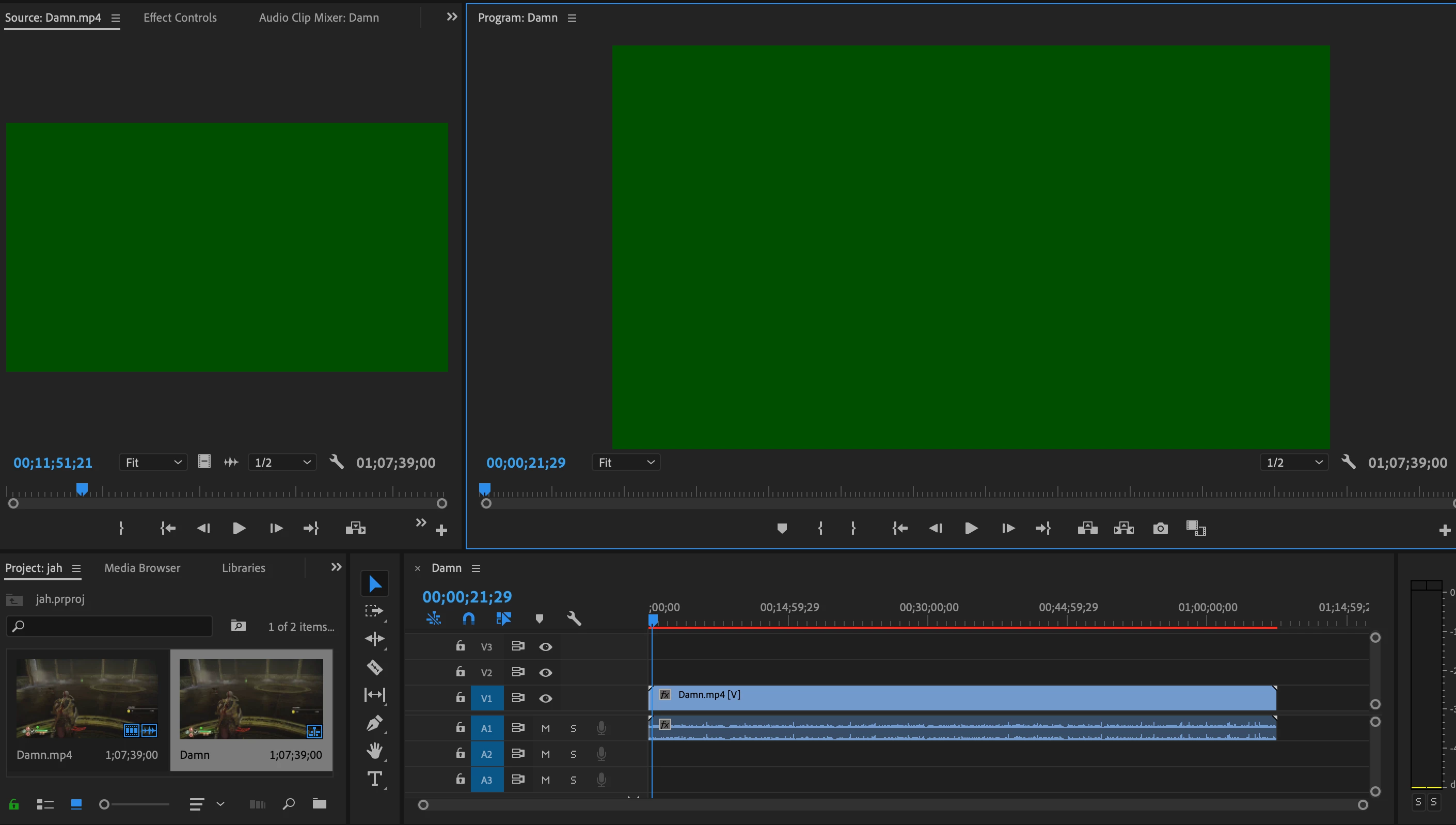
As you can see from the image, the file doesn't import correctly. The first couple of seconds are as they should be but after that I get a green image. The audio still works. There's a red bar over the timeline as well. How can I fix this?

Correct answer Kevin-Monahan

Hi Community,

You may be confused if you are arriving here via search. This post is a different issue than for "importing" a clip into the timeline (and either audio or video didn't follow). As a quick fix, click the V1 and A1 boxes at the far left of the Timeline, then drag once more.


Why is this happening? See this post: can't drag video to the timeline


A quick anecdote about the nomenclature of editing might be in order, as using proper terminology is very important in video editing and motion graphics:


The correct terminology is to edit a clip into the timeline. One does not import a clip into the timeline, one imports a clip into the project.


Thanks,
Kevin

5 replies

Kevin-Monahan
Community Manager
Kevin-MonahanCommunity ManagerCorrect answer
Community Manager
February 3, 2022

Hi Community,

You may be confused if you are arriving here via search. This post is a different issue than for "importing" a clip into the timeline (and either audio or video didn't follow). As a quick fix, click the V1 and A1 boxes at the far left of the Timeline, then drag once more.


Why is this happening? See this post: can't drag video to the timeline


A quick anecdote about the nomenclature of editing might be in order, as using proper terminology is very important in video editing and motion graphics:


The correct terminology is to edit a clip into the timeline. One does not import a clip into the timeline, one imports a clip into the project.


Thanks,
Kevin
Kevin Monahan - Sr. Community & Engagement Strategist – Pro Video and Audio
Hani.sawiress
Inspiring
February 9, 2021

The same problem here I tried every single solution I read over the Internet.

what is very strange is in my very first project composing I inserted an MP$ file .. but when the problem exists the same mp4 file that is already inserted It failed to be inserted agin. I could playback it and render it but I can't insert it again even if I rename it.

Ann Bens
Community Expert
Community Expert
February 11, 2021

Might be a source patching issue.

Hani.sawiress
Inspiring
February 11, 2021

I don't think so

here is what exactly I did

open premier > new project > drag and drop an mp4 file then again I drop another mp4 file but it refuses to import it but it's only dropping the soundtrack.

so I decided to make a new project to import the second mp4 file using the same workflow then copy-paste it into my main project file.


Community Manager
February 1, 2019

Could you try two things:

1) Switch your Renderer to Software Only. Go to File menu > Project Settings > General > Video Rendering and Playback > Renderer: Mercury Playback Engine Software Only. If that fixes the issue, try updating or rolling back to another driver to see if that fixes the issues with GPU Renderer.

2) If that does not resolve the issue, try turning off hardware acceleration. Go to Premiere Pro Preferences > Media > uncheck "Enable hardware acceleration decoding (requires restart)." Then Save, Quit Premiere Pro, delete your Media Cache folders, launch Premiere Pro and import your files again.

More information on Media Cache: FAQ: How to clean (delete or trash) media cache files?

If none of that helps, could you please send us some sample files for investigation?

Thank you!

jasontcox
Inspiring
February 1, 2019

Trent beat me to the punch. What he said!

John T Smith
Community Expert
Community Expert
February 1, 2019

MP4 is a wrapper, what is inside YOUR wrapper - Exactly what is INSIDE the video you are editing?

Report back with the codec details of your file, use the programs below... A screen shot works well to SHOW people what you are doing - For Windows Internet Explorer press the PRINT SCREEN button on your keyboard, and then do CTRL-V to paste the screen print from the clipboard into a forum message

Free programs to get file information for PC/Mac http://mediaarea.net/en/MediaInfo/Download

- when you analyze your file in MediaInfo and post a screen shot in the forum, do so in TREE view

Ann Bens
Community Expert
Community Expert
February 1, 2019

Change extension to mpg and try again.

kevinpnb
Known Participant
December 3, 2019

After HOURS of trying everything I could find, this simple fix was IT! Thank you!