Exit
  • Global community
    • Language:
      • Deutsch
      • English
      • Español
      • Français
      • Português
  • 日本語コミュニティ
  • 한국 커뮤니티
0

Premiere Pro shows a black screen (does not show AE project)

Explorer ,
Feb 28, 2019 Feb 28, 2019

Hi, I have exported After Effects project as Premiere Pro Project. When opening the project in Premiere Pro it does not show me the video (please see the image) the screen is all black. I am also not able to scroll up to see the above layers (basically there are more pre-compositions and layers above the red circle in the picture).

I searched a lot but did not find anyone facing such an issue and hence an offered solution to it in the net. will really appreciate your help.
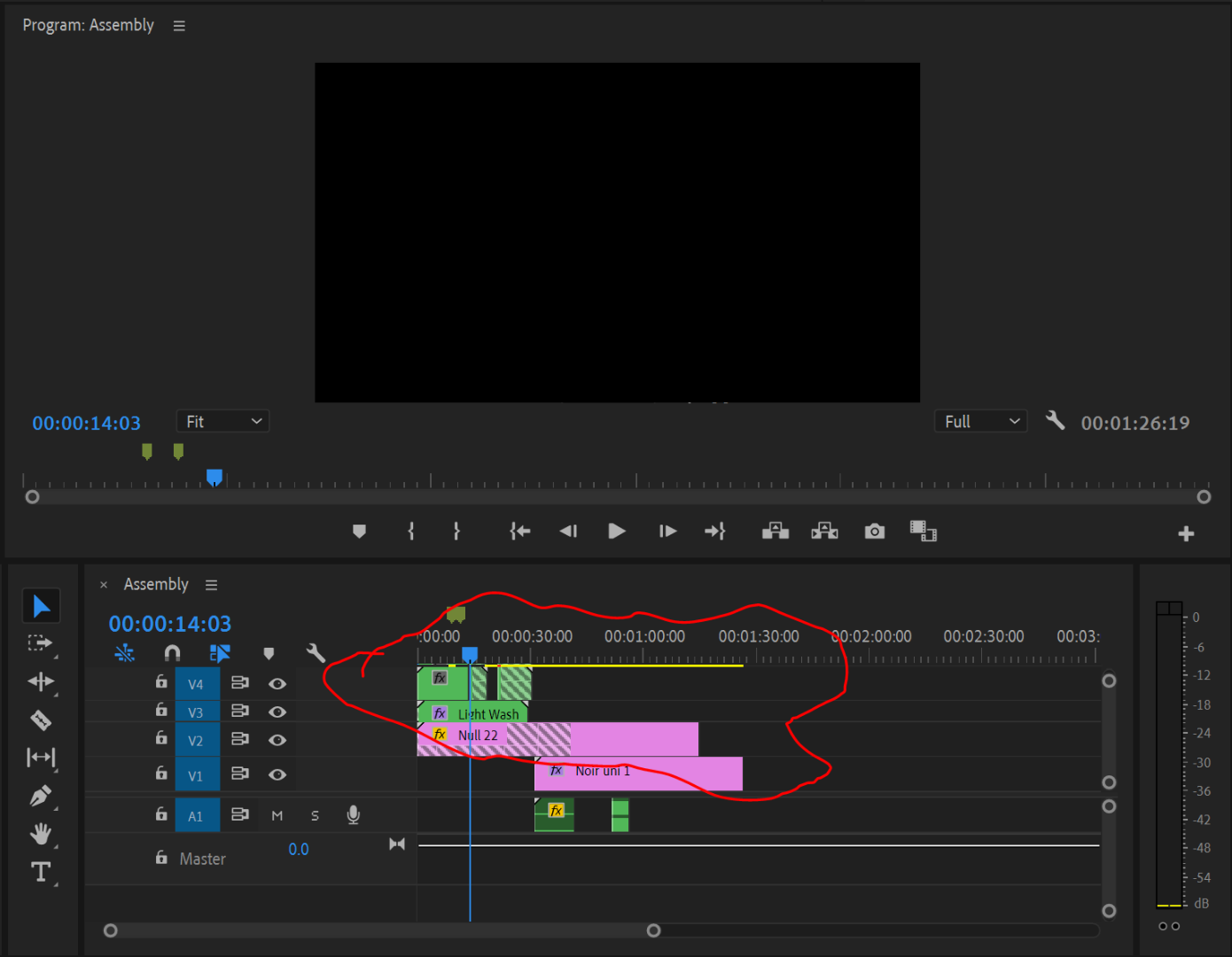
One more thing to add, when I import AE project it shows me the video but in that case, I am not able to edit the pre-compositions and layers as it shows only one layer.


1.6K
Translate
Report
Community guidelines
Be kind and respectful, give credit to the original source of content, and search for duplicates before posting. Learn more
community guidelines
Adobe Employee ,
Feb 28, 2019 Feb 28, 2019

SolarL,

Give us your complete workflow steps from AE to Premiere Pro. Include info on your system and source media so we can fill in the knowledge gaps. We don't yet know your complete story.

Thanks,
Kevin

Kevin Monahan - Sr. Community & Engagement Strategist – Pro Video and Audio
Translate
Report
Community guidelines
Be kind and respectful, give credit to the original source of content, and search for duplicates before posting. Learn more
community guidelines
Enthusiast ,
Feb 28, 2019 Feb 28, 2019

I know this doesn't help much, but I've spent countless hours with dynamic link, exporting between AE and Premiere, and I've basically come to understand that the ability to switch back and forth without some kind of error or glitch in the process is about 50/50. I've made it a habit to do as much work as possible in AE, then render it out and place in the timeline as a .mov. When I want to update, then render out again and use Replace Footage... in Premiere.

Translate
Report
Community guidelines
Be kind and respectful, give credit to the original source of content, and search for duplicates before posting. Learn more
community guidelines
Community Expert ,
Feb 28, 2019 Feb 28, 2019
LATEST

Those stripes on the videos in the timeline usually mean that there are no frames in that piece. Perhaps it was trimmed in AE?

Translate
Report
Community guidelines
Be kind and respectful, give credit to the original source of content, and search for duplicates before posting. Learn more
community guidelines
