

Participant
September 30, 2020
Answered

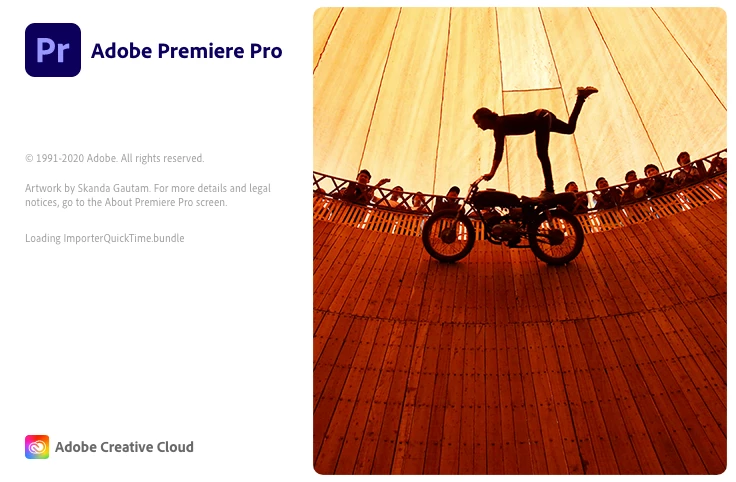
Premiere Pro stuck in "Loading ImporterQuicktime Bundle
  • September 30, 2020
  • 24 replies
  • 39822 views

Do you know why Premiere won't start and stuck in this stage? I turned off Firewall, empty Adobe folder and reinstalled Adobe CC. It still does not work. Please help!

Correct answer diarmidsloan

I've been through this at length with Apple Support, who have been superb, and got this resolved. It isn't an Adobe issue, but an underlying OS issue. 


On a Mac, the issue appears to be mainly due to missing Desktop and Documents folders within your user profile (Macintosh HD > Users > YOURNAME. Creating a new profile allowed it to work ok, although that is just a workaround / test, not a solution. I had recently uninstalled DropBox, but I believe iCloud Drive has a similar impact. Due to underlying OS permissions you cannot simply recreate these folders. 


Ultimately I had to delete the existing Documents and Desktop links (since they weren't linking anywhere) and reinstall the MacOS. This only took about 30 minutes and doesn't affect your existing files, it just fixes any underlying system files and folders. It recreated the Documents and Desktop folders and all started fine and is now running perfectly.

24 replies

Participant
July 19, 2024

I'm getting this message on my mac book pro. DFT.Bundle can't be opened because apple cannot check it for malicious software.


Legend
July 19, 2024

Mark38707933lp38, can you give us some more info...    Was Premiere previously working or is this a new install?  and...Never easy to troubleshoot premiere problems from a distance so please tell us your system specs: OS version, Premiere version.    And did you review the previous posts in this thread to see if any of them can explain and or solve your issue.  

Participant
April 8, 2024

Dear Adobe, what is the solution to this?


Legend
April 8, 2024

Never easy to troubleshoot premiere problems from a distance so please tell us your system specs: OS version, Premiere version, amount of RAM, Hardware specs including graphics card and if you have any 3rd party plugins installed for Premiere...   Post back if you need help providing any of this info...

jqnaidoo
Participant
December 26, 2023

For me, this is what worked:

Deleted this folder:

~user/Documents/Adobe/Premiere Pro

Then premiere worked fine.


Took me 3 months to get it to work.

Participating Frequently
December 17, 2022

See if you have mapped network drives, especially ones that are not (or no longer) reachable

Remove them. (terminal --> net use X: /delete (X: is the drive letter of the mapped network drive)


Participant
March 8, 2022

Signed up for Premiere yesterday - did my first project. Doing some more work today in the morning; and after lunch it cannot start: hangs with the "Importer QuickTime.bundle" message. This is a dedicated Mini-M1, which I use only for video projects: FincalCut, Compressor and Handbrake are installed. No other software, and nothing else (productivity apps) is used.  No Dropbox installed, or needed. The M1 munts SMB volumes on the local network (RAID array).


Adobe support wanted to enable root account: I said no way (re-install OS!).


WORKAROUND:

After reading this article, I created a "test" account - and using the new account I *can* start Premier now. For how long: I don't want to speculate.


IMHO this is a bug - on a computer where the only OS change was to shut down, and start up the next day. No other software was installed, or is even used - this is a dedicated render computer. Only Premiere was not used these days. 


HELLO ADOBE - THIS IS A BUG!

Participant
March 8, 2022

Looking at me RAID volume; this is what I did:


As a novice PremierePro user, I was stunned when I discovered that PremirePro copied several GB of media files from the source (RAID) into local my documents folder. PremierePro, obviously, is for Pro users whocannot be bothered to manage media folders. My MacPro 2014 has a 256GB System Disk (SSD, built-in), and external RAID and SAS-SSD (2GByte/sec) attached via Thunderolt2. The system disk is jus that - and as of right now uses 97GB/has 153 GB free (8 years!). All media is on externals disks, and the Documents folder is empty - literally. This kind of setup is fine for FCPx ...


In order to rectify the horror of media being copied into my Documents folder; and no way to disable that - I just moved the contents on the file server. The whole 22.0 folder, and created a shortcut (unix link) in it's place. Permire is not much Pro - cannot handle this. My new M1 has a 256GB build-in SSD - and there are several reasons why it is a bad idea for PremirePro to use it:

1) my projects are quite large - and it is a terrible waste of space and time to duplicate source video files

2) The internal disk nowadays are small, and reserved for the OS and applications. It is bad for the shelf-life of the SSD, to copy 100's of GB every single day (and later delete it).

3) It is not efficient to copy large source files-waste of disk space - makes media management (archiving/delete/backup) difficult

4) When the project is done, I make a copy (onto yet another backup disk), and delete it from the SSD disk

5) on M1 computers SSDs are built-in, to replace the SSD means replacing the computer (MoBo!)

6) It gives better performance (more IO bandwith) = speed, if the Application and media are on different SSDs

7 I am using a SAS-SSD as a scratch disk, which is designed to sustain 2TB of write, every day, for 5 years shelf life. It has a native IO of 2.5GBytes/sec (but TB2 is only 20Gbps); which is still good. I do consider the $500 well spent - because it saves me a lot of time. Any my personal time has at least double the value than what get paid. PremierPro cannot use it?


Conclusion: PremierePro does not like if you move your projects, or god forbid files from the Documents folder. And it keeps a copy of all source media there. Get a Windows PC, and make sure you have a 10TB boot disk/Documents folder. Don't use a M1 Mac, or anything with built-in (soldered) SSDs.


To paraphrase Mando: "This is the Adobe Pro way".

Legend
March 8, 2022

I've been working in Premiere for over 5 years on a variety of computers, including intel and m-1 macs and windows machines and never seen this behavior...    and I'm always watching my available drive space for any issues...  It is very easy to make a mistake in setting up your scratch disks, so maybe that's where your issue lies...  and I never store any media in my documents folder (and don't generally save media on my boot drive...).  

artichoked
Inspiring
October 22, 2021

I'm running into the same problem after renaming my OSX user account and user folder. Even though I followed Apple's instructions and the rename itself went smoothly, I did experience a few glitches with certain programs. But I just discovered the Rush no longer works because it's looking for my old user folder. I confirmed this by logging in as another user and launching Rush no problem.


I tried reinstalling my OS but that didn't fix it.  Is there a way to RESET Rush without losing all of my projects? Where does Rush even save those?

Participant
October 1, 2021

SOLVED: Whenever I launched Premiere, the loading window hung on the quicktime bundle, too, but after some work I actually have a different solution than reinstalling the OS, etc. (Because my underlying problem was apparently different, as my Desktop and Documents folders were NOT corrupt or missing.)

I navigated to Library/Application Support/Adobe/Common/Plug-ins/7.0/ and tried removing plugins one at a time, trying to launch Premiere after I removed the plugin. If it hung again, I put that plugin back and removed the next one. Luckly, I found the culprit on the second try, so it didn't take long. 

In my case it was Digital Anarchy (Flicker-Free) and not Premiere loads fine.

Hope this helps someone.

Gil Fr
Participating Frequently
March 21, 2022

Thanks! You saved me. Was also a Digital Anarchy plugin.

Participant
September 20, 2021

I had this same problem with Premier Rush on Mac OSX.  Turns out it was becuase I had moved my "Documents" folder to another drive in an effort to manage drive space.  I did this, originally, by creating a symbolic link for the documents folder.  I removed the symbolic link (sudo rm Documents) and then created a new folder "Documents" and now Rush loads as expected.  


diarmidsloan
diarmidsloanCorrect answer
Participant
September 5, 2021

I've been through this at length with Apple Support, who have been superb, and got this resolved. It isn't an Adobe issue, but an underlying OS issue. 


On a Mac, the issue appears to be mainly due to missing Desktop and Documents folders within your user profile (Macintosh HD > Users > YOURNAME. Creating a new profile allowed it to work ok, although that is just a workaround / test, not a solution. I had recently uninstalled DropBox, but I believe iCloud Drive has a similar impact. Due to underlying OS permissions you cannot simply recreate these folders. 


Ultimately I had to delete the existing Documents and Desktop links (since they weren't linking anywhere) and reinstall the MacOS. This only took about 30 minutes and doesn't affect your existing files, it just fixes any underlying system files and folders. It recreated the Documents and Desktop folders and all started fine and is now running perfectly.

Community Manager
September 6, 2021

Thanks for sharing this!


Regards,

Shivangi

Participant
August 5, 2021

Hello, I'm having this problem too.


I'm running Premiere Pro version 14.8 in a Mac computer with High Sierra version 10.13.6.

I can't update the software to a recent one because the computer won't let me, this is as far as it gets.

Is there anything I can do? Thnks!

Inspiring
August 16, 2021

In the latest version, it is still a problem.


I can only start Premiere directly after a restart, without any other apps running.

jumpcut
Inspiring
August 27, 2021

I am having this same problem launching Media Encoder (15.4.1 build 5) on an iMac running OS Catalina.


I waited 4 minutes and it finally loaded. 


Patience is not my strong suit, but waiting 4 minutes beats calling support. I hope Adobe figures this out in the next upgrade.


Aloha,

Shirley