


February 6, 2019
해결됨

"Not chosen because of old driver" Premiere pro CC 2019

  • February 6, 2019
  • 1 답변
  • 4888 조회

Hi everyone,
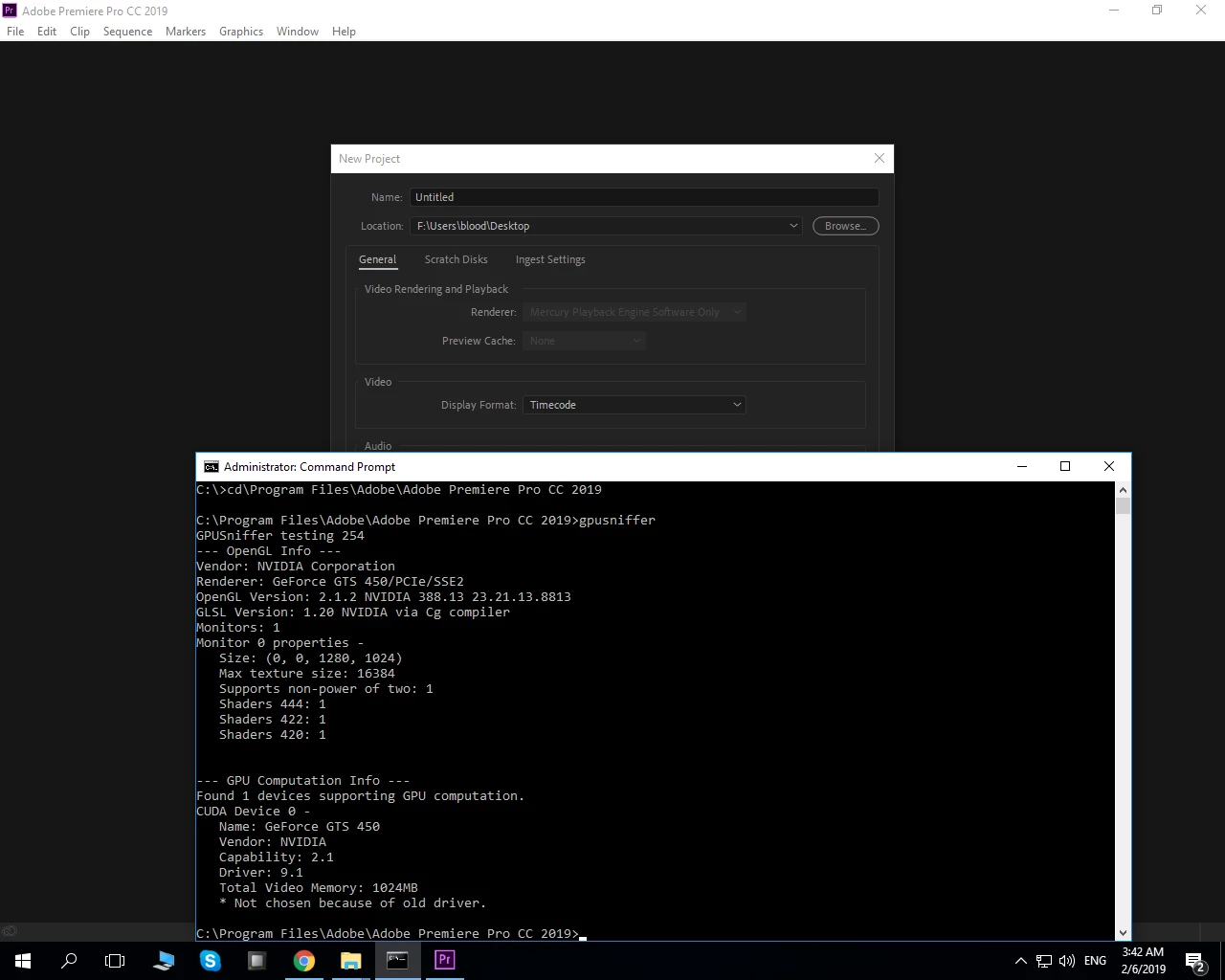
Just have upgraded to Premiere pro cc 2019 and cannot even choose gpu acceleration.

gpusniffer says : Not chosen because of old driver

But i have already reinstalled my drivers to the latest version 3 times using clean install, even reinstalled PP2019 , restarted pc ofc. Nothing helped.

GTS450.

Any suggestions what can i do?
    이 주제는 답변이 닫혔습니다.
    최고의 답변: Peru Bob

    The GTS450 does not meet the minimum requirements for Premiere Pro 2019:

    https://helpx.adobe.com/premiere-pro/system-requirements.html

    1 답변

    Peru Bob
    Community Expert
    Peru BobCommunity Expert답변
    Community Expert
    February 6, 2019

    The GTS450 does not meet the minimum requirements for Premiere Pro 2019:

    https://helpx.adobe.com/premiere-pro/system-requirements.html

    February 6, 2019

    Thank you for your fast reply!
    Maybe you've got information which version is the latest one that supports GTS 450?

    Legend
    February 6, 2019

    You will have to go back to CC 2018 (12.1.2) with that Fermi-generation GPU because NVIDIA has already EOL'd all Fermi-generation GPUs - including your GTS 450 - for all future drivers and support with the last WHQL driver (391.35) being released back in March of last year. Beginning with the next WHQL driver release, a Kepler or newer GPU is required just to even use. And Premiere Pro CC 2019 requires a driver with CUDA 9.2 or higher support - this means 397.64 or higher WHQL drivers, which now no longer supports your GPU - to even enable CUDA GPU acceleration at all.