


- Home
- Premiere Pro
- Discussions
- Source and video window not working after update
- Source and video window not working after update
Source and video window not working after update

Copy link to clipboard
Copied
Hi,
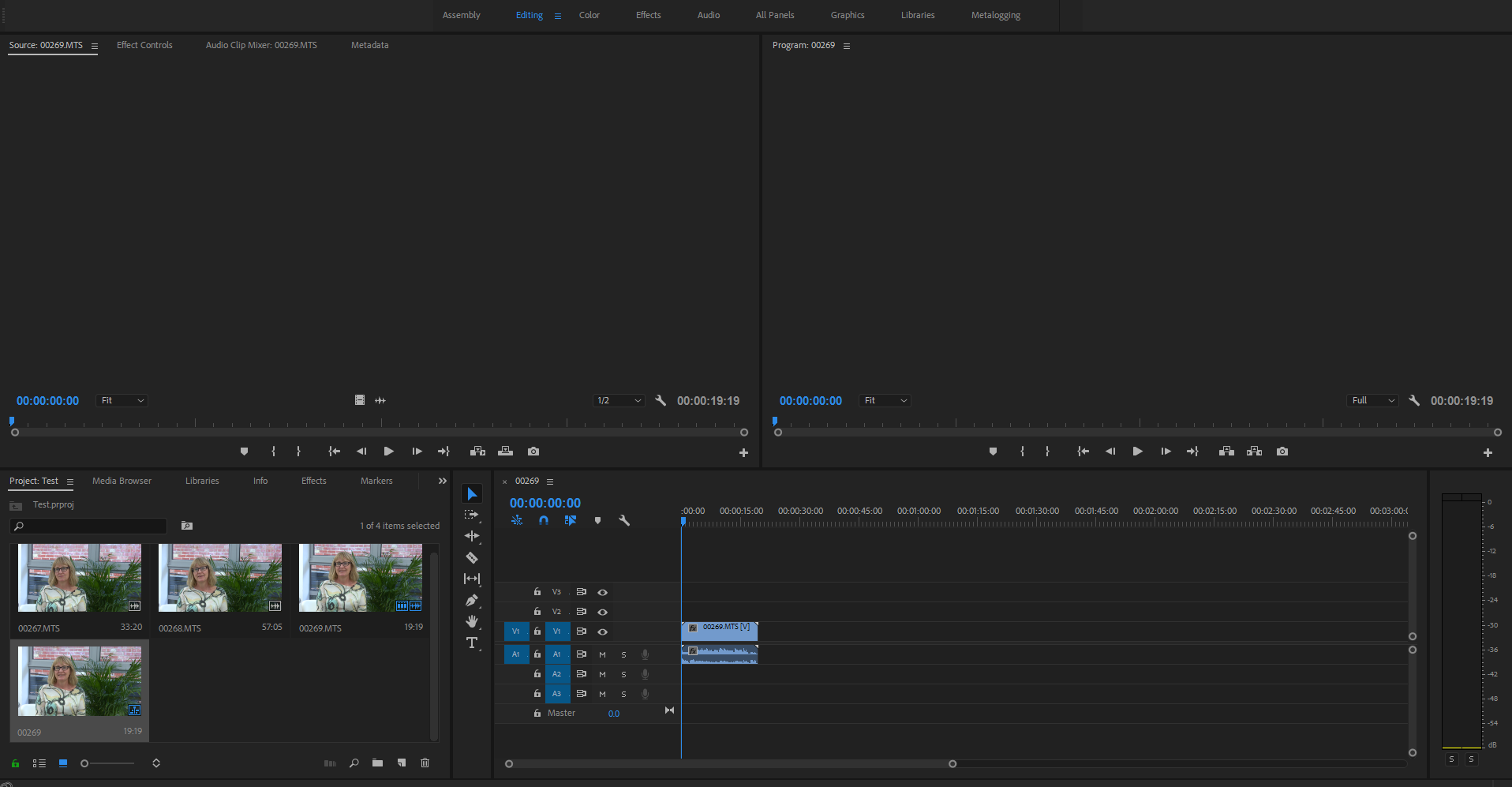
I recently installed an update to my software and since then, whenever I open up old projects I can't get anything to appear in the source or the preview window, despite being able to see everything in my timeline and content bin. It also won't play at all. This is the same when I try a new project.
In fact the preview window seems totally frozen and just displays whatever is underneath it instead of being blank. I've tried re-installing etc.
See photo attached.
Any advice?
Thank you,
Anna



 11
Replies
11
11
Replies
11


Copy link to clipboard
Copied
Try resetting preferences and plugin cache by holding down shift+alt while opening Premiere.
And make sure your graphics driver is up to date.
Copy link to clipboard
Copied
My graphics driver is up to date and I tried the shift+Alt thing but no dice. Thanks for the suggestions though!

Copy link to clipboard
Copied
I can't get anything to appear in the source or the preview window,
As a point of clarification (because sometimes specificity does matter), the Source Monitor is the Preview. That's the one on the left.
Program is the one on the right.
Copy link to clipboard
Copied
Apologies. Yes, I mean that both the source and the program window aren't working.
Is it because my old files are from version 9.0 and this is the most up to date version?
Copy link to clipboard
Copied
What happens when you try a new project?
Copy link to clipboard
Copied
Hi Jim,
It still doesn't work. It will let me import media, but if I put files in the source window or on the timeline they won't play on either and the source and program windows stay blank.
Copy link to clipboard
Copied

Copy link to clipboard
Copied
I have the exact same issue.
I've narrowed it down to CC 2018 not being compatible with my graphics card drivers. I'm running GTX980M and the problem is present at least with the latest 388.18 drivers. I have downgraded to 382.33 drivers which fixes the issue in Premiere.
But this issue also extends to Photoshop, Lightroom and Camera Raw which remain non-working unless I disable my graphics card with them.

Copy link to clipboard
Copied
im using the nvidia geforce gtx970 card running 388.13 and having the same problems
Copy link to clipboard
Copied
Need to update the driver.
Copy link to clipboard
Copied
Hi Anna,
Did you have a resolve for your display issues?
I have the exact same problem where I can't see the Source or Program windows. This seems to be a very common problem that I've read in many forums and yet no solution.
Appreciate any feedback that could help.
Thanks.
Alan


Get ready! An upgraded Adobe Community experience is coming in January.
Learn more
 AdChoices