


FrankJCrum
New Participant
September 27, 2020
Question

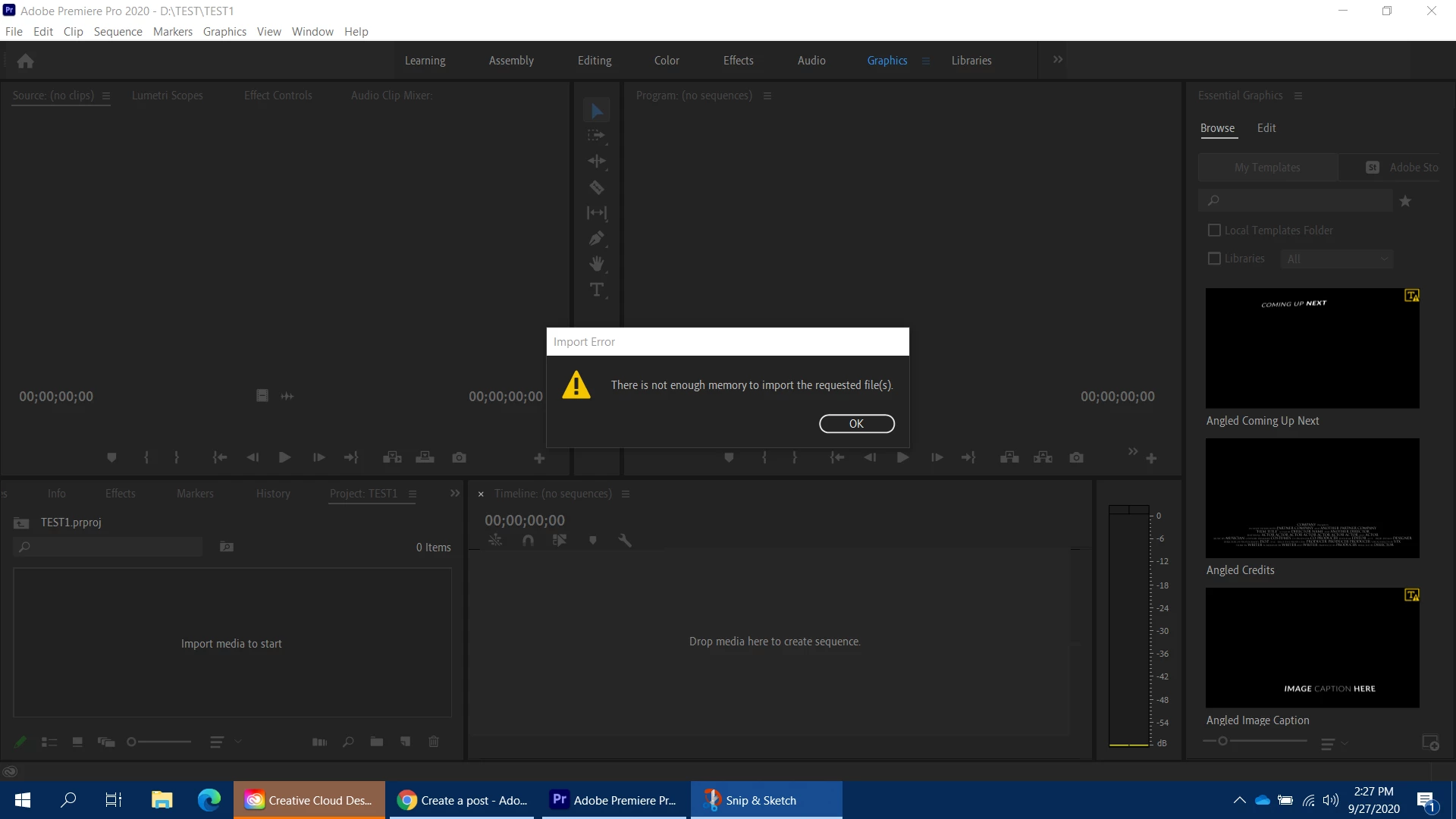
There is not enough memory to import the requested file

  • September 27, 2020
  • 8 replies
  • 22910 views

I am having trouble importing video into a Premiere Pro project. Whenever I try to load video footage into the project I get a message that reads, "There is not enough memory to import the requested file". The file that I attempted to import was only 105 MB. I store my media cache on a 1TB SSD drive. I cleared my media cache when this issue first started. It did not change a thing. Then, I loaded Premiere Pro but before opening a project, I cleared the entire media cache history. This method did not work. 


Next, I uninstalled the Adobe Creative Suite. After reinstalling the software, I opened a new project. But, I got the same message when I tried to import the video clip. By the way, I've tried other video clips at varying sizes. Still, I got the same message. Your help would be greatly appreciated. 


By the way, I am using a Dell laptop with 16GB of memory. The system sets aside 11GB while using Premiere Pro. I am using the Windows 10, 64-bit operating system. 
This topic has been closed for replies.

8 replies

New Participant
April 10, 2021

I solved it. 

This issue showed up after updating my windows. I tried other videos none of them worked. Then I restart my laptop now that's working fine again. Try restarting you pc. 

New Participant
April 5, 2021

I have the same issue, upon reading this thread I just realize that maybe the problem might be the file itself. so I just did what I always do when I have a problem with my jpeg file, right-click the file and select edit, then windows paint will open then just save it or you can do CTR+S instead, then try to import again.
*this method only applies to the images

New Participant
February 5, 2021

It's 2/5/21 and I'm having this problem too. From what I understand there have been a few updates on premire since the intital post on Sept. 27, 2020.


Generally when adobe updates to fix one problem they create two more. 


I'm not sure what to do about this I'm trying out some of the solutions in the thread. If anyone else is coming upon this isssue in 2021 please add on to the thread. I don't think this has been directly addressed by Adobe yet as I haven't seen one of their mods directly post in the thread.


Thanks,


- The Acid Drip

New Participant
June 25, 2021

Facts. Dealing with the same issue rn. 

New Participant
January 12, 2021

I'm still getting this error when trying to import video files in Windows 10, the same file works perfectly on the same Premiere Pro version in macOS Big Sur 11.0.1.  "There is not enough memory to import the requested file(s)"  The files open fine in any other editing program. The files can be opened in media encoder.


Windows 10 Enterprise 1809

32 GB Ram

Intel i7

Plenty of SSD space


Adobe Premiere 2020 v14.7.0 Build 23


Troubleshooting Steps Completed.


Tried reencoding the files even though they work fine in other apps.

Installed all the latest intel graphics drivers.

Installed all the latest AMD graphics drivers.

Reinstalled Premiere Pro

Signed out and Signed back in.

New Participant
February 5, 2021

I applied the fix from this photoshop video here - https://youtu.be/vtzCKKFahHE but utilised the knowledge for Premiere.
Solved this specific problem that had been plaguing me for freaking months!


New Participant
December 14, 2020

I encountered this issue yesterday. I had downloaded about 100 gifs and had trouble importing them to premiere. It blew my mind that i could drag over 10GB of actual video footage without issue and have trouble with some gifs. I did some googling and tried a bunch of different settings both in premiere and on my computer.


In my case the solution was actually very simple: some of the gifs were broken. For whatever reason, they had trouble opening up (just in file viewer) or were freeze-frames in stead of gifs. I looked through all of them (took like 5min max), deleted the broken ones, and voila. Now I could import everything at once again. So technically this isn't actually an issue with memory, but with the files and their encoding or something. At least, in my case.


I wanted to share this in case anyone will stumble upon it 🙂

New Participant
January 12, 2021

I'm still getting this error when trying to import video files.  "There is not enough memory to import the requested file(s)"  The files open fine in any other editing program. The files can be opened in media encoder.


Windows 10 Enterprise 1809

32 GB Ram

Intel i7

Plenty of SSD space


Adobe Premiere 2020 v14.7.0 Build 23


Troubleshooting Steps Completed.


Tried reencoding the files even though they work fine in other apps.

Installed all the latest intel graphics drivers.

Installed all the latest AMD graphics drivers.

Reinstalled Premiere Pro

Signed out and Signed back in.

New Participant
September 29, 2020

Update your videos drivers.  That seems to have done the trick for me.


I have NVIDIA and Intel video cards.  I updated all my drivers, opened premiere, then I got a compatibility error... I followed the instructions from premiere and fixed the Intel compatibility, restarted.  Now I can import again.   So far.

New Participant
September 30, 2020

To what instructions from Premiere are you referring to in regards to Intel compatilitly? Do you have a link to this?


I have since rolled back to version 4.2, where I'm not having the same issue. Granted, I'm now having an issue creating proxies as they're not showing up in Encoder. Exporting projects into Encoder seems to still work, however. So I'll make due for now. 

New Participant
September 30, 2020

The pop of from adobe premiere sent me to this page:


https://helpx.adobe.com/x-productkb/multi/drivers-video-win-intel.html


New Participant
September 29, 2020

I've been getting the same thing for the past week.  Sometimes I can run the file through encoder then import.  That's the only work around I've found.  Basically, take an mp4 or whatever it is, pick a 1080 encoding preset... etc then it lets me import.  Works 20% of the time.


I'd really like this solved though.  It even impacts old projects.  Tried to reconnect some lost media in an old project and I got the same error through the locate media manager


I'm also on a Dell 64 bit, 32 gb ram, i7, windows 10

New Participant
September 28, 2020

I've been experiencing the same issue with a Dell XPS 15. I've tried restarting, reinstalling, logging in/out, tried with and without the accelerated hardware option, clearing all the cache files. I cannot edit anything because I can't import footage due to this memory issue... I've even tried the BETA, but it crashes on launch... When I try viewing the footage in the media browser, it gives me the "Unsupported format or damaged file" error message. I'm out of ideas, and so is my IT department. This paid project is overdue.