June 28, 2011
질문

Can't find the topics from the main table of contents

  • June 28, 2011
  • 1 답변
  • 674 조회

I need urgent help. I am still running RH 8 for Word (2007). I published the entire project. When testing the main table of contents, the books and topics appear as expected, but when I try to go to any of the topics I get the message:

The topic does not exist. Contact your application vendor....

From the individual projects I can see the topics. When I publish them and view the contents all seem to work fine, but it does not when viewing the entire project from the main table of contents.

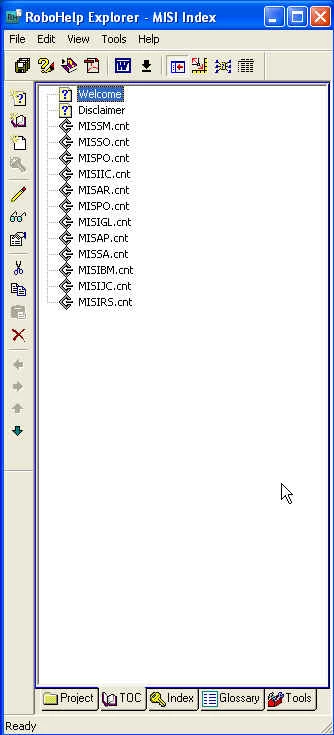
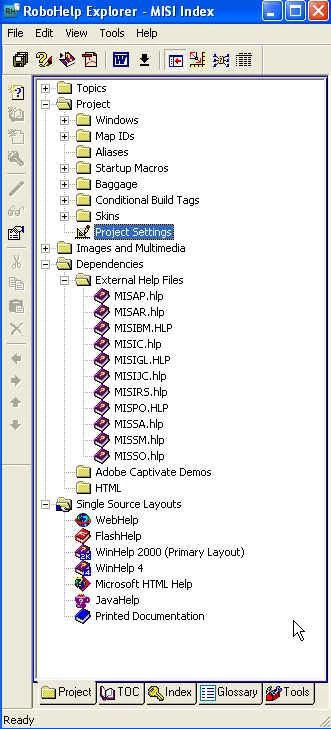
The main project looks as follows:
이 주제는 답변이 닫혔습니다.

1 답변

RoboColum_n_
Legend
June 29, 2011

For a start you have 12 CNT files in your TOC and only 11 HLP files in your external help files. Mind you I don't think that is the cause. Double check that the references you have point to the latest version and location.


  The RoboColum(n)   @robocolumn   Colum McAndrew
June 30, 2011

Hello Colum,

I checked all the references and they seem to be pointing to the right location. One thing though, the *.hlp and *.cnt files are in a different folder than the *.hpj files. Would this be the problem?

eangel

June 30, 2011

Indeed it could. Try moving them to the same folder.


  The RoboColum(n)   @robocolumn   Colum McAndrew

Tried that and still have the problem. The RH help lists the following workaround for the error

message :

To workaround this WinHelp viewer limitation, you can either manually insert the Help filename statement on every page of the external CNT file or allow RoboHelp to automatically do it for you:

1 Open the Help file containing the included external CNT file.

2 From RoboHelp Explorers File menu, select Project Settings.

3 Select the Contents tab.

4 Select the Include Help filename with pages option. When you save the TOC file, this option automatically places the "@helpfilename.hlp" inside the CNT file on every page.

5 Click OK.

6 Save the external CNT file.

7 Recompile the Help project

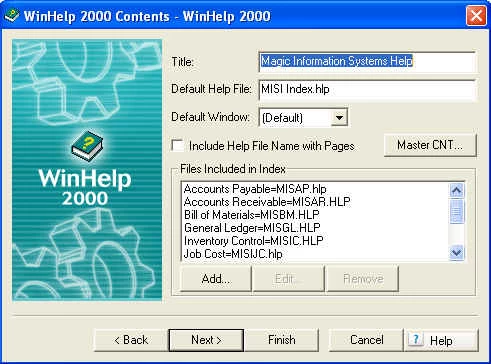
I went to the main index project which contains the external cnt file and tried to select the contents tab (no such tab in the project settings). Then I went to the actual project, and again, selected Project Settings there is no Contents Tab. Is there any other way to get that contents tab?

This is how my screen looks like:

eangel