
Inspiring
March 6, 2023
Answered

I forgot to put "Generative AI" in the title

  • March 6, 2023
  • 2 replies
  • 1354 views

I sent 200 AI generated images but i forgot to put "Generative AI" in the titles, they are under review and i can't delete them to do it again correctly and i'm afraid they will accept and then block me, no matter how much i checked the box that was generated by artificial intelligence

This topic has been closed for replies.
Correct answer kian28591694qloi
quote

I already went down the sidebar as much as possible. Thanks bro


By @kian28591694qloi

No, you didn't.


Delete all the nonconforming assets and correct your error before you get blocked for spamming the system with nonconforming assets. Read the guidelines and follow them verbatim.

Generative AI submission guidelines - Adobe Support Community - 13549435


it was the blue message above informing that the images are under analysis, it was blocking the delete part to appear hahaha

I already deleted and uploaded correctly, it was just the last 200 that I forgot to put the "Generative AI". Thanks

2 replies

Jill_C
Community Expert
Community Expert
March 7, 2023

Contributors have been clogging the Adobe Stock moderation system with hundreds of non-conforming AI images, causing a huge backlog in the queue. I wouldn't be surprised if they just started shutting down the accounts of those who are doing so...

Jill C., Forum Volunteer
Inspiring
March 7, 2023

I hope they close even for those who didn't read the rules, I sent more than 1000 correctly, checking the box that was created with AI, Generative AI in the title, illustration, without involving copyrighted names, etc, and they have been analyzing for 20 days

Abambo
Community Expert
Community Expert
March 7, 2023

1000 assets. You are currently the clogging king. I do not blame you, but you should better pray that about at least 50% get accepted.

ABAMBO | Hard- and Software Engineer | Photographer
Inspiring
March 6, 2023

you can delete files even awaiting validation in the info on the right of the screen when you click on a file, below eds keywords there is a not very visible link to do so. you have to do it one by one. but upload the new ones before to be able to copy paste quickly if the information is not in your files.

Inspiring
March 6, 2023

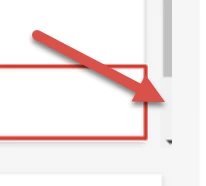
It's true, I just don't know why some have the option, and others don't... I sent you two images for you to see. I already went down the sidebar as much as possible. Thanks bro

Abambo
Community Expert
Community Expert
March 6, 2023
quote

I already went down the sidebar as much as possible. Thanks bro


By @kian28591694qloi

No, you didn't.


Delete all the nonconforming assets and correct your error before you get blocked for spamming the system with nonconforming assets. Read the guidelines and follow them verbatim.

Generative AI submission guidelines - Adobe Support Community - 13549435

ABAMBO | Hard- and Software Engineer | Photographer