Participant
February 19, 2025
질문

Rejected photos and the reasons

  • February 19, 2025
  • 3 답변들
  • 348 조회

Two of my photos were rejected and I would like your feedback on the reason behind this. I guess in these cases motion processing and motion blur are considered issues. Thanks for your feedback.


3 답변

Abambo
Community Expert
Community Expert
February 19, 2025

As Adobe gave you a reason, you should tell us that reason too. I guess the pictures got rejected for quality reasons. 


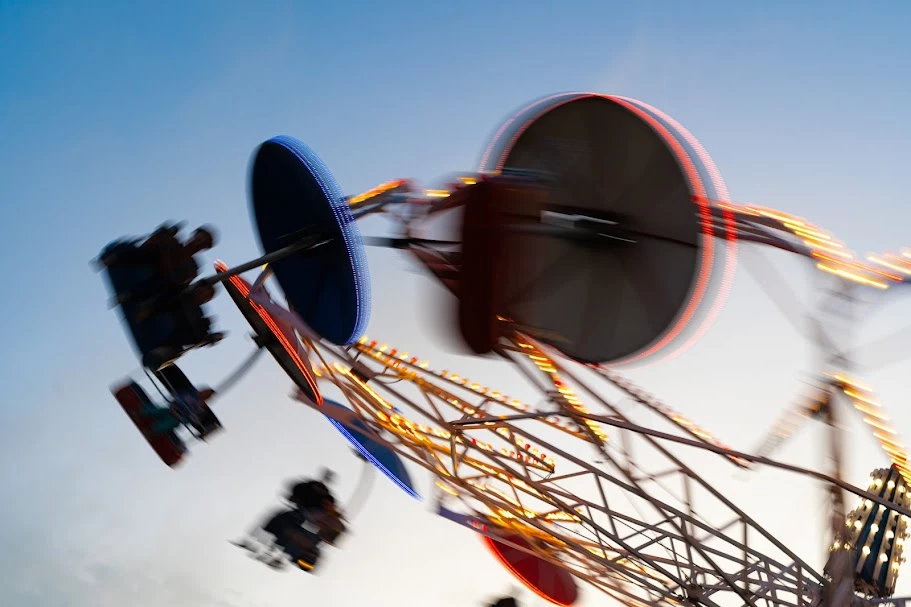
For your first: motion blur is accepted, if the image is well composed and the motion blur adds use to the image. In your case, it seams more like you do not know to play with the shutter speed, and you tried to take an image without really knowing the result. Intentional motion blur should tell a story, normally a story of speed. It's not always easy to draw the line between quality issues and intentional blur. I agree, however, here with tzhe moderator. The overall image impression is not good, and as a motion blur picture, it is nnot well composed.


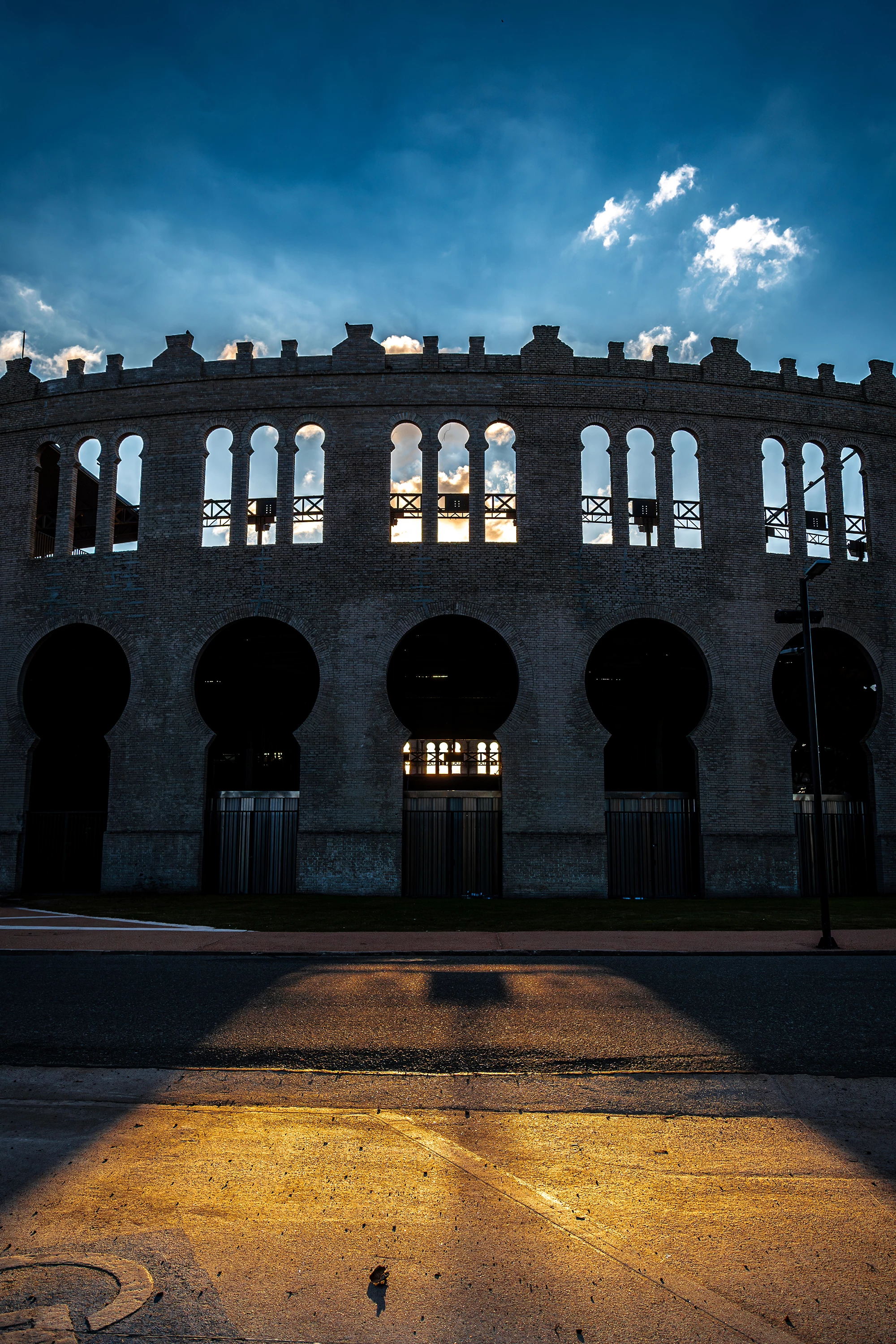
As for the second, you see in the histogram, that the image is not correctly exposed. Indeed parts of the whites and the highlights are missing (underexposed). 

Especially the building should be getting more light. 


If you checkk the detail, you see a halo between the building and the sky. 

That happens very often, when oversharping the asset, or with HDR processing.


Generally speaking, this could be an interesting picture, if it were not ill processed. I would, however, not expect this as a portrait mode picture.


I'm not sure if something like this would be accepted, but at least it's correctly exposed and more equilibrated: 


ABAMBO | Hard- and Software Engineer | Photographer
Dearboris작성자
Participant
February 20, 2025

Thank you for your comments. Indeed, the reason Adobe gave me is quality issues, but I posted it here to get more complete feedback so as not to repeat the same mistakes. Thanks again.

daniellei4510
Community Expert
Community Expert
February 20, 2025

And that is one of the major reasons this forum exists, to ask for feedback with regard to rejections.

Adobe Community Expert | If you can't fix it, hide it; if you can't hide it, delete it.
Jill_C
Community Expert
Community Expert
February 19, 2025

In the second image, the halos around the edges of the structure are generally an indication that the image has been over-processed.

Jill C., Forum Volunteer
Dearboris작성자
Participant
February 19, 2025

Thanks!


daniellei4510
Community Expert
Community Expert
February 19, 2025

For the first image, you answered your own question. 🙂 The second image is underexposed.

Adobe Community Expert | If you can't fix it, hide it; if you can't hide it, delete it.
Dearboris작성자
Participant
February 19, 2025

Thanks!

daniellei4510
Community Expert
Community Expert
February 19, 2025

Glad to be of help. Good luck.

Adobe Community Expert | If you can't fix it, hide it; if you can't hide it, delete it.