

Piotr1985
Participant
June 2, 2024
Answered

videos have different color after uploading to contributor account

  • June 2, 2024
  • 2 replies
  • 405 views

Hello,


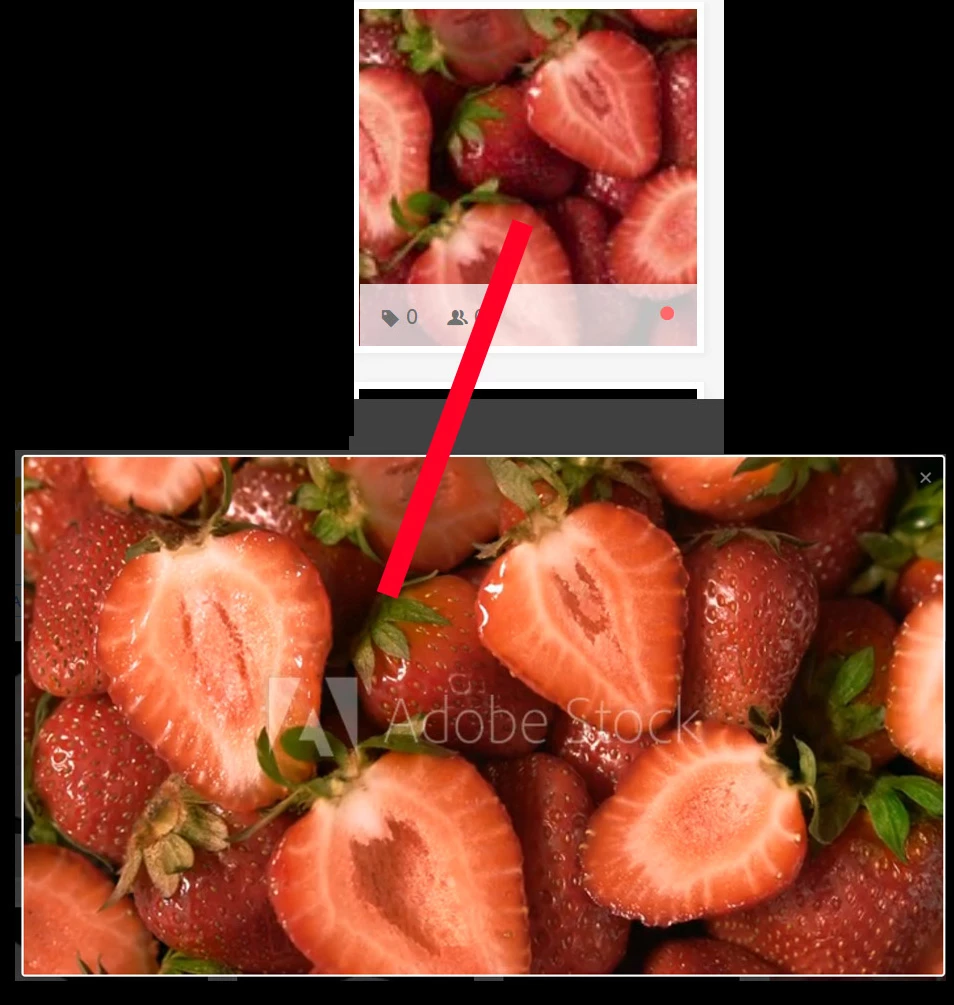
After uploading a video to my contributor account I see that the colors are changed in the previews (miniature is fine), what render settings in after effects should I choose to make it look the same as on my monitor when I am doing color correction?


Correct answer Oleksandra Osadcha

Hi, I can't advise you on After Effects settings. But I can advise you to check the export settings according to the recommendations of Adobe Stock for video

.

2 replies

Participating Frequently
February 27, 2025

I have the same color issue for a long time.https://community.adobe.com/t5/stock-contributors-discussions/color-shift/m-p/14373533
I submitted this issue to contributor support team and no reply for now.

Oleksandra Osadcha
Oleksandra OsadchaCorrect answer
Participating Frequently
June 2, 2024

Hi, I can't advise you on After Effects settings. But I can advise you to check the export settings according to the recommendations of Adobe Stock for video

.

Piotr1985
Piotr1985Author
Participant
June 2, 2024

Hi, thank you for the link, I am exporting with Apple ProRes 422 HQ in the image I sent before, I even have the same Premiere export options Adobe writes about in the article.


When I export as mp4 H264 instead of Quicktime ProRes 422 HQ the video looks good in the previews but file size is about 10x smaller. My footage is 10bit and I would rather export as ProRes 422 HQ to maximize quality.

Piotr1985
Piotr1985Author
Participant
June 2, 2024

I checked other people's videos and it seems that its a common issue, can anyone confirm that this is just how footage (very visible on red colors) look when uploading Quick time ProRes 422 HQ? I tried a lot of different export settings and nothing seems to work