Answered
want to know reason for rejection of my work


No, you do not need to tell us, it was “Quality Issues”.
I do not know how you did this, but you need to change the tool.
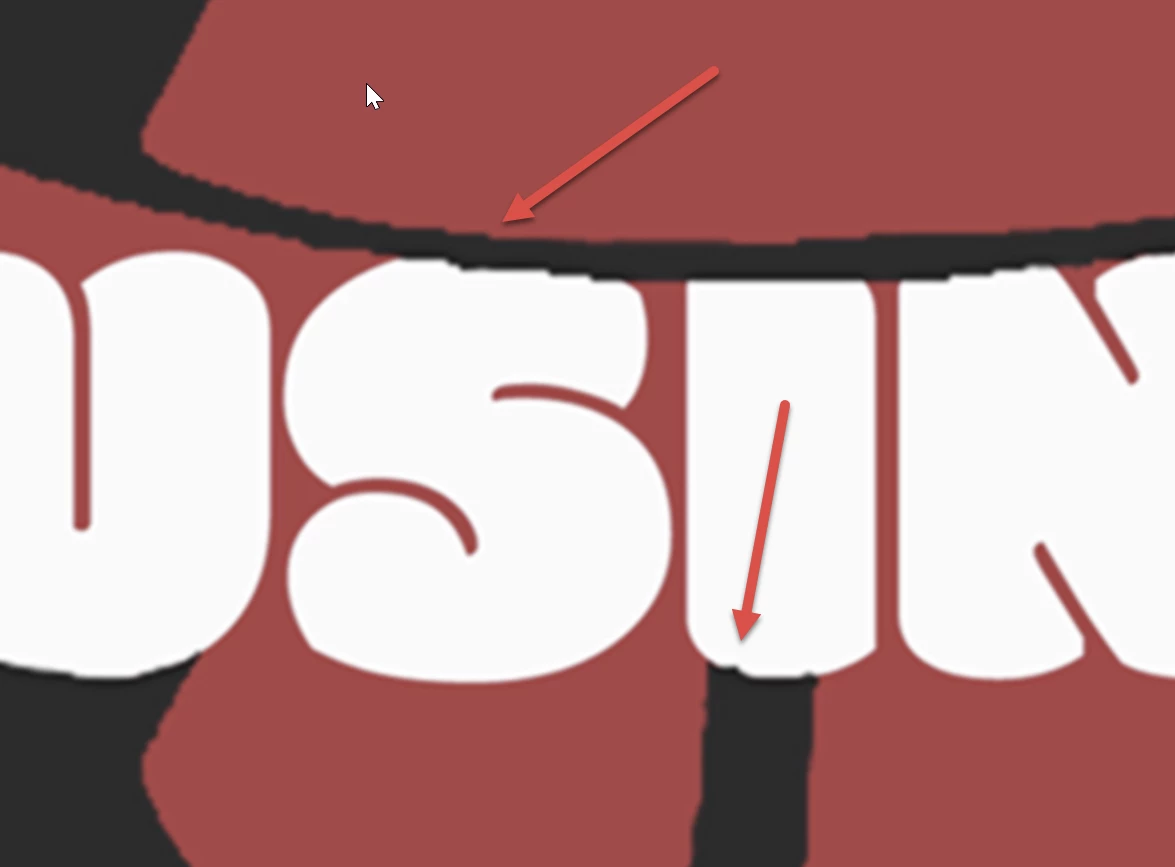
Your asset is blurry at viewed at 100% and in addition, you have these jagged lines. And finally, you do not respect the stacking order by drawing over the line. Absolutely unusable.
If you are new to stock, you should consider these resources: https://helpx.adobe.com/stock/contributor/tutorials.html
Please read the contributor user manual for more information on Adobe stock contributions: https://helpx.adobe.com/stock/contributor/user-guide.html
See here for rejection reasons: https://helpx.adobe.com/stock/contributor/help/reasons-for-content-rejection.html
and especially quality and technical issues: https://helpx.adobe.com/stock/contributor/help/quality-and-technical-issues.html
If you are a generative AI contributor, please look into these instructions and fallow them by the letter: https://community.adobe.com/t5/stock-contributors-discussions/generative-ai-submission-guidelines/td-p/13549435
Already have an account? Login
Enter your E-mail address. We'll send you an e-mail with instructions to reset your password.
 AdChoices