Inspiring
October 15, 2022
Answered

2d transform/scale around set center?

  • October 15, 2022
  • 2 replies
  • 944 views

How can I do a something like 2d transform  which would allow to scale  something  around a center of transform?  Not just left or right?


And do it not 0,5 or 1,5  but rather exactly  to 55 x 1500 pixels for example ?


Does anyone ever tried to make  such a node?

I hate 2d transform , It's so  monstrously inconvenient and blurry . Any image editor starting dfrom Photoshop have this feature for decades.   


Is there any way to make your own transform gizmo  that would have those features?

This topic has been closed for replies.
Correct answer davescm

Oops - sorry, I misread your post.


Why not have two for the price of one 🙂

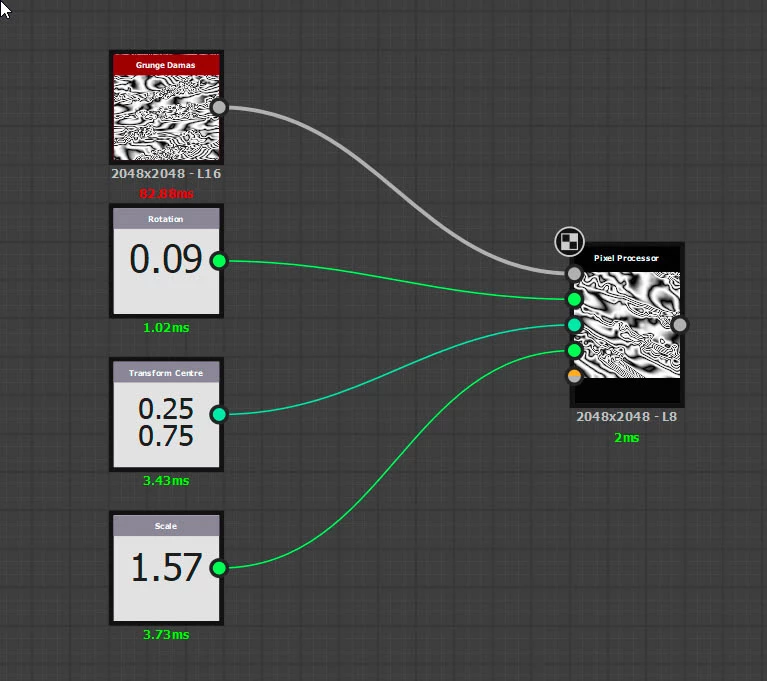
This one should both rotate and scale around a chosen point


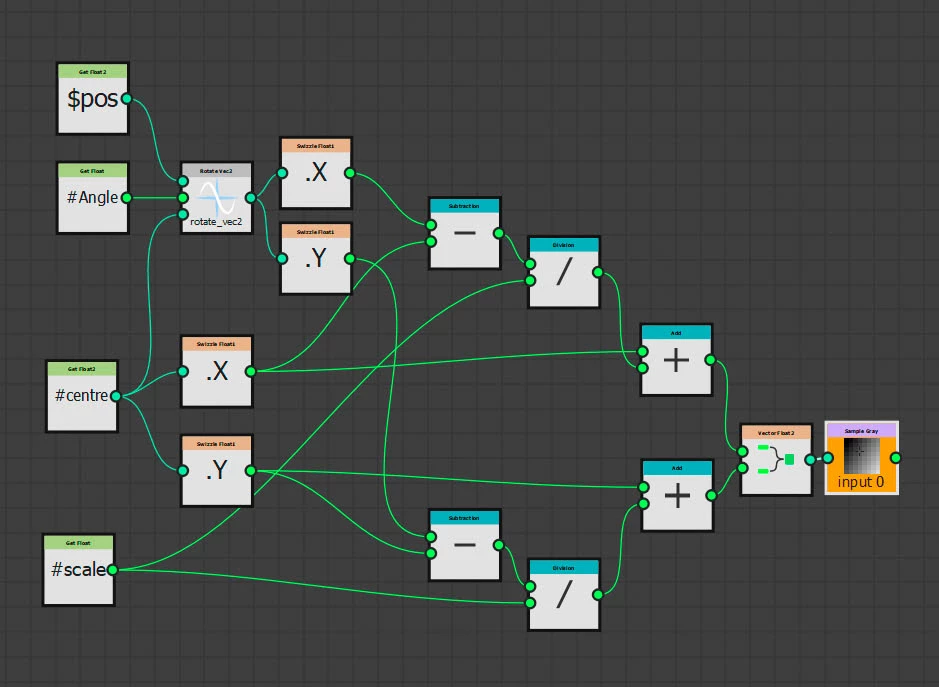
Pixel processor function :


Dave


2 replies

davescm
davescmCorrect answer
Community Expert
October 17, 2022

Oops - sorry, I misread your post.


Why not have two for the price of one 🙂

This one should both rotate and scale around a chosen point


Pixel processor function :


Dave


kirkr5689Author
Inspiring
October 18, 2022

Thank you very much, Dave

davescm
Community Expert
October 15, 2022

You could use the pixel processor and feed it inputs for rotation and rotation centre.


In the pixel processor function below I've just used 0 to 1 for rotation and 0,0 to 1,1 for centre position (0,0 is top left). You could add a little more math to calculate the centre as a pixel based position based on $size.


Make sure you set the Sample Gray node in the pixel processor to to bilinear filtering mode


Dave

kirkr5689Author
Inspiring
October 17, 2022

Thanks for the reply. But I meant  scale, not rotation.  Can I scale an image off a defined center somehow?