

Answered
How change default option in view 3D ?
Hello,
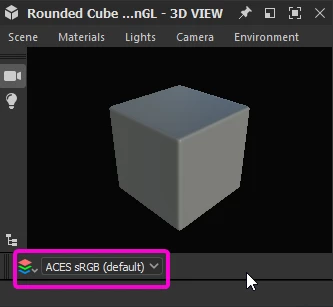
I would like to know how to change the default rendering of the 3D view to ACES sRGB to avoid changing it each time a new project is created.
Thanks

Hello,
I would like to know how to change the default rendering of the 3D view to ACES sRGB to avoid changing it each time a new project is created.
Thanks
With no project loaded go to Edit > Preferences > Projects > Color Management
Set Color Management to OpenColorIO
Set OpenColorIO Configuration to ACES 1.0.3 or 1.2
Set 2D and 3D Display default to your requirement
Click Apply and then OK
Restart Substance 3D Designer
Dave
Already have an account? Login
Enter your E-mail address. We'll send you an e-mail with instructions to reset your password.
 AdChoices