


How to Color a Height Bitmap Akin to Shape Splatter
So I have a height bitmap that I am using for my twigs, and I want to color it the way Shape Splatter would going into Shape Splatter Blend Color.
Here are two seperate twigs plugged into Shape Splatter nodes:
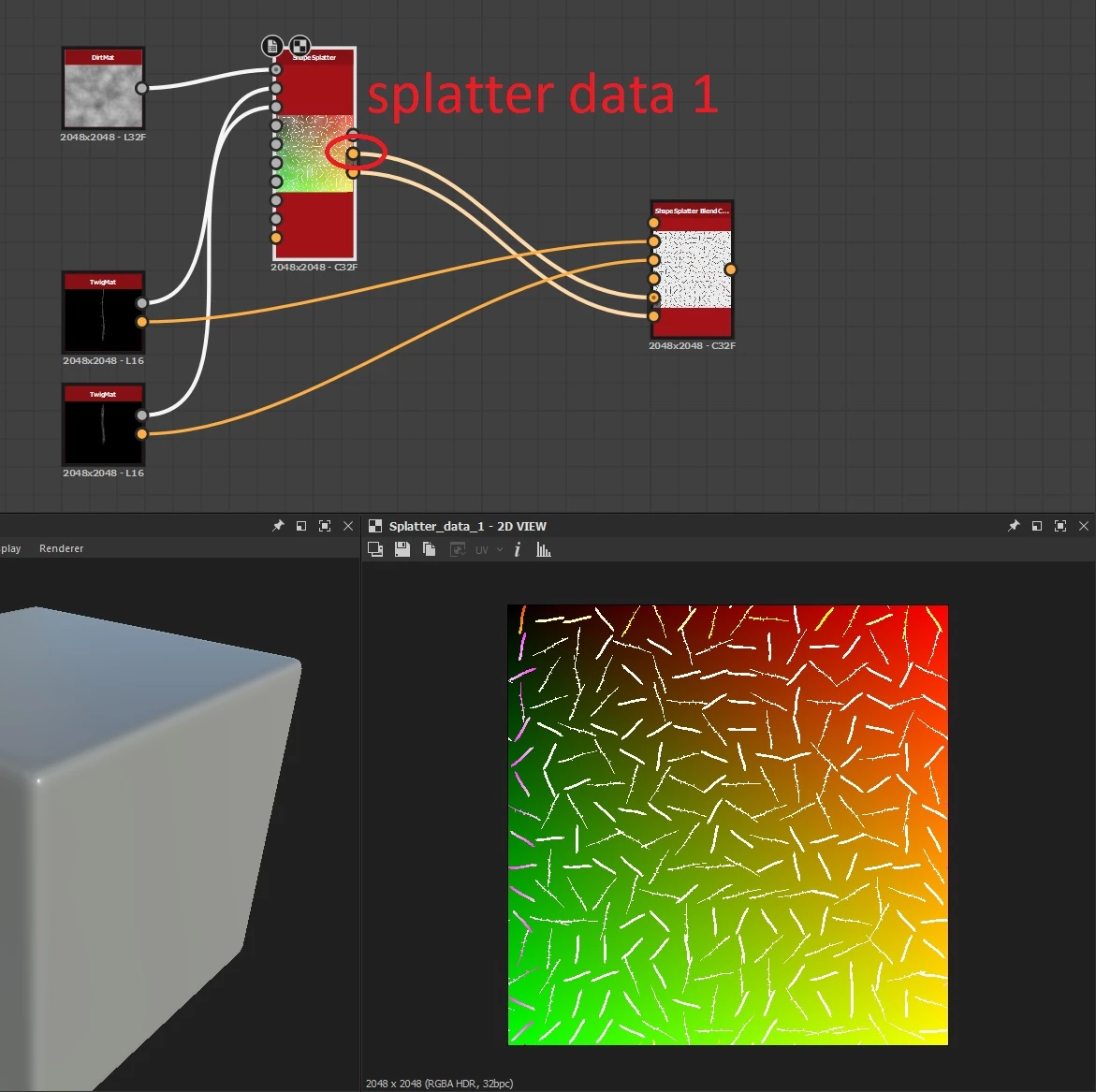
I was wondering if there is a way I could replicate Splatter Data 1 so I can plug my bitmaps into Shape Splatter instead? I can replicate Splatter Data 2 with a Flood Fill node.
The main problem is that the default setup is obviously not working, and I don't know what I am missing: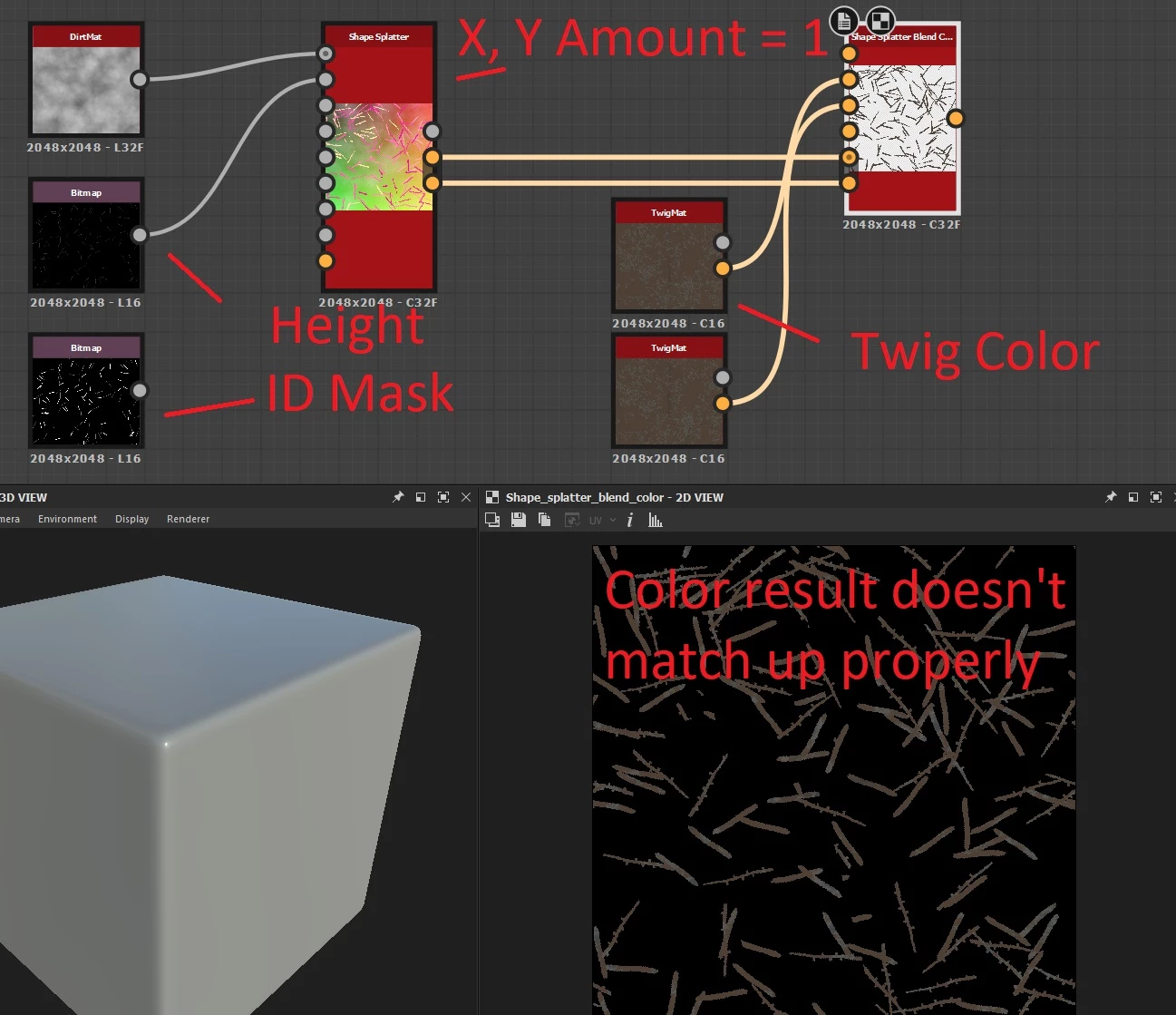
I have an ID Mask (I am using a third party plugin called SD Scatter because it gives less overlapping results), but I don't know if there is another way I could utilize it.
Can anyone help? Maybe I am overlooking a simpler method, but the twig color is a gradient in my twig material, and I have it set up so I can select variosu twigs. I just want to mass color them after they have been scattered and for each one to match the twig it corresponds to. Thank you.
 AdChoices