Participant
June 19, 2022
Answered

How to create marble texture in substance designer

  • June 19, 2022
  • 2 replies
  • 4158 views

Hey guys! I'm fairly new to substance designer, decided to learn substance designer a bit more!
I'm trying to find a way to create a satvario marble, something that looks like that(link attached)
Any way of where I could start or any exemple of what I should do to get a
decent looking like marble?At least where to start!

Thank you 


https://www.dreamstime.com/marble-texture-natural-pattern-background-design-art-work-marble-natural-design-texture-pattern-background-image183722479


https://www.dreamstime.com/stock-photo-marble-texture-background-closeup-rock-image76287851


This topic has been closed for replies.
Correct answer davescm

Here's one way :

First make the veins

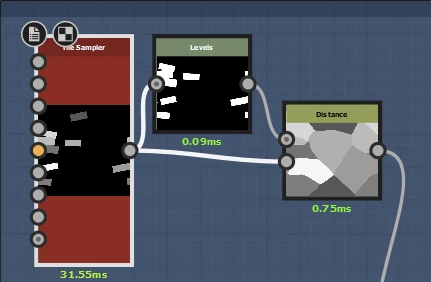
1. Start with a tile sampler node and adjust the x and y amount, scale random, rotation random, position random, color random and mask random to give a few random tiles. Use a levels node to turn every tile white and feed that into a distance node (white into the mask input and grey tiles into the source input.
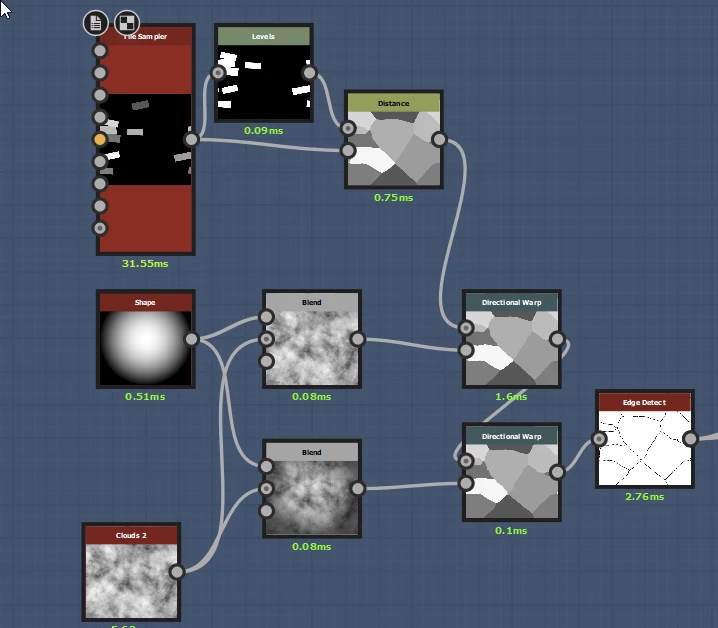
2. Feed that into directional warps nodes to give some variation to the edges then into an edge detect node so you have the first layer of veins
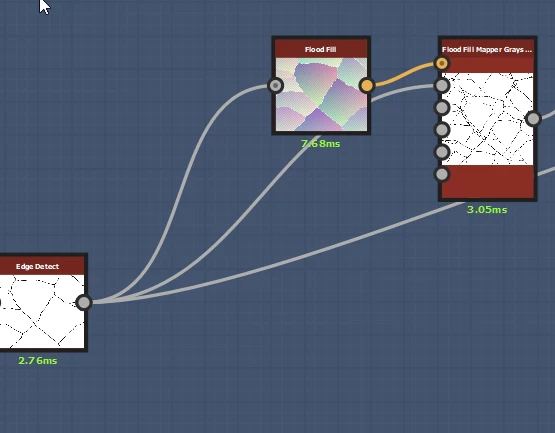
3. Take an output from the edge detect node and feed that into a flood fill and flood fill mapper grayscale. This will give you the next layer of finer veins within the first set
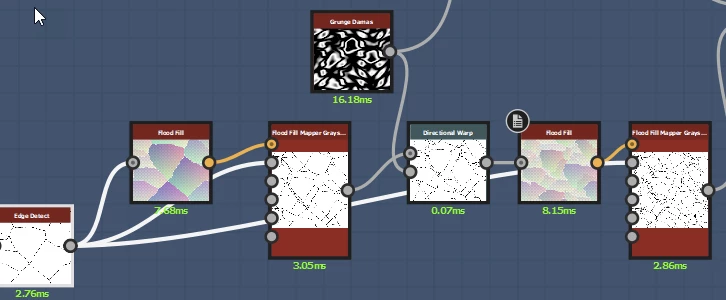
4. Use a directional warp node and some grunge damas to twist the veins then repeat the flood fill and flood fill mapper greyscale to get a third layer of veins
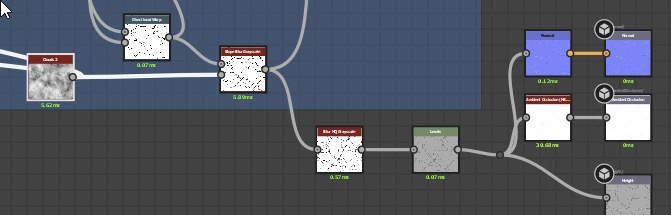
5. From the directional warp above add a slope blur greyscale to get a bit of width variation in the lines and use that to feed the height and normal nodes (I did not include the third level of fine veins in the height map)
 

To get the colour blur the original output of the grey map (before you used edge detect and add some direction blur and noise. Blend it with the veins and then use a gradient map to convert the greyscale to colour.
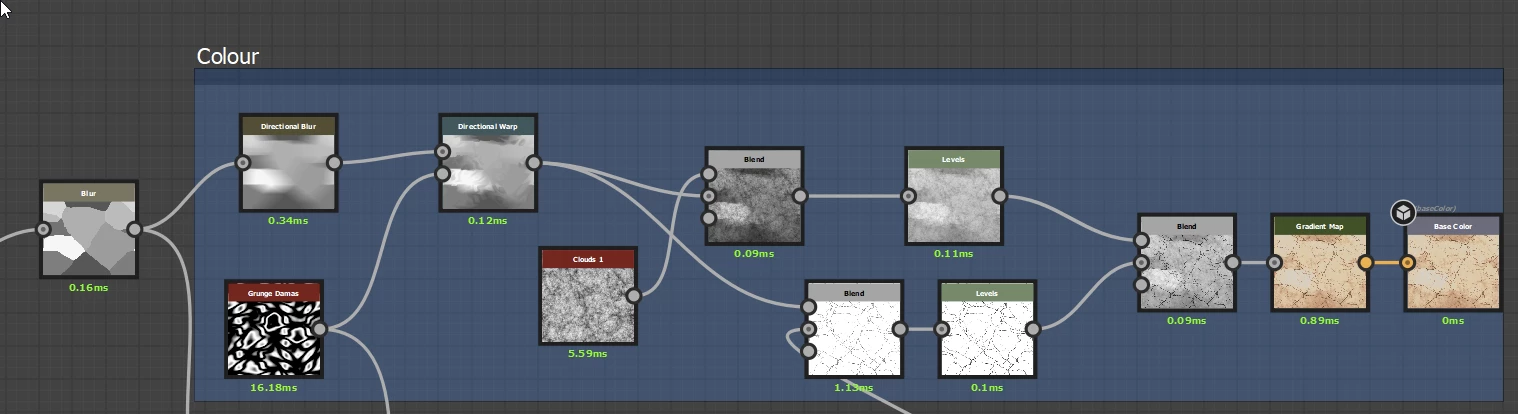
 

I also masked some of the veins before adding back in the level one and two veins so that those very fine veins faded away in places.

All together it looks like this :
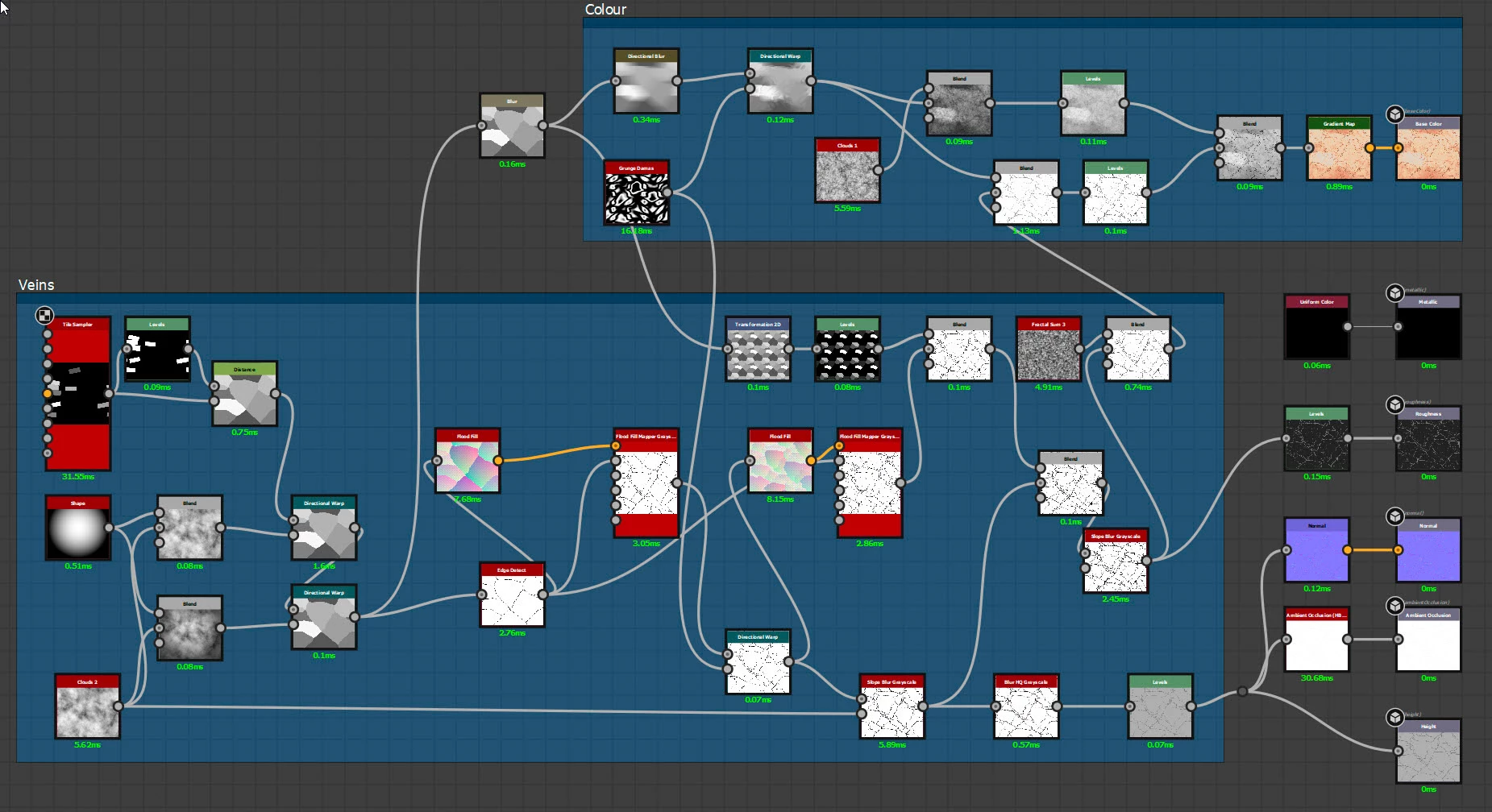


Hopefully that gets you started and you can play around until you get the effect you want.


Dave


2 replies

davescm
Community Expert
davescmCommunity ExpertCorrect answer
Community Expert
June 20, 2022

Here's one way :

First make the veins

1. Start with a tile sampler node and adjust the x and y amount, scale random, rotation random, position random, color random and mask random to give a few random tiles. Use a levels node to turn every tile white and feed that into a distance node (white into the mask input and grey tiles into the source input.

2. Feed that into directional warps nodes to give some variation to the edges then into an edge detect node so you have the first layer of veins

3. Take an output from the edge detect node and feed that into a flood fill and flood fill mapper grayscale. This will give you the next layer of finer veins within the first set

4. Use a directional warp node and some grunge damas to twist the veins then repeat the flood fill and flood fill mapper greyscale to get a third layer of veins

5. From the directional warp above add a slope blur greyscale to get a bit of width variation in the lines and use that to feed the height and normal nodes (I did not include the third level of fine veins in the height map)


To get the colour blur the original output of the grey map (before you used edge detect and add some direction blur and noise. Blend it with the veins and then use a gradient map to convert the greyscale to colour.


I also masked some of the veins before adding back in the level one and two veins so that those very fine veins faded away in places.

All together it looks like this :
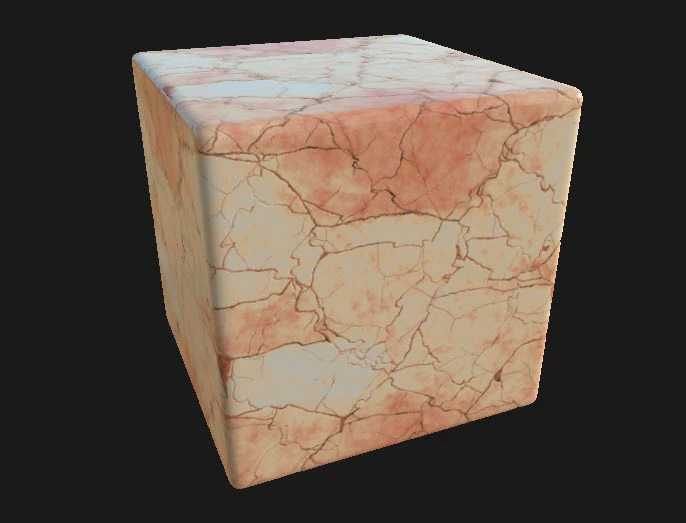


Hopefully that gets you started and you can play around until you get the effect you want.


Dave



Participant
June 21, 2022

Thank you sir


i will try. 

davescm
Community Expert
Community Expert
June 24, 2022

You're welcome. Shout out if you get stuck.

Dave

Participant
June 19, 2022
  • Also you can provide link for video or any good mentor like my subject.

