


Ayush Bakshi
Inspiring
December 10, 2023
Answered

How to "write" values using pixel processor and loops?

  • December 10, 2023
  • 1 reply
  • 1007 views

Let's say, using pixel procressor, I want to output the first 32x32 pixels from the input (i.e keeping the rest black, value = 0).
How do I achieve that? 


I first thought that using while loop one can create a "list" of position values that could be fed into sample grayscale/color but I guess it doesn't work like that. It only gives the value at position that while loop calculates in the last iteration.


In the attached screenshot, my intent was to output 32 pixels diagonally (from top right corner) but it gave the value at position (32,32).


How do I append the results of Sample gray?


(Why do I want the first 32 pixels? For no reason, I'm taking baby steps right now. Once I connect enough dots then I'll node my way to get a specific result I want to achieve. Something that can work with general input. I'll share that node graph and tutorial with you all!)
This topic has been closed for replies.
Correct answer davescm

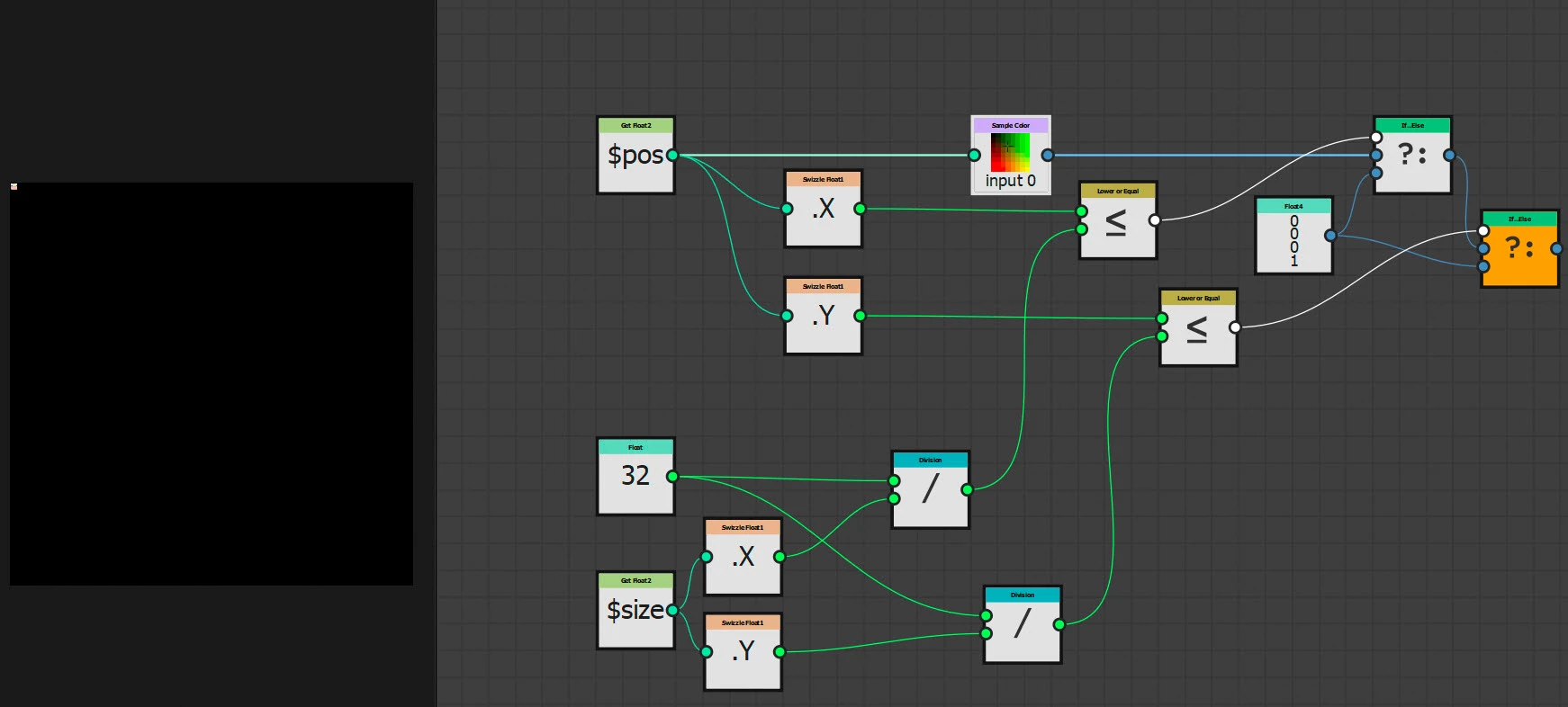
The pixel processor works by taking each pixel in turn and processing it using the function that you set. So to get the first 32 pixels X and 32 Y from an image and turn the remainder black you don't need a loop at all. Example below:


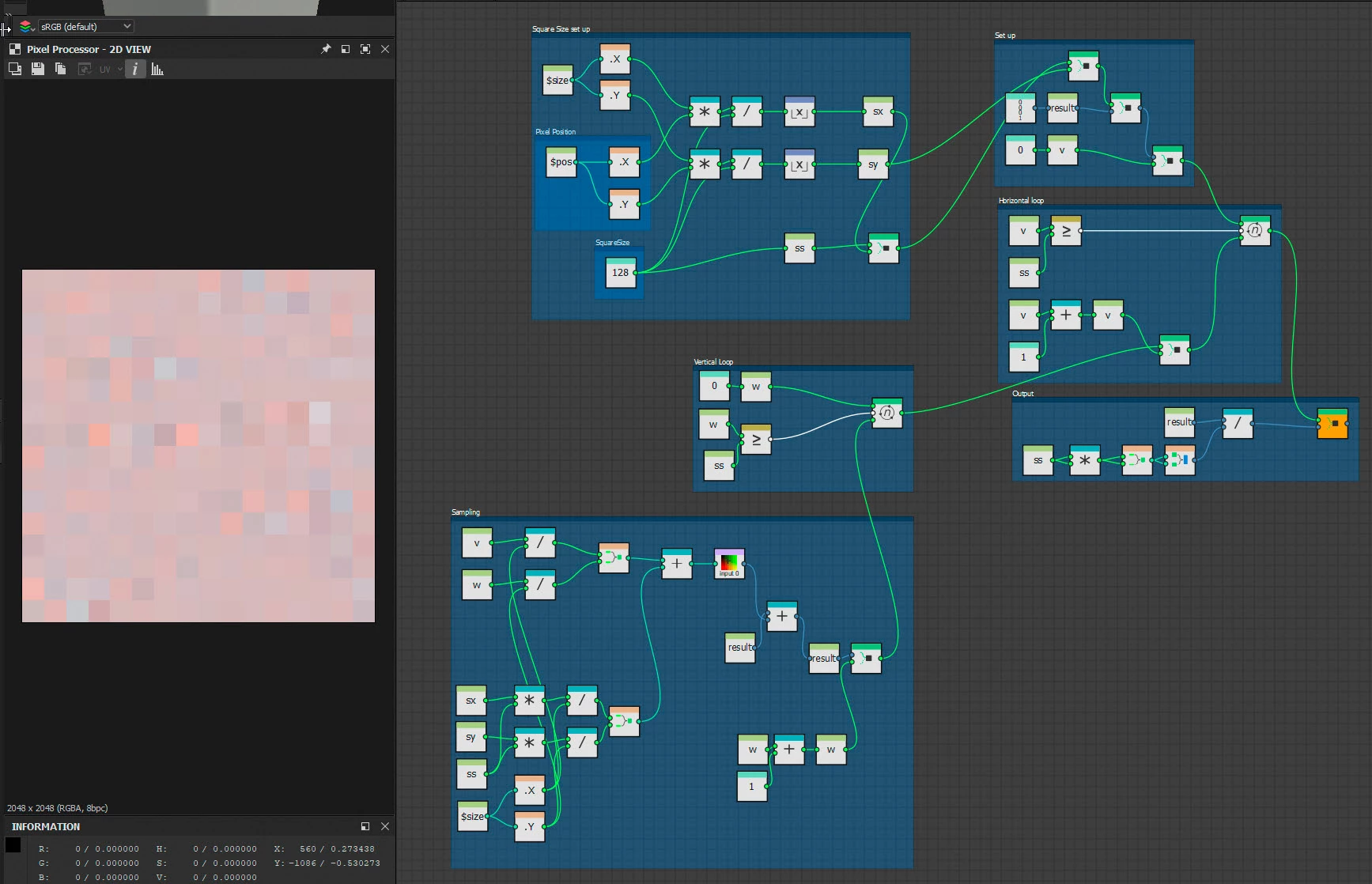
Where you might want to use a loop is to take an average of pixels at a certain point. So the example below divides the image into squares of 128x128 pixels, with each square having the average value of the pixels in that square. It does that by calculating which square the current pixel being processed falls under then samples all the pixels in that square (using two loops) and outputs the average value


The main principle when passing values into or out of a loop is to use Set nodes to set the variables to be passed, then Get nodes to read those variable that have been passed in/out of the loops. In addition use sequence nodes to make sure that the operations happen in the right order, e.g. loop a runs before loop b or the final result that is output from the function graph is the final value of that variable and not an earlier value.

Dave


1 reply

davescm
davescmCorrect answer
Braniac
December 10, 2023

The pixel processor works by taking each pixel in turn and processing it using the function that you set. So to get the first 32 pixels X and 32 Y from an image and turn the remainder black you don't need a loop at all. Example below:


Where you might want to use a loop is to take an average of pixels at a certain point. So the example below divides the image into squares of 128x128 pixels, with each square having the average value of the pixels in that square. It does that by calculating which square the current pixel being processed falls under then samples all the pixels in that square (using two loops) and outputs the average value


The main principle when passing values into or out of a loop is to use Set nodes to set the variables to be passed, then Get nodes to read those variable that have been passed in/out of the loops. In addition use sequence nodes to make sure that the operations happen in the right order, e.g. loop a runs before loop b or the final result that is output from the function graph is the final value of that variable and not an earlier value.

Dave


Ayush Bakshi
Inspiring
December 11, 2023

Thanks Dave!

That will be of tremdous help. 😁