


Participant
August 22, 2023
Answered

How to use an id map as input for a SP filter graph in the SD?

  • August 22, 2023
  • 1 reply
  • 686 views

Hello all,


I would like to make a Substance painter filter which converts a id map into a single grayscale image to the user3 channel.


The problem is, when I use the id map input node in the SD, it doesn't out any value. So the output value is always empty. But when I use the baseColor input node, the filter works perfectly.


Is there a way to use an id map as input for a SP filter graph in the SD?


You can check my work from attached files.

IDtoGrey.sbs doesn't work, but BaseColorToGrey.sbs works well. You can test them on the SP after publishing them.


I wait your wisdom.
This topic has been closed for replies.
Correct answer Cyril Dellenbach

Hello @Dongseok308452906397,


Thanks for your message and the .SBS.


From what I can see of your graph, the problem doesn't come from the input node, but probably from its Attribute Type. The graph is set as a filter, where I think you'd rather want a Standard material.

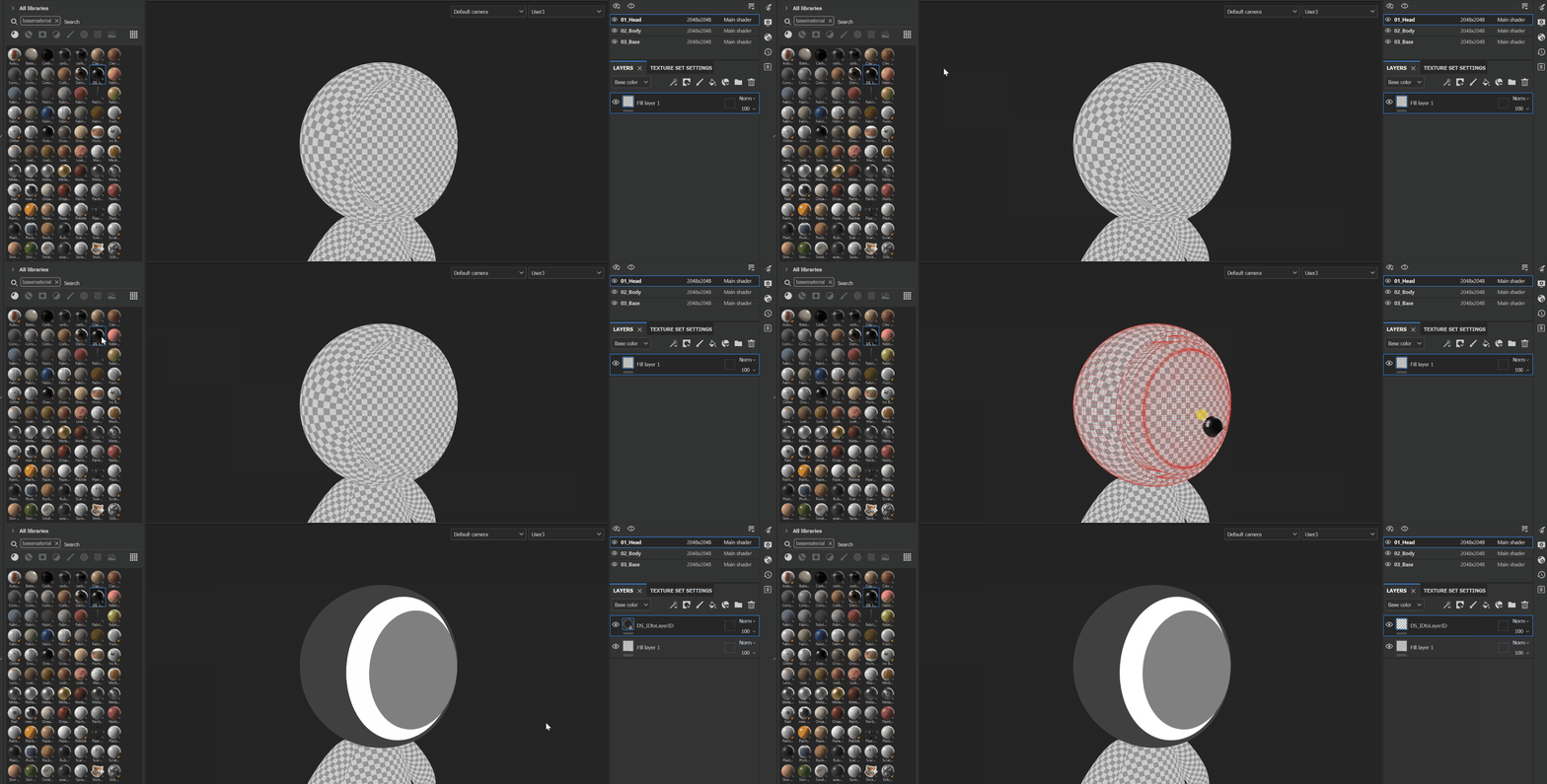
As you can see in the following .GIF, I switched the IDtoGrey graph Type, in addition I set the Output Usage as user3, and it works as it should.  


With that being said, if you strictly want to turn the ID map to a Greyscale map for the user3 channel, you can simply have a Greyscale conversion node in between the input and output.


Best regards,


1 reply

Cyril Dellenbach
Community Manager
Cyril DellenbachCommunity ManagerCorrect answer
Community Manager
August 22, 2023

Hello @Dongseok308452906397,


Thanks for your message and the .SBS.


From what I can see of your graph, the problem doesn't come from the input node, but probably from its Attribute Type. The graph is set as a filter, where I think you'd rather want a Standard material.

As you can see in the following .GIF, I switched the IDtoGrey graph Type, in addition I set the Output Usage as user3, and it works as it should.  


With that being said, if you strictly want to turn the ID map to a Greyscale map for the user3 channel, you can simply have a Greyscale conversion node in between the input and output.


Best regards,


Cyril Dellenbach (Micro) | QA Support Artist | Adobe
Participant
August 23, 2023

Huge thanks for the answer.


As you said, it is working when I changed the attribute type to the standard material.


In short, according your answer, there are two cases depending on the type of input data:

1. When a input data comes from baked mesh data texture: Use the standard material type

2. When a input data comes from a Substance painter's rendering buffer: Use the Filter type


Thanks again for the quick support.