


New Participant
November 8, 2023
Answered

Blender to Substance painter normal maps baking error

  • November 8, 2023
  • 1 reply
  • 2004 views

Hi,

I'm having trouble baking my model correctly for a normap map. Here are some screenshots for the settings.
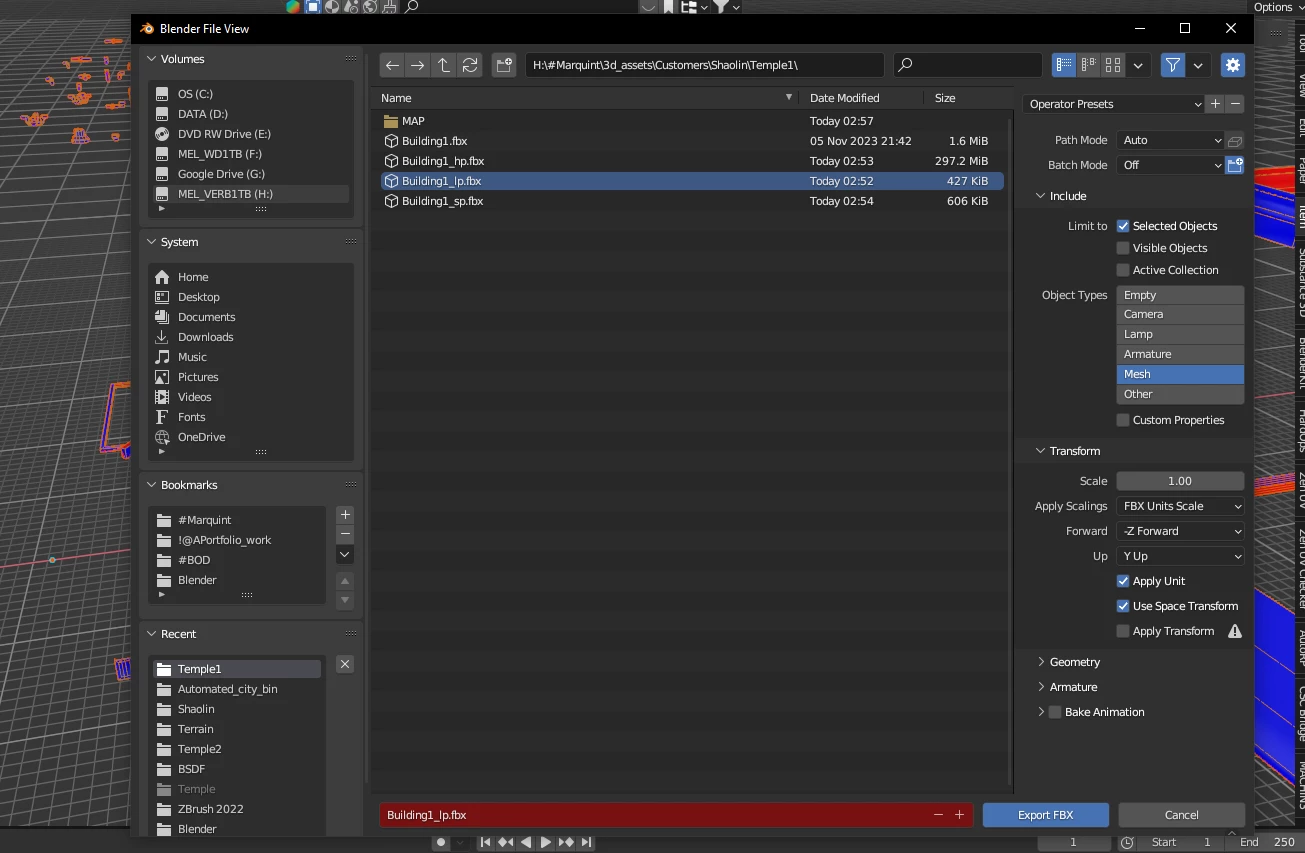
I have tried to export different forward settings as well. Model is also triangulated before export. In Substance painters new project setting, I have tried out both DirectX and OpenGL as well.
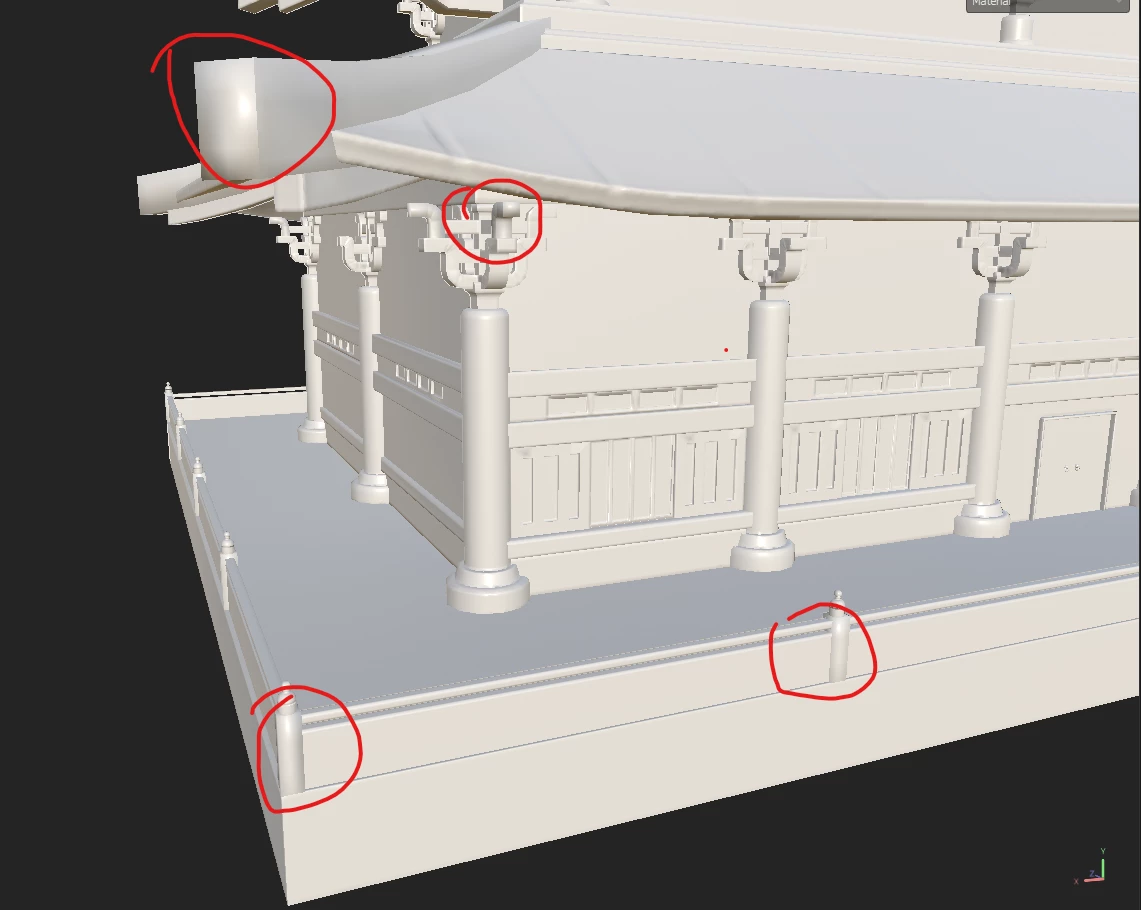
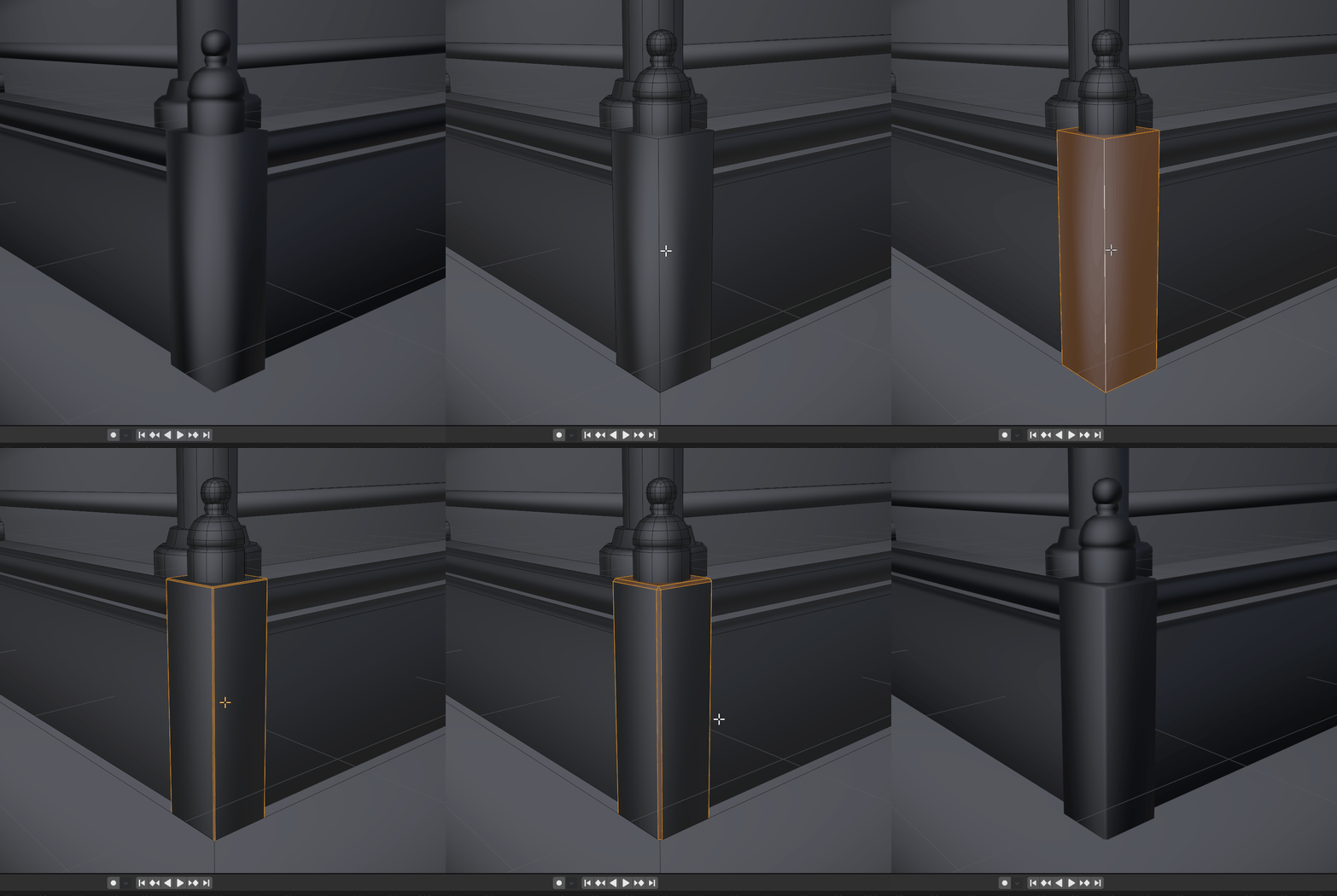
While baking, all object are in exploded positions. The baking was fine until I re-import or create new project for the non-exploded models. Some parts are alright tho. Been trying to search for a tutorial to fix this error but doesn't seemed to fix the baking imperfection. Appreciate it if there is a tutorial or guidance for the setting that you can point me to. I might have followed the wrong steps somewhere in the tutorial. Thank you!
This topic has been closed for replies.
Correct answer Cyril Dellenbach

Sure, I'll send through email. Thank you!


Hi @Shu Wei,


I had the time to take a look at your meshes today. The topology has a strong influence on the Normal behavior of your mesh, and has mentioned upthere the Normals from the Low Poly mesh will affect the baking.


For instance, beveling your strong edges or simply adding support edge loops will give a much better look to the normals.


In addition, you don't need to build exploded meshes anymore. Take a look at the baking matching by mesh name feature. This should ease your workflow.


Best regards,


1 reply

Cyril Dellenbach
Community Manager
Community Manager
November 9, 2023

Hello @Shu Wei,


Thanks for the message.


First of all, Blender normal color space is always in OpenGL, so no need to import a DirectX map in the app. With that being said, as long as you use the Blender (Principled BSDF) export template, you shouldn't have issues on this regard.


The Normal map from the bake doesn't really override the Normal from your Low Poly object. Therefore, if you have specifics Normals/smoothing groups in your 3D models, this will probably affect the baking. Can we have a look a the low poly model inside Blender?


Let me know.


Cyril Dellenbach (Micro) | QA Support Artist | Adobe
Shu WeiAuthor
New Participant
November 9, 2023

Hi Cyril,
Thank you for the swift reply! Really appreciate it! Here are the screenshot of the lowpoly model.

And t he UV mapping


There is no smoothing group as well fyi. Also, the same thing happened with previous model. All the models will be used in Unity. Here is the screenshot of the previous models.


Thank you again!

Cyril Dellenbach
Community Manager
Cyril DellenbachCommunity ManagerCorrect answer
Community Manager
November 10, 2023

Sure, I'll send through email. Thank you!


Hi @Shu Wei,


I had the time to take a look at your meshes today. The topology has a strong influence on the Normal behavior of your mesh, and has mentioned upthere the Normals from the Low Poly mesh will affect the baking.


For instance, beveling your strong edges or simply adding support edge loops will give a much better look to the normals.


In addition, you don't need to build exploded meshes anymore. Take a look at the baking matching by mesh name feature. This should ease your workflow.


Best regards,


Cyril Dellenbach (Micro) | QA Support Artist | Adobe