
bernhardrieder
Known Participant
October 6, 2023
Question

How To Copy & Paste Parameters?

  • October 6, 2023
  • 1 reply
  • 305 views

How To Copy & Paste specific Parameters from procedural nodes?
For example, if I use a specific type of Voroni, and I am going to change the parameters to my needs.

Then, I would like to copy and paste the exact same procedural nodes, with the exact same parameter settings for example into the Base Color Information, or the Metallic, or the Height node.

How can you copy & paste the procedural node?
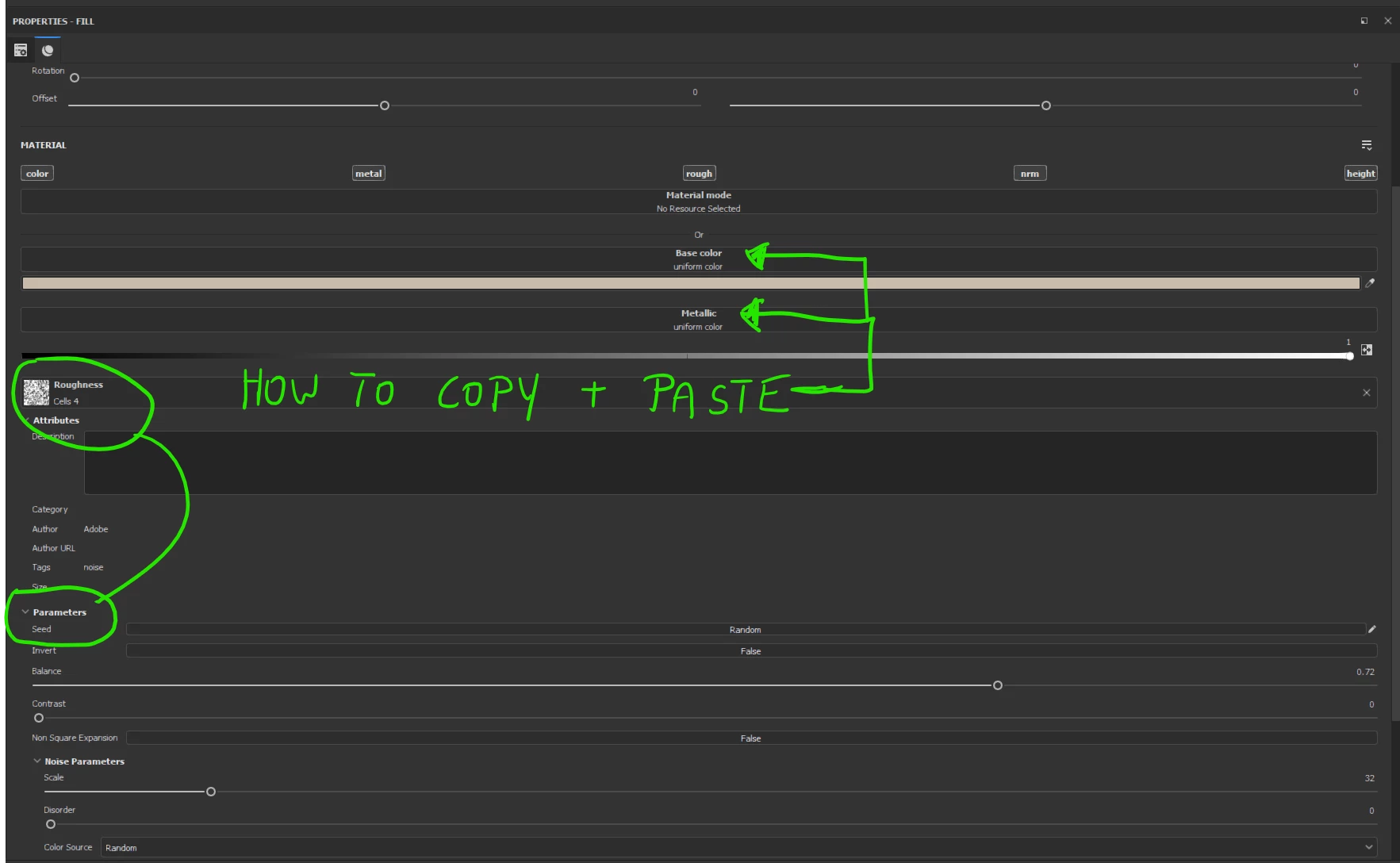

Thx a bunch for any ideas,
appreciate it!

This topic has been closed for replies.

1 reply

Cyril Dellenbach
Community Manager
Community Manager
October 9, 2023

Hi @bernhardrieder,


Thanks for the question.


Unfortunately, you can't copy paste modified versions of procedural textures, but there are several workarounds that could do the job.


In your example with the Voronoi map, instead of placing the asset in the Metallic channel, the Voronoi could be placed in the Fill layer's mask.


Another solution could be to add an Anchor point to your initial procedural texture, that you'll call in another layer.


Best regards,


Cyril Dellenbach (Micro) | QA Support Artist | Adobe