


Inspiring
November 5, 2023
Answered

Setting Displacement Height Scale for entire project

  • November 5, 2023
  • 1 reply
  • 243 views

Is there a way of setting the Height Scale for an entire project?  Currently whenever a new material is created within a project, the height scale is automatically set to 0.05 (even when duplicating a material).

I know this does not affect the map outputs, but it very time consuming to change this setting for each material I create as I usually turn it down to around 0.01.

Thanks in advance.
This topic has been closed for replies.
Correct answer Cyril Dellenbach

Hi @leighv123,


Unfortunately, there's no way/feature to save the Height Scale value between project.


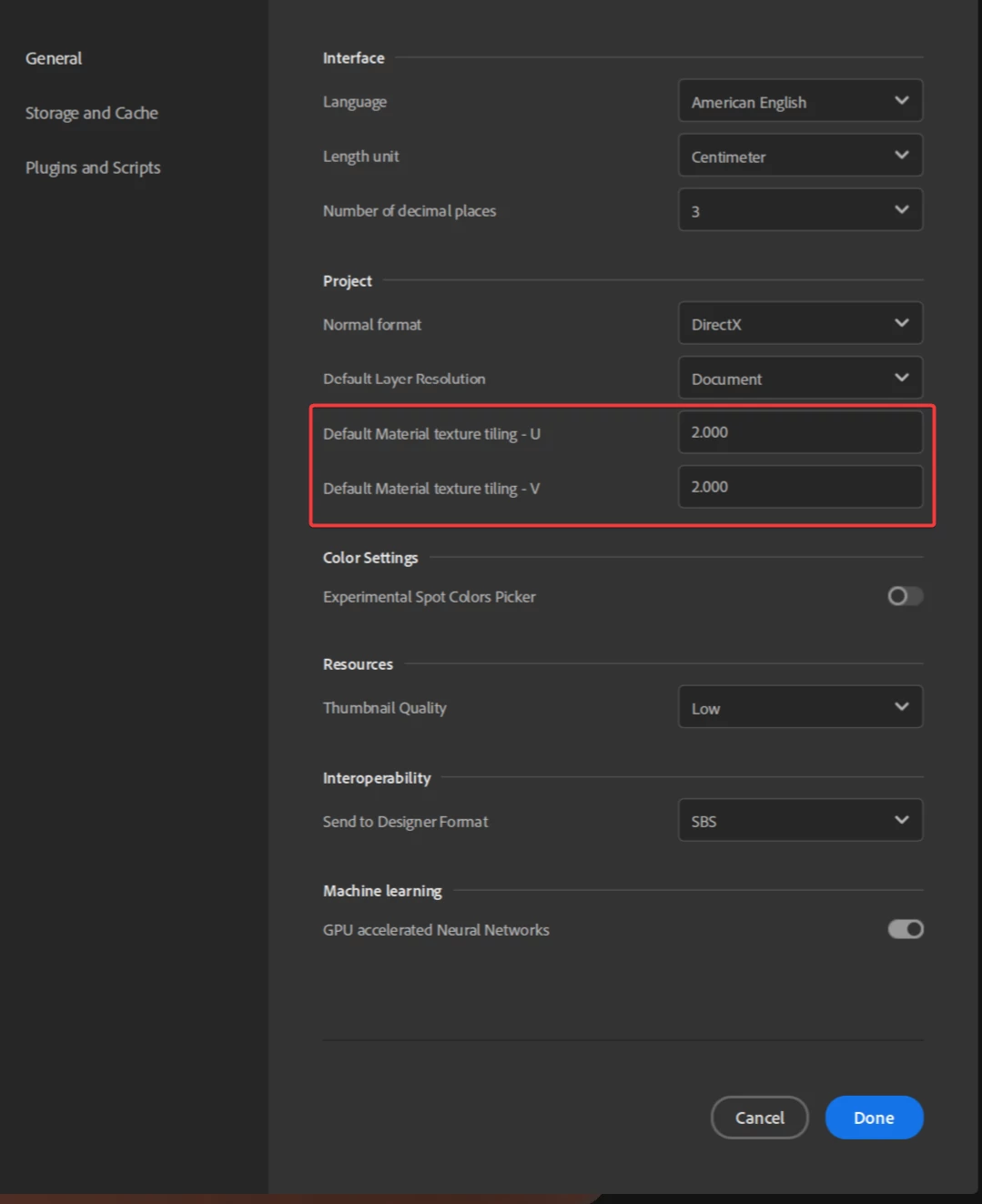
However, I can share your message with the team as a suggestion. I personaly think we could add such a parameter next to the default tiling option under Edit > Preferences > General > Project


 Best regards,


1 reply

Cyril Dellenbach
Community Manager
Cyril DellenbachCommunity ManagerCorrect answer
Community Manager
November 6, 2023

Hi @leighv123,


Unfortunately, there's no way/feature to save the Height Scale value between project.


However, I can share your message with the team as a suggestion. I personaly think we could add such a parameter next to the default tiling option under Edit > Preferences > General > Project


 Best regards,


Cyril Dellenbach (Micro) | QA Support Artist | Adobe
leighv123Author
Inspiring
November 7, 2023

Thank you Cyril Dellenbach

That would be great if it could be added and an option which I feel should be included.  I have also noticed that the Displacement preview quality seems to sometimes default to 0.3, sometimes to 1.0, sometimes to 0.1... in other words... quite random values.

This is happening in V4.1.2 so not sure about the latest version (which I have found to be unusable due to Normal map settings not currently working).